Search results for tag #sightreading
![[?]](https://6-28.mastodon.xyz/accounts/avatars/000/143/584/original/43d92d322b53cf9d.jpg)
@grindhold Update!
Firefox actually can into MIDI
#notenlesen #piano #sightreading #webmidi
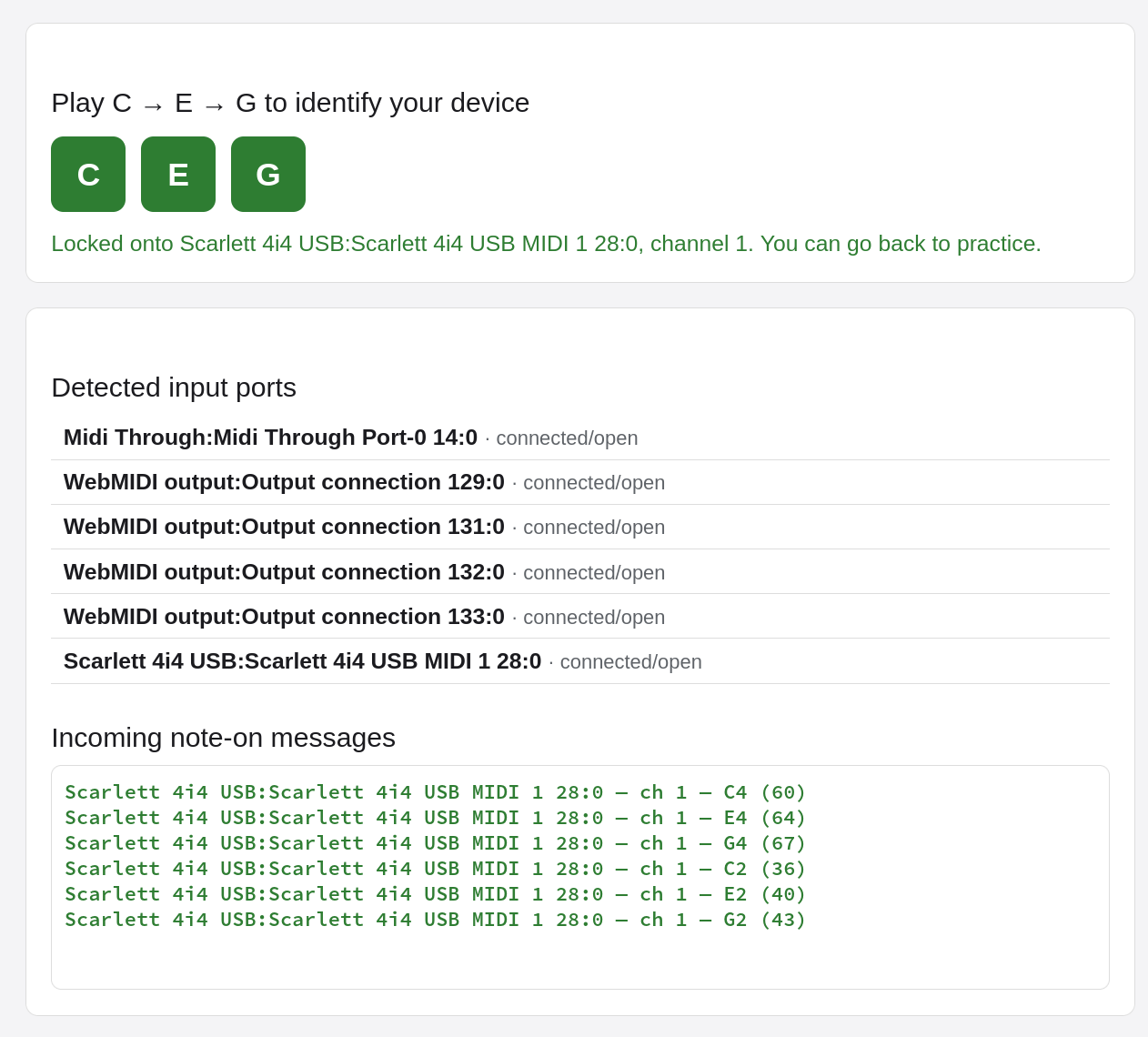
Alt...
A midi setup screen with a connected device.
A screenshot of a web page titled "Play C → E → G to identify your device". Below the title, three large green buttons labeled "C", "E", and "G" are displayed. Underneath them, text reads: "Locked onto Scarlett 4i4 USB:Scarlett 4i4 USB MIDI 1 28:0, channel 1. You can go back to practice."
Further down, a section titled "Detected input ports" lists:
- Midi Through:Midi Through Port-0 14:0 · connected/open
- WebMIDI output:Output connection 129:0 · connected/open
- WebMIDI output:Output connection 131:0 · connected/open
- WebMIDI output:Output connection 132:0 · connected/open
- WebMIDI output:Output connection 133:0 · connected/open
- Scarlett 4i4 USB:Scarlett 4i4 USB MIDI 1 28:0 · connected/open
The final section, "Incoming note-on messages," shows a series of green text entries:
- Scarlett 4i4 USB:Scarlett 4i4 USB MIDI 1 28:0 - ch 1 - C4 (60)
- Scarlett 4i4 USB:Scarlett 4i4 USB MIDI 1 28:0 - ch 1 - E4 (64)
- Scarlett 4i4 USB:Scarlett 4i4 USB MIDI 1 28:0 - ch 1 - G4 (67)
- Scarlett 4i4 USB:Scarlett 4i4 USB MIDI 1 28:0 - ch 1 - C2 (36)
- Scarlett 4i4 USB:Scarlett 4i4 USB MIDI 1 28:0 - ch 1 - E2 (40)
- Scarlett 4i4 USB:Scarlett 4i4 USB MIDI 1 28:0 - ch 1 - G2 (43)
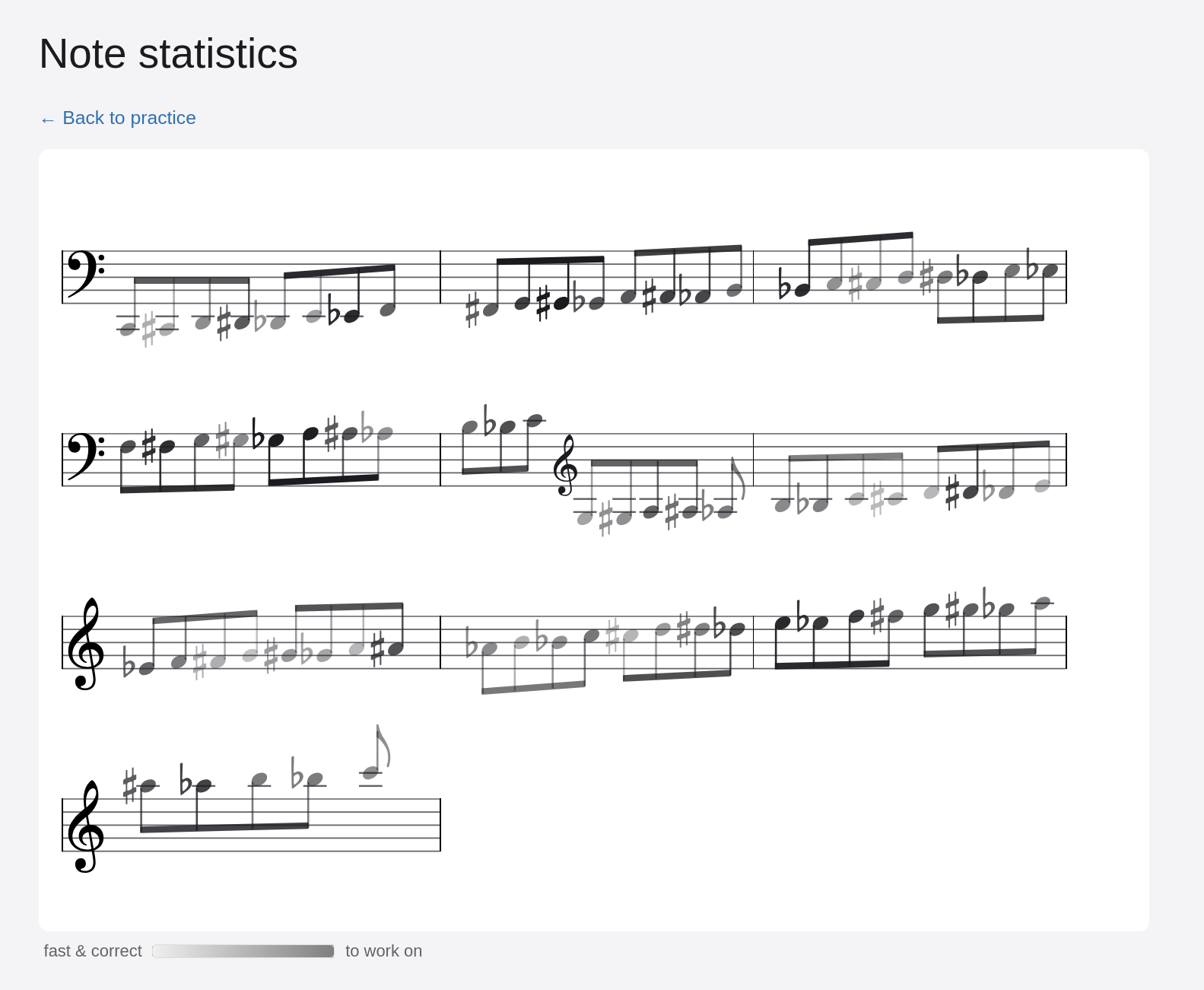
I added another thing to #notenlesen: A visualization of your progress :)
Shows which notes you need to work on most to become fluid at #sightreading.
Alt...
A scale going from C2 to C6 (first a bass key, then a treble key). Some notes are more or less transparent. The bottom has a legend “fast & correct (transparent)” and “to work on (solid)”
The source code for #notenlesen is at https://codeberg.org/Profpatsch/Profpatsch/src/branch/canon/users/Profpatsch/notenlesen
and you can run it locally with
nix run git+https://codeberg.org/Profpatsch/Profpatsch#notenlesen
(or clone repo and `go run`)
Alt...
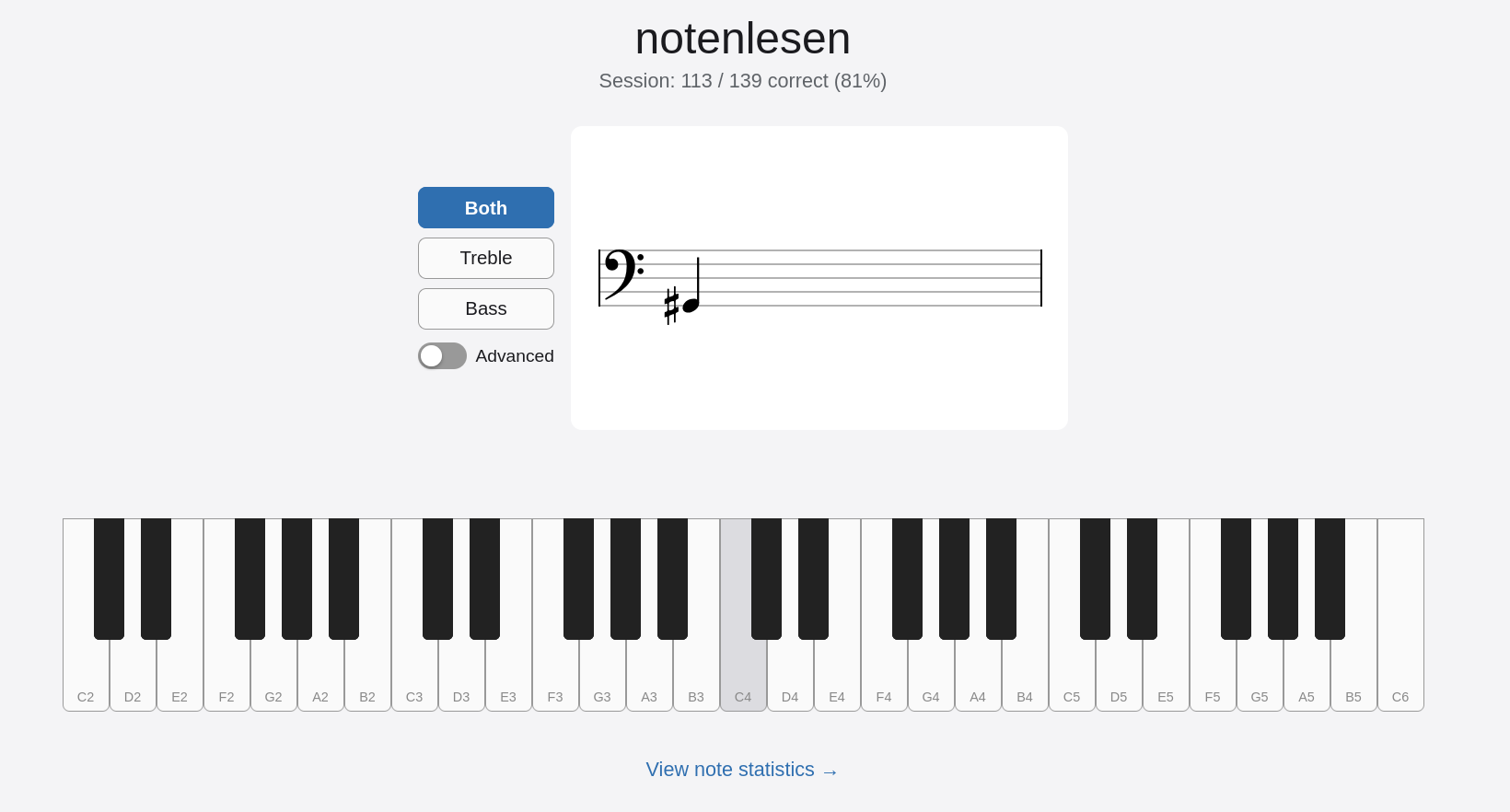
A digital interface for learning to read sheet music. At the top, the title "notenlesen" (German for "note reading") is displayed, with "Session: 113 / 139 correct (81%)" below it. To the left, there are three buttons: "Both" (selected and blue), "Treble", and "Bass", and a toggle switch labeled "Advanced".
The main part of the screen shows a musical staff with a bass clef. On the staff, there is a whole note (semibreve) with a flat symbol (♭) in front of it, placed on the third line from the bottom. This note represents the pitch D flat.
Below the staff, a full piano keyboard is displayed. The white key corresponding to C4 is highlighted in gray, with "C4" labeled below it. The keys are labeled from C2 to C6. The note D♭4 would be the black key directly to the left of D4.
Alt...
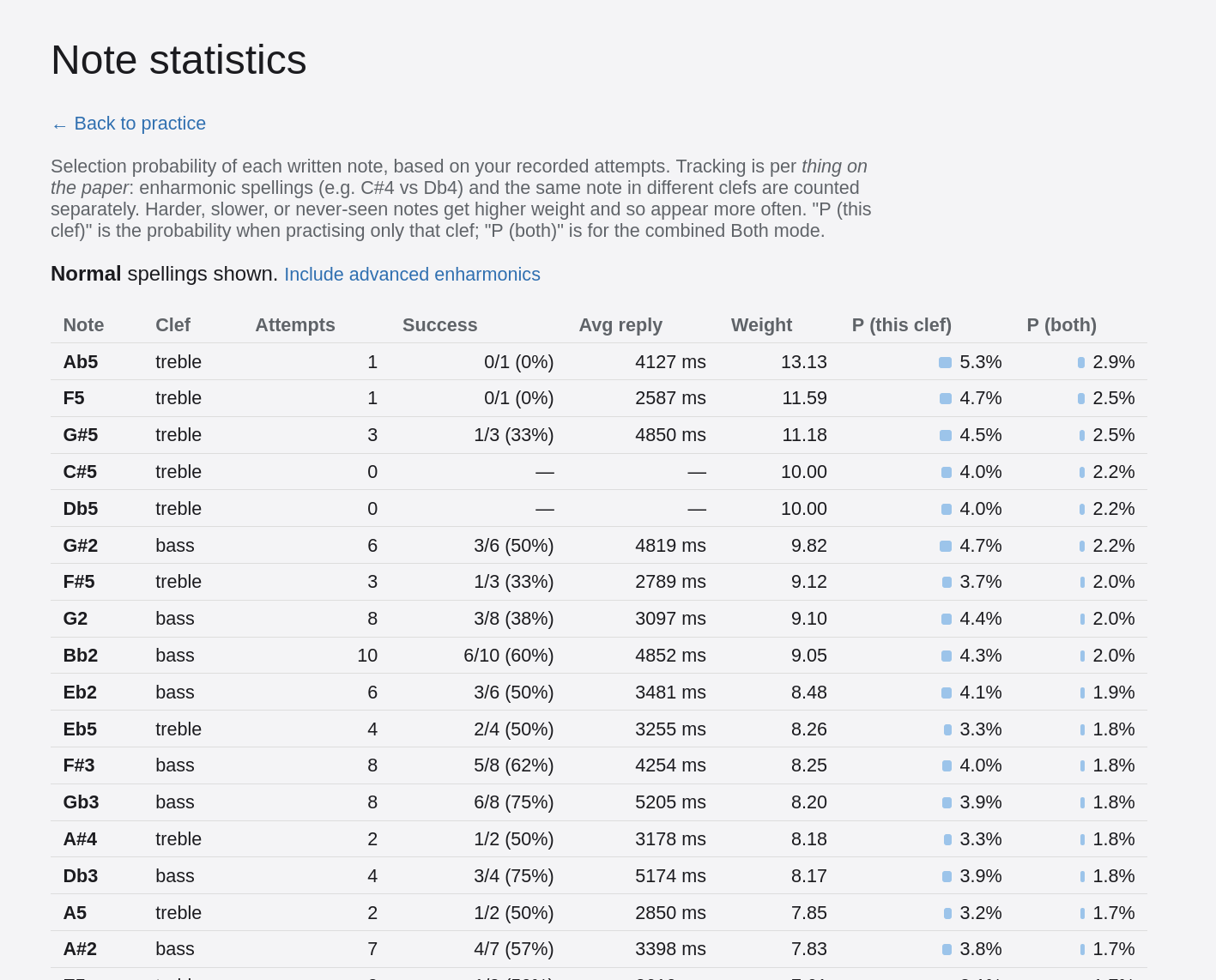
A screenshot of a web page titled "Note statistics" showing a table of musical notes and their learning progress.
The page starts with a title "Note statistics" and a clickable link "← Back to practice". Below it, there's a paragraph explaining that the selection probability of each written note is based on recorded attempts, tracking enharmonic spellings separately, and that harder or never-seen notes appear more often. "P (this clef)" is the probability when practicing only that clef, and "P (both)" is for the combined Both mode.
A sub-heading "Normal spellings shown. Include advanced enharmonics" is present.
The main content is a table with columns: "Note", "Clef", "Attempts", "Success", "Avg reply", "Weight", "P (this clef)", and "P (both)". The table displays data for various notes, sorted by "Weight" in descending order.
Some of the top rows are:
- Ab5, treble, 1 attempt, 0/1 (0%) success, 4127 ms avg reply, 13.13 weight, 5.3% P (this clef), 2.9% P (both)
- F5, treble, 1 attempt, 0/1 (0%) success, 2587 ms avg reply, 11.59 weight, 4.7% P (this clef), 2.5% P (both)
- G#5, treble, 3 attempts, 1/3 (33%) success, 4850 ms avg reply, 11.18 weight, 4.5% P (this clef), 2.5% P (both)
The "P (this clef)" and "P (both)" columns also feature small horizontal blue bar graphs indicating the percentage visually.