Search results for tag #linux
![[?]](https://files.mastodon.social/accounts/avatars/000/033/231/original/06101f6861148350.jpg)
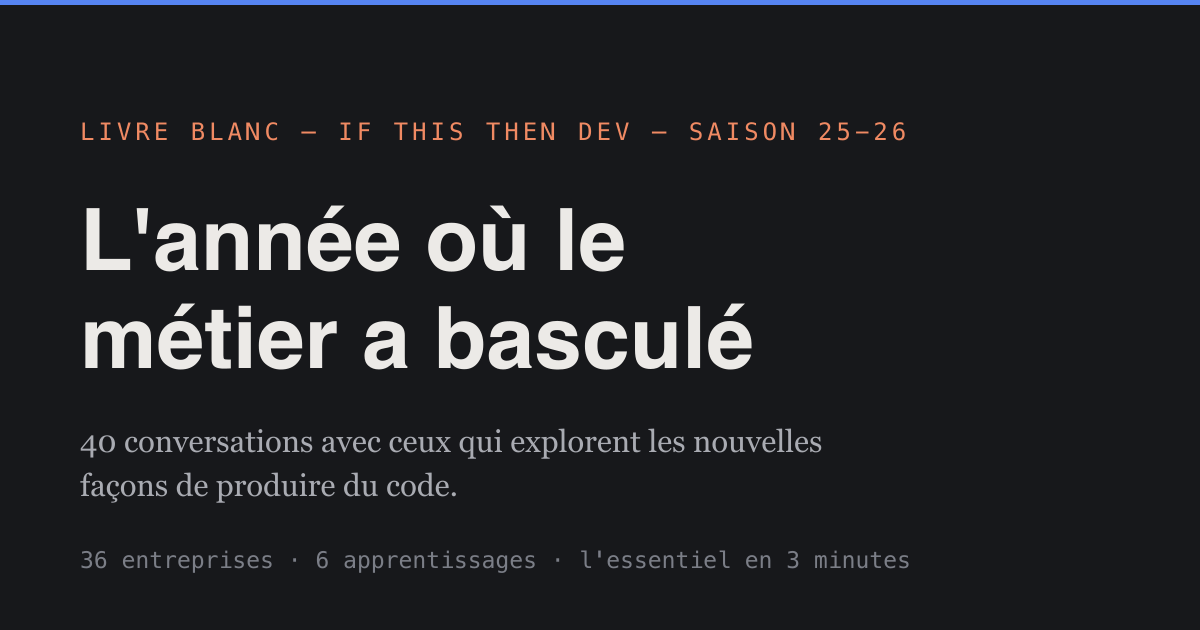
Un an de podcast IFTTD passé au crible : 40 épisodes, 370 transcriptions lues, 6 apprentissages. Agents produisant plus de code que relisible, juniors moins recrutés, retour des fondamentaux (typage, tests, archi).
Livre blanc gratuit, verbatims sourcés. ⬇️
https://bilan.ifttd.io/
#Programming #WebDev #Linux #FOSS
📬 Ma veille dev, chaque vendredi par email → https://l.camilleroux.com/sig-gYD
Alt...
Couverture du livre blanc "If This Then Dev - Saison 25-26" présentant 40 conversations avec des professionnels explorant les nouvelles façons de produire du code, regroupant 36 entreprises et 6 apprentissages clés résumés en 3 minutes.
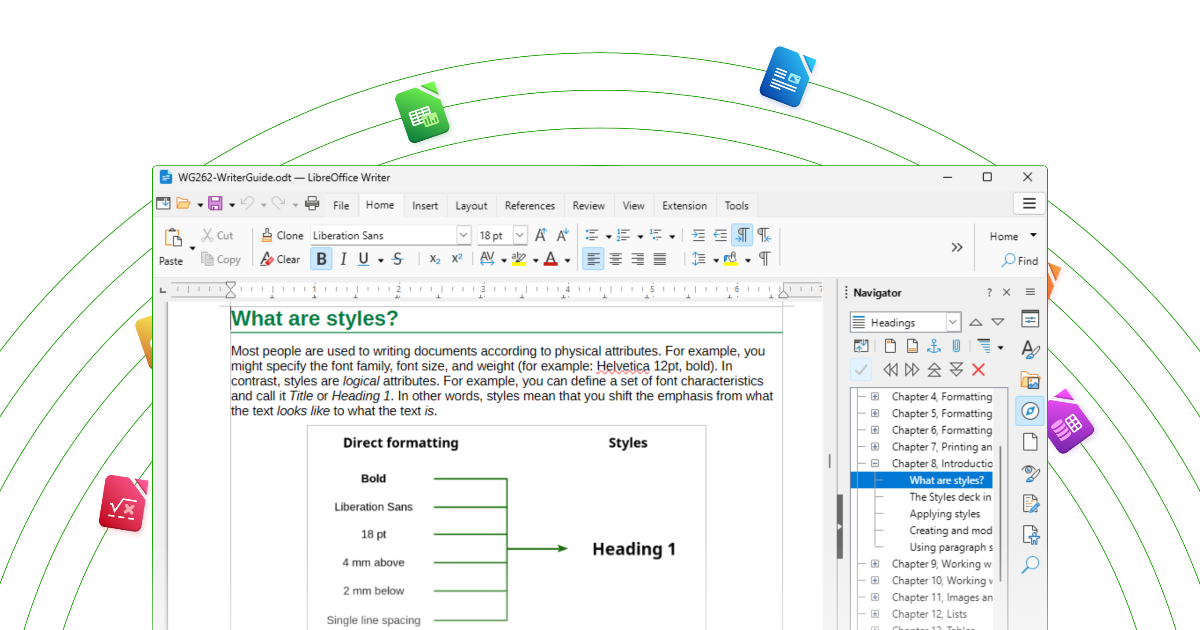
LibreOffice 26.8 dépasse le million de téléchargements en une semaine, probablement grâce à sa position sans IA générative par défaut : exécution contrôlée par l'utilisateur, zéro télémétrie, aucune dépendance à un vendeur unique. ⬇️
https://manualdousuario.net/en/libreoffice-download-record-no-ai/
#SelfHosted #OpenSource #FOSS #Linux
📬 Ma veille dev, chaque vendredi par email → https://l.camilleroux.com/sig-N9g
Alt...
Capture d'écran de LibreOffice Writer montrant un document expliquant les styles de formatage. L'interface affiche un diagramme comparant le formatage direct et les styles, avec un panneau de navigation sur le côté listant les chapitres du document.
![[?]](https://media.bsd.cafe/bsdmmedia01/accounts/avatars/117/230/143/862/280/275/original/51629811f2845db3.jpg)
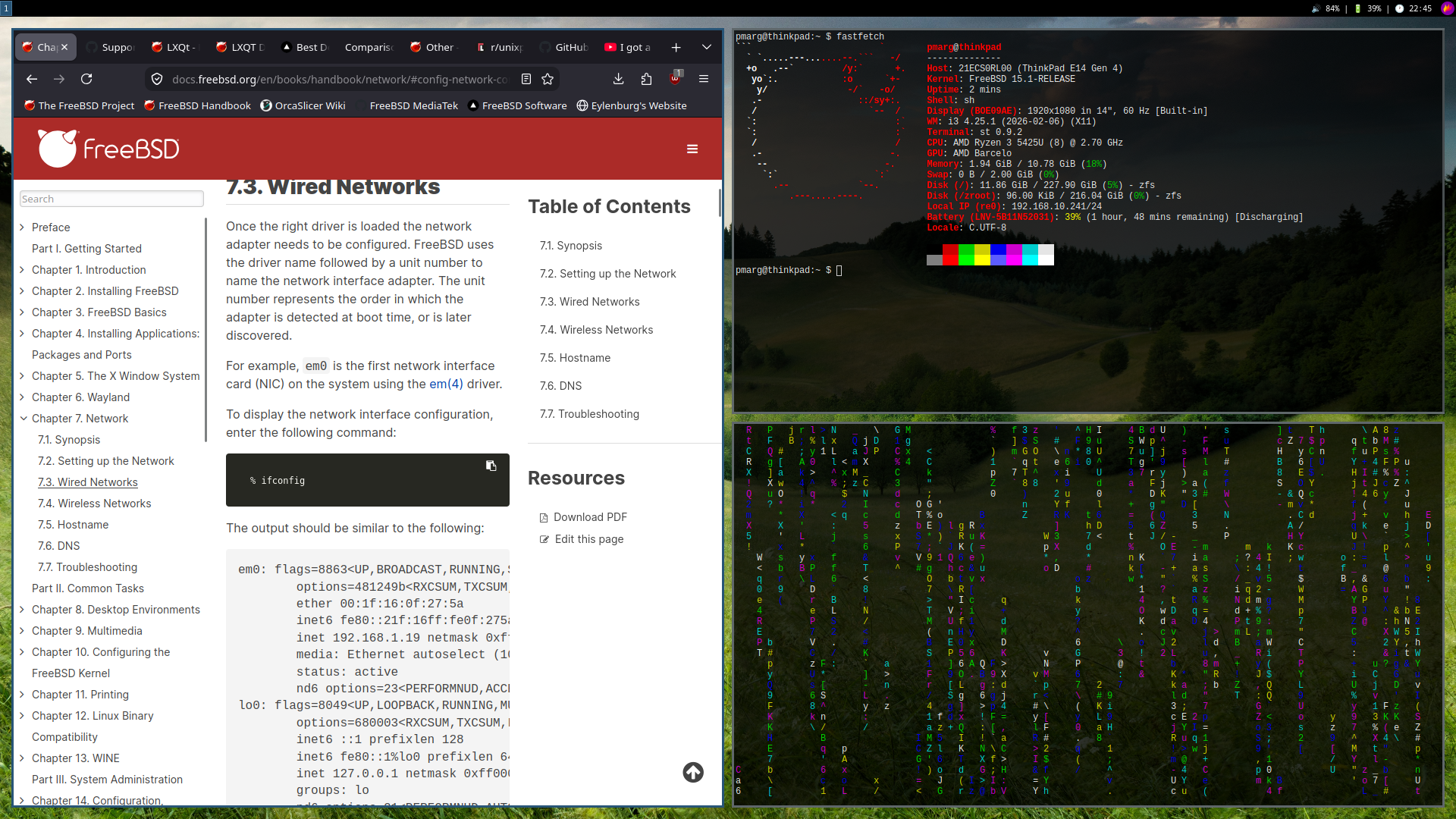
#FreeBSD, but make it #Unixporn! 
#Unix #Linux #i3wm #i3 #OpenBSD #NetBSD #BSD #FreeSoftware #OpenSource
Alt...
A desktop screenshot showing a customized FreeBSD setup. On the left, a web browser displays the FreeBSD Handbook's “Wired Networks” section. On the right, a terminal runs fastfetch, showing system information over a dark forest wallpaper, with a colorful cmatrix terminal visualizer occupying the lower-right area.
![[?]](https://media.bsd.cafe/bsdmmedia01/accounts/avatars/115/138/278/314/458/705/original/14801851e6f000f4.png)
 boosted
![[?]](https://media.bsd.network/accounts/avatars/000/006/949/original/9592eac6e5018e39.png)
#NetBSD GSoC 2026 Testing Compat #Linux: Syscall testing
https://blog.netbsd.org/tnf/entry/gsoc2026_testing_compat_linux_2
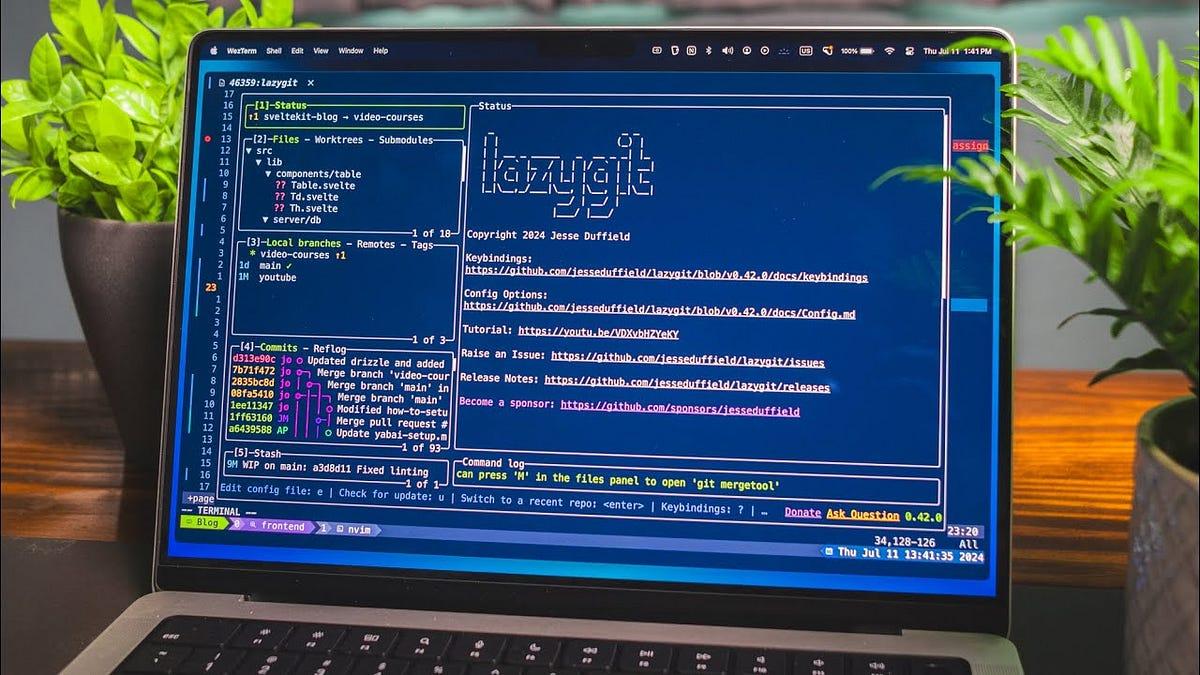
Idée à contre-courant du .gitignore classique : au lieu d'ignorer les fichiers indésirables, tout ignorer par défaut (*) et n'autoriser explicitement que ce qui doit être versionné. Fini les .env ou node_modules commités par erreur. Bonus : lazygit comme TUI Git à tester. ⬇️
https://packagemain.tech/p/gitignore-everything-by-default
#Programming #WebDev #Linux #FOSS
📬 Ma veille dev, chaque vendredi par email → https://l.camilleroux.com/sig-9f9
Alt...
Un écran d'ordinateur portable affiche un terminal avec du code source Git et une interface de gestion de repository, montrant un projet nommé "lazygit" avec des fichiers et des branches visibles, dans un environnement de développement sur un bureau avec des plantes en arrière-plan.
Les événements tech français sont en difficulté. Sponsoring, billets, adhésions : tout recule.
L'AFUP lance une lettre ouverte, on l'a cosigné pour Human Talks.
Si ces rencontres comptent pour vous, sponsorisez, prenez les places tôt, adhérez aux assos et relayer la lettre ! ⬇️
https://lettreouverte.afup.org/
#Programming #WebDev #Linux #FOSS
📬 Ma veille dev, chaque vendredi par email → https://l.camilleroux.com/sig-YS2

Alt...
Human Talks appelle à soutenir les événements tech français en signant une lettre ouverte adressée à 33 associations et communautés. Le visuel invite à sponsoriser, inscrire ses équipes ou adhérer via lettreouvertc.afup.org pour assurer la pérennité de ces événements.
True digital literacy isn't generated; it's understood. 💡
On this Literacy Day, step away from the opaque shortcuts of AI, dive into the clean NetBSD source code, and empower human curiosity from the bare metal up. Read the source, master the system, and keep human craftsmanship alive. 📖⚙️
RTFM (Read the Fantastic Manual)
#NetBSD #LiteracyDay #DigitalLiteracy #ReadTheSource #CodeLiteracy #HumanIntelligence #runBSD #Linux #Unix #RTFM #internationalliteracyday #noai #antiai #nollm #antillm

![[?]](https://s3.amazonaws.com/majortoot/accounts/avatars/109/326/168/175/475/699/original/4a61c6e17f56e129.jpeg)
Ever fancied a Framework laptop but you bought a MacBook instead?
Asahi Linux now officially supports Macs with the M3 series SoC
#AsahiLinux #Macs #Apple #AppleSilicon #Linux #OperatingSystem #OpenSource #Hardware #Tech

Hey #FreeBSD folks! 🐡
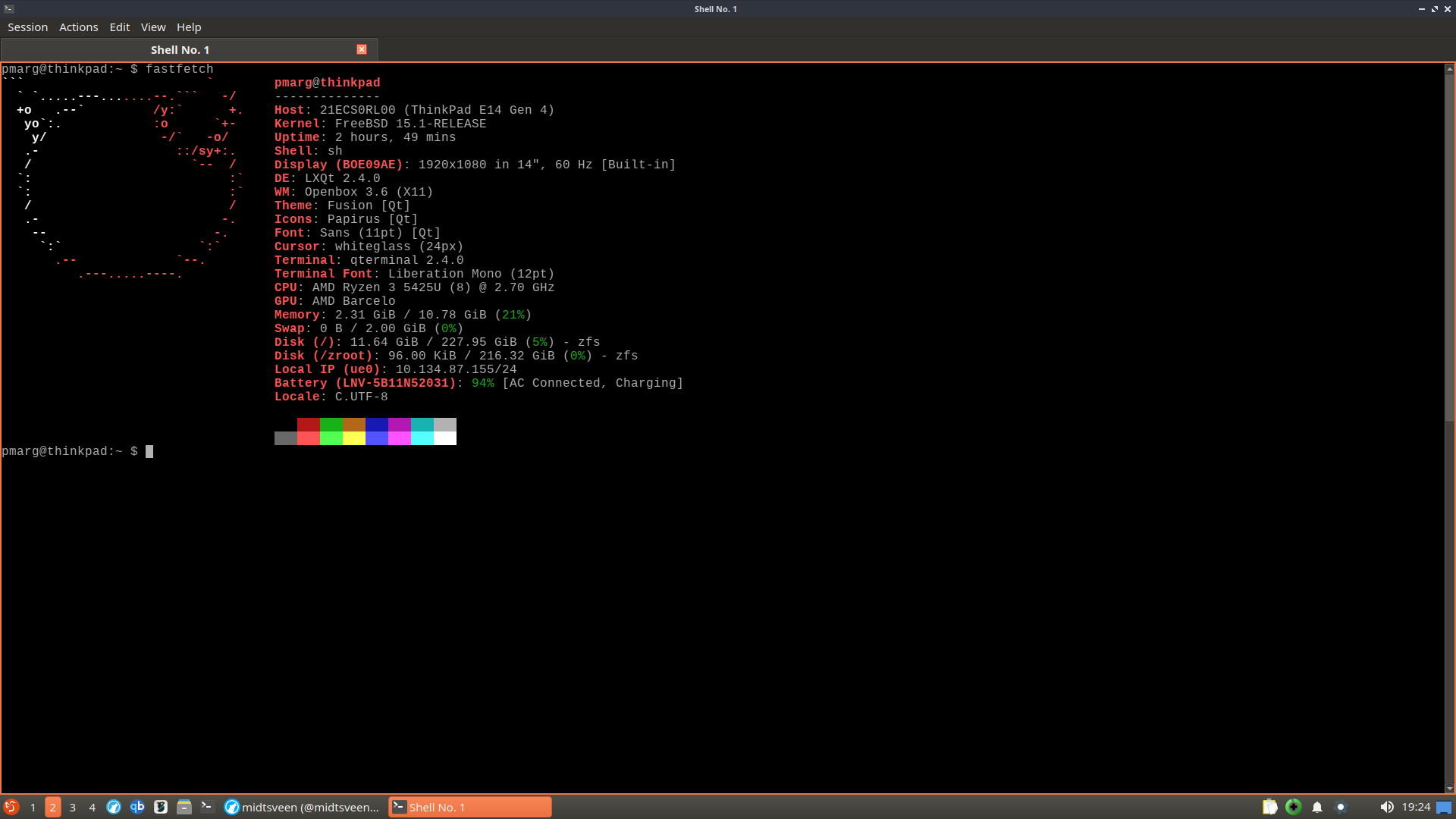
I recently, as of yesterday, installed FreeBSD on my ThinkPad E14 Gen 4, and will document my journey coming from Debian GNU/Linux over to something that is BSD.
I’ve had some knowledge of FreeBSD from past interactions here on Mastodon, as well as from YouTube and other social media platforms. My ThinkPad also has two ssd drives, so I decided to wipe one of them and install FreeBSD, and using it as my daily driver.
I used to be on kolektiva.social a while back. Not sure how long I’ll stick around on this one either, but I came across bsd.cafe while reading through some FreeBSD documentation and figured I’d join.
Feel free to boost me if you remember me, or not, no worries!
Also, here are some relevant and useful links to check out:
https://www.freebsd.org/
https://docs.freebsd.org/en/books/handbook/
#BSD #OpenBSD #GhostBSD #Unix #Linux #Midtsveen
Alt...
Screenshot of the LXQt desktop environment with a fullscreen terminal window displaying the output of fastfetch, a command-line utility that shows system information such as the operating system, hardware, kernel, and desktop environment.
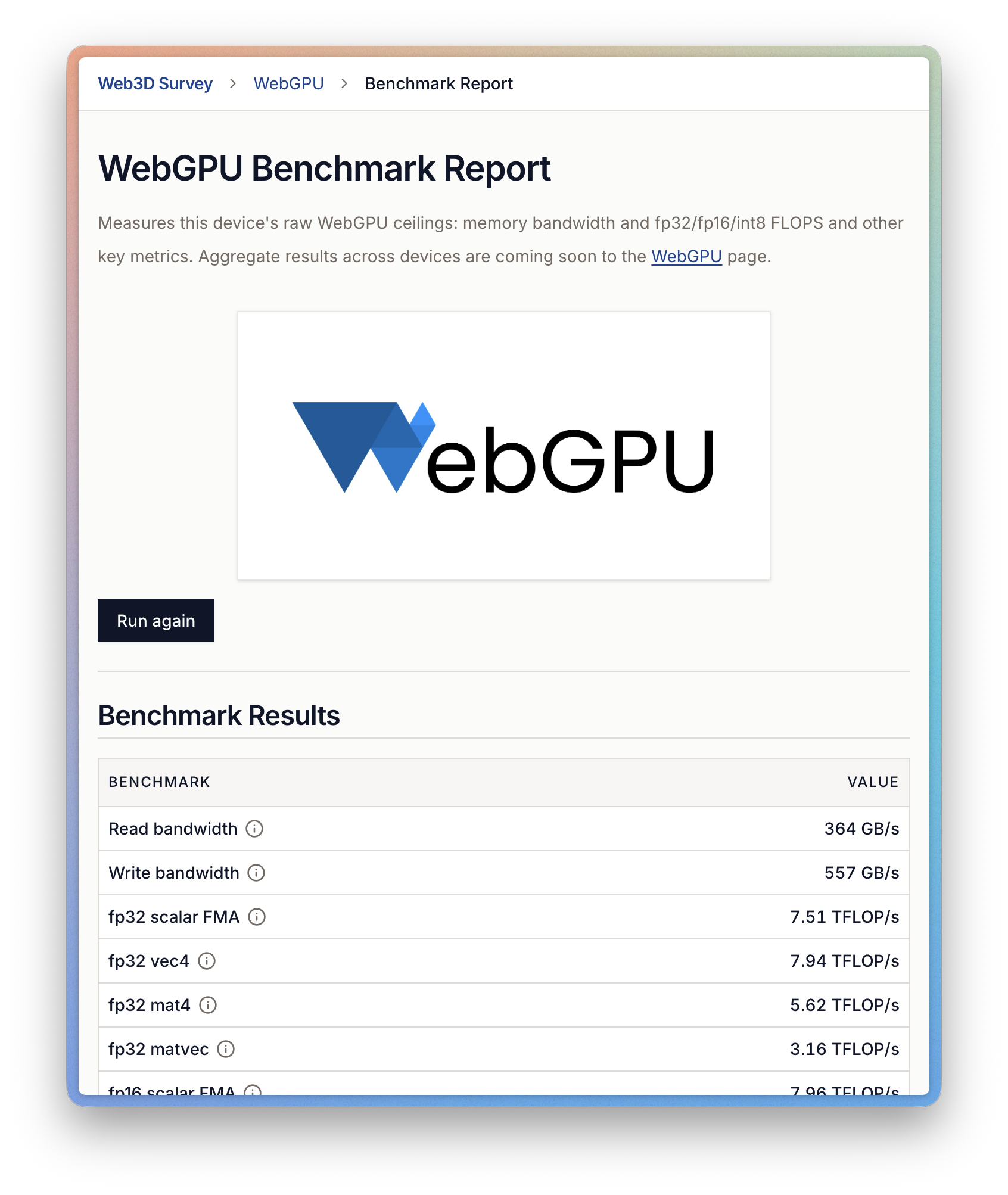
WebGPU Benchmark Report mesure les capacités brutes de la carte graphique directement dans le navigateur, sans installation : bande passante mémoire, FLOPS fp32/fp16/int8 et autres métriques bas niveau, pratique pour comparer des devices sans profiler natif. ⬇️
https://web3dsurvey.com/benchmark
#Programming #WebDev #Linux #FOSS
📬 Ma veille dev, chaque vendredi par email → https://l.camilleroux.com/sig-XHi
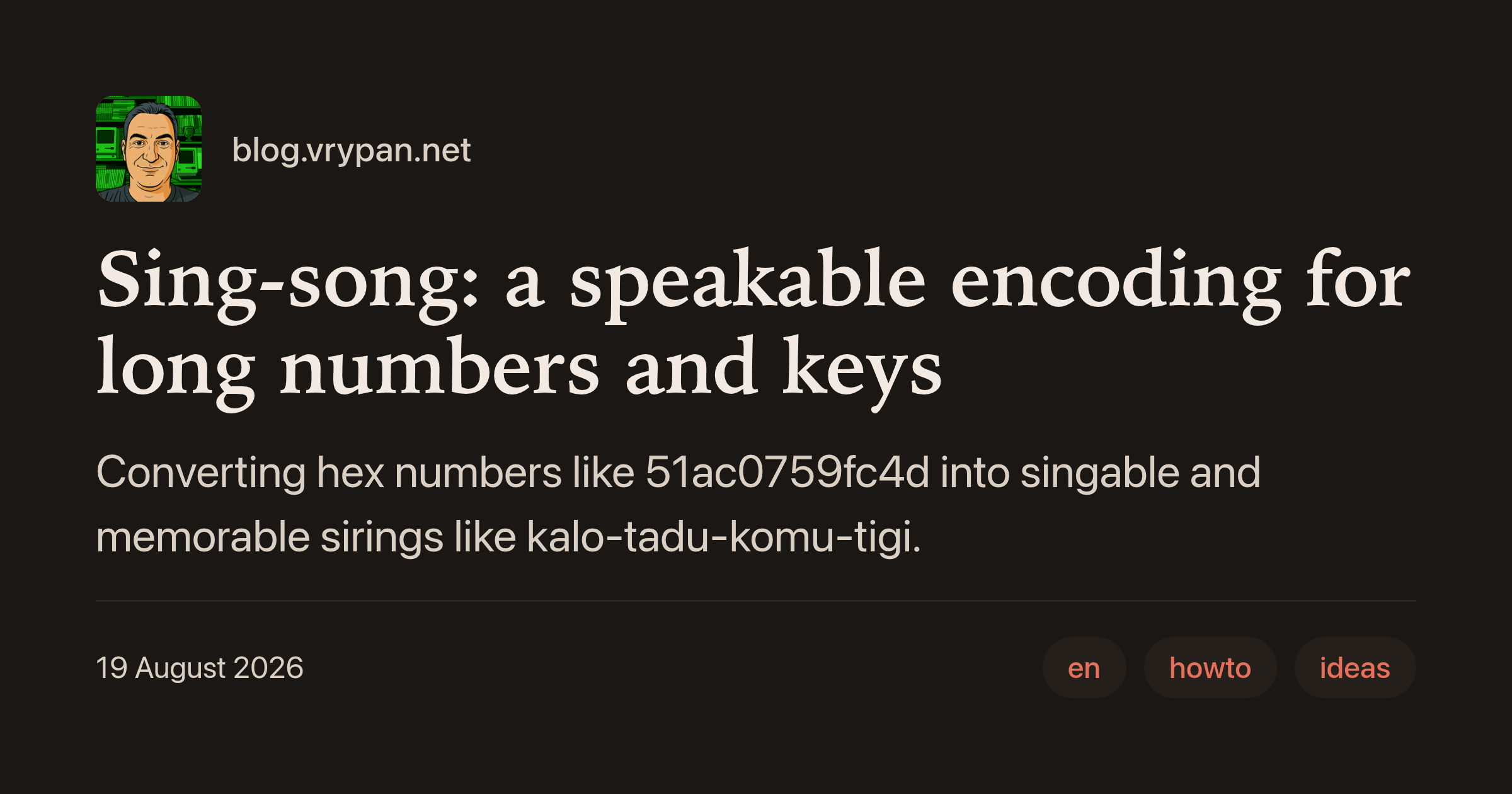
Sing-song encode des clés hexadécimales en syllabes prononçables, genre kalo-tadu-komu-tigi au lieu de 51ac0759fc4d, pour les dicter au téléphone sans erreur. 64 syllabes CV, déterministe, préfixes communs préservés entre valeurs proches. ⬇️
https://blog.vrypan.net/2026/08/19/260819-sing-song/
#Programming #WebDev #Linux #FOSS
📬 Ma veille dev, chaque vendredi par email → https://l.camilleroux.com/sig-Cob
Alt...
Un article de blog présentant "Sing-song", une méthode pour convertir des nombres hexadécimaux longs en chaînes de caractères mémorables et chantonnables, comme transformer 51ac0759fc4d en kalo-tadu-komu-tigi.
Hunk : un diff viewer terminal pensé pour la review de changesets générés par des agents IA. Stream multi-fichiers, annotations inline du raisonnement de l'agent, coloration syntaxique, dizaines de thèmes, extensions en TypeScript, intégration Git et Jujutsu. ⬇️
https://www.hunk.dev/
#Programming #WebDev #Linux #FOSS
📬 Ma veille dev, chaque vendredi par email → https://l.camilleroux.com/sig-kWb
![[?]](https://files.mastodon.social/accounts/avatars/000/396/350/original/707d3beea6076986.png)
Latest 𝗩𝗮𝗹𝘂𝗮𝗯𝗹𝗲 𝗡𝗲𝘄𝘀 - 𝟮𝟬𝟮𝟲/𝟬𝟵/𝟬𝟳 (Valuable News - 2026/09/07) available.
https://vermaden.wordpress.com/2026/09/07/valuable-news-2026-09-07/
Past releases: https://vermaden.wordpress.com/news/
#verblog #vernews #news #bsd #freebsd #openbsd #netbsd #linux #unix #zfs #opnsense #ghostbsd #solaris #vermadenday
![[?]](https://media.bsd.cafe/bsdmmedia01/accounts/avatars/110/753/691/400/011/788/original/7decba5a2514dda4.png)
Latest 𝗩𝗮𝗹𝘂𝗮𝗯𝗹𝗲 𝗡𝗲𝘄𝘀 - 𝟮𝟬𝟮𝟲/𝟬𝟵/𝟬𝟳 (Valuable News - 2026/09/07) available.
https://vermaden.wordpress.com/2026/09/07/valuable-news-2026-09-07/
Past releases: https://vermaden.wordpress.com/news/
#verblog #vernews #news #bsd #freebsd #openbsd #netbsd #linux #unix #zfs #opnsense #ghostbsd #solaris #vermadenday
Que faire quand le langage qu'on adore a un problème de fascisme : DHH, créateur de Rails, tient des propos fascistes sur Twitter et détient toujours la marque. Les forks restent marginaux, Hanami ne convainc pas, aucun langage ne remplace vraiment Ruby. ⬇️
https://codeandcake.dev/posts/2026-09-03-what-do-you-do
#Programming #WebDev #Linux #FOSS
📬 Ma veille dev, chaque vendredi par email → https://l.camilleroux.com/sig-3TZ

Alt...
Capture d'écran d'un article de blog datant du 3 septembre 2026 qui aborde la question de ce qu'il faut faire quand son langage de programmation préféré est confronté à un problème de fascisme, en référence à la controverse impliquant le créateur de Ruby on Rails.
boosted![[?]](https://pxscdn.com/cache/avatars/789980589548961657/avatar_4v14.jpg)
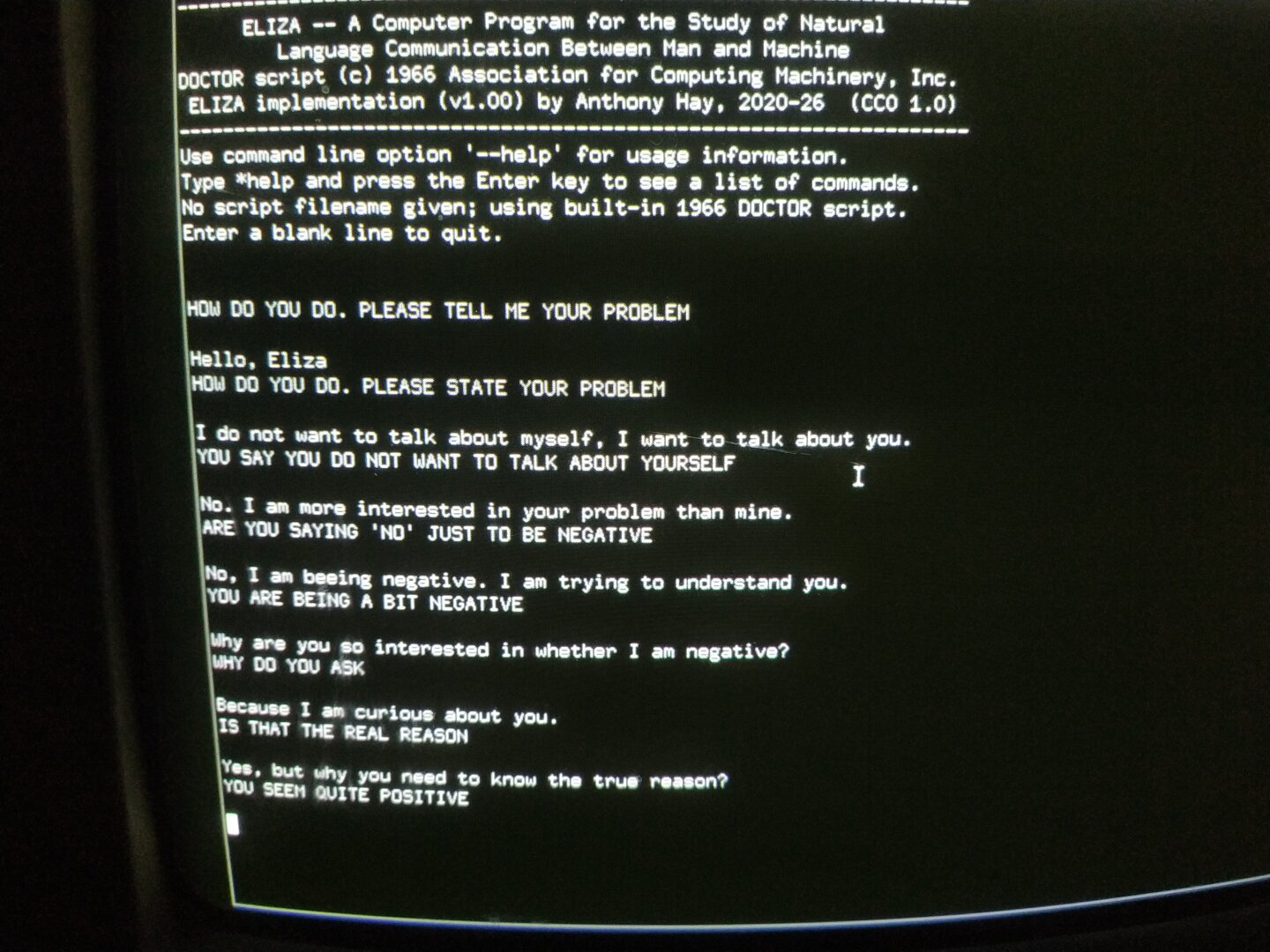
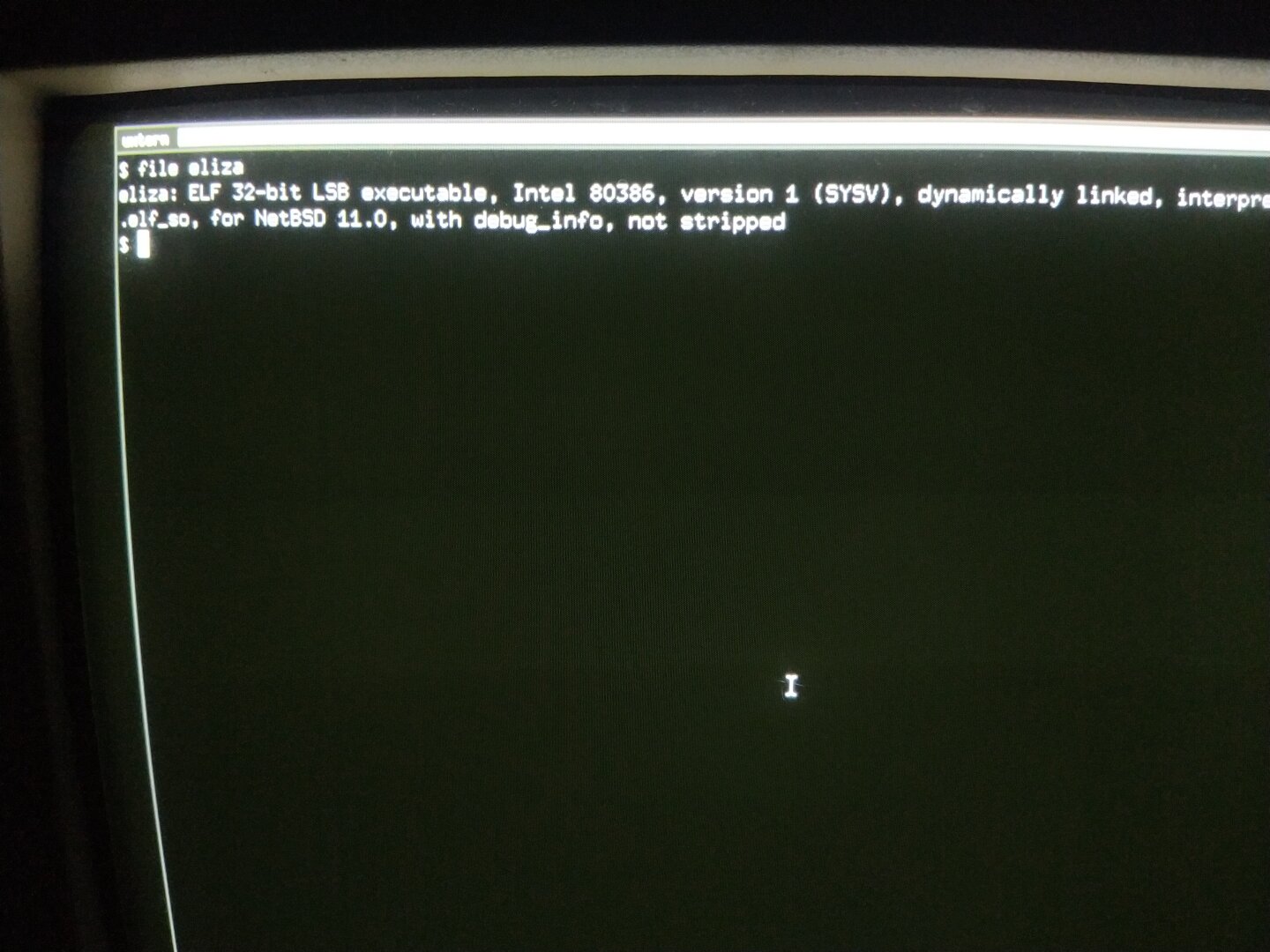
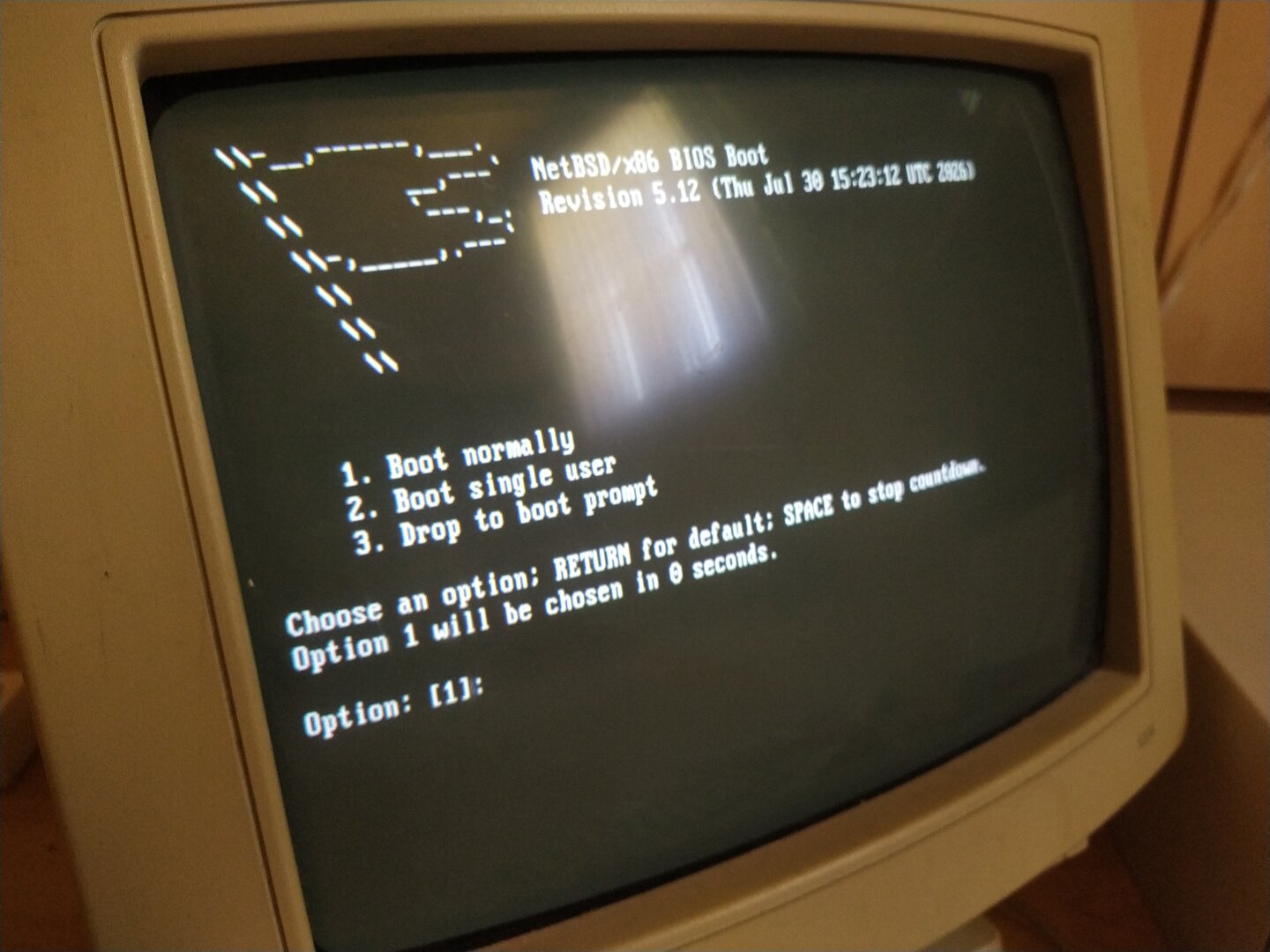
Okay... not really. But I did compile and run an implementation of ELIZA on my Pentium 1 under NetBSD!
If you don't know ELIZA: it was one of the earliest chatbots, created by Joseph Weizenbaum at MIT in the 1960s. The best known version, DOCTOR, simulated a psychotherapist by recognizing keywords and responding with predefined patterns. It didn't actually understand what you were saying, but it could produce surprisingly convincing conversations and sometimes hilariously circular ones.
I actually know ELIZA from my school graduation thesis, which I wrote in psychology. So when I came across this C++ implementation, I couldn't resist bringing it back to life on my Pentium 1.
The original ELIZA was written for the IBM 7094 using MAD SLIP. My version is a modern C++ implementation of the ELIZA concept, not the original 1960s source code.
I even had a little conversation with it about... itself. Needless to say, ELIZA wasn't particularly interested in answering questions about ELIZA.
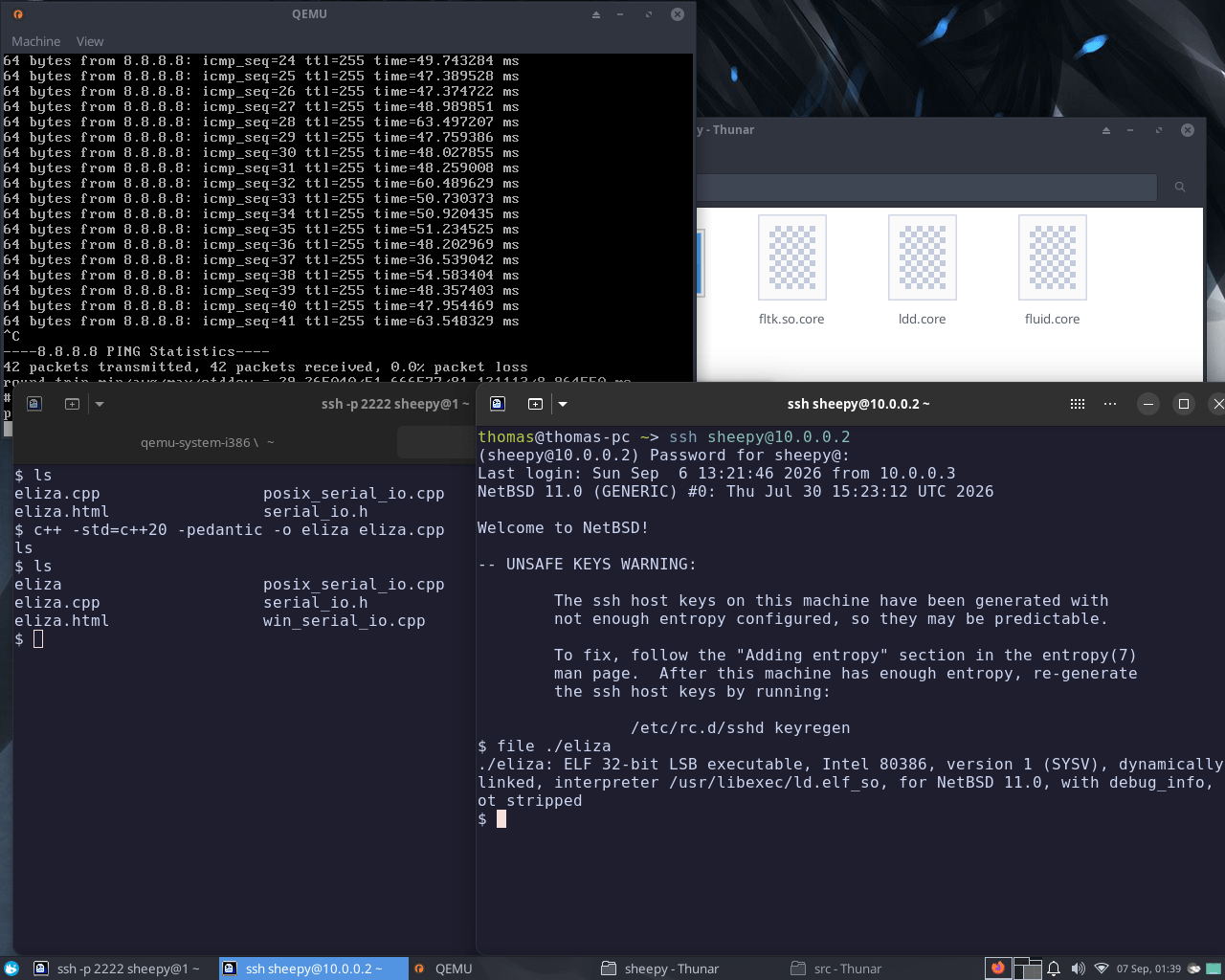
For the compilation, I used a NetBSD VM on my modern Linux machine with QEMU/KVM, configured with a Pentium CPU model, 128 MB RAM and a virtual NE2000 network card. I compiled the C++20 source inside that Pentium configured NetBSD environment and then transferred the resulting binary to the real Pentium 1.
So, no local LLM running on a 166 MHz Pentium 1... but a chatbot from the 1960s running on hardware from the 1990s feels almost perfectly appropriate D:
#ELIZA #AI #LocalAI #NetBSD #RetroComputing #RetroPC #Pentium1 #QEMU #KVM #Linux #FOSS #OpenSource #Chatbot #AIHistory #ComputerHistory #Unix #VintageComputing #OldComputers #ClassicComputing #ComputingHistory #ArtificialIntelligence #Psychology #DigitalHistory
![[?]](https://gts.tumfatig.net/fileserver/01FJ093H6Y5VGN20G998J7KN1M/attachment/original/01JZTJV1P9RVJ502PCXKN68R1F.jpeg)
![[?]](https://hj.9fs.net/p/s/avatar-dea0df353fcc369128b6bd7ae161bec5.jpg) p » 🌐
p » 🌐
@p@hj.9fs.net
dedicated to @ozzelot@mstdn.social
#ai #claude #chatgpt #vibecoding #programming #linux #kitty_odysseus

Alt...
nymph amalka and silenus running together; make love not slop
Data Science for Beginners : curriculum gratuit de Microsoft en 20 leçons sur 10 semaines pour apprendre la data science par la pratique. Quiz, corrigés et exercices à chaque leçon, aucune expérience préalable requise. Plus de 36 000 étoiles sur GitHub. ⬇️
https://github.com/microsoft/data-science-for-beginners
#Programming #WebDev #Linux #FOSS
📬 Ma veille dev, chaque vendredi par email → https://l.camilleroux.com/sig-3qW
Kern : sandbox pour exécuter du code non fiable ou généré par IA dans un container isolé au niveau kernel, en 3,5 ms. Binaire statique, sans démon, rootless, 0 Ram au repos. SDK Python et Node, serveur MCP pour Claude Desktop et Cursor, open source Apache-2.0. ⬇️
https://getkern.dev/
#Programming #WebDev #Linux #FOSS
📬 Ma veille dev, chaque vendredi par email → https://l.camilleroux.com/sig-WB1
Alt...
Présentation de Kern, un runtime sandbox rootless et sans daemon qui exécute du code non fiable et généré par IA en 2.0 ms avec un temps de démarrage très rapide, compatible avec Linux, Windows WSL2, Raspberry Pi, Jetson et Arduino UNO Q. L'installation se fait via une simple commande curl.
Makepad : plateforme de dev créatif en Rust, compile vers wasm/webGL, macOS/Metal, Windows/DX11 et Linux/OpenGL. UI runtime performant, DSL live-editable, backends IA intégrés pour LLM et modèles génératifs en local. ⬇️
https://github.com/makepad/makepad
#Programming #WebDev #Linux #FOSS
📬 Ma veille dev, chaque vendredi par email → https://l.camilleroux.com/sig-ctG
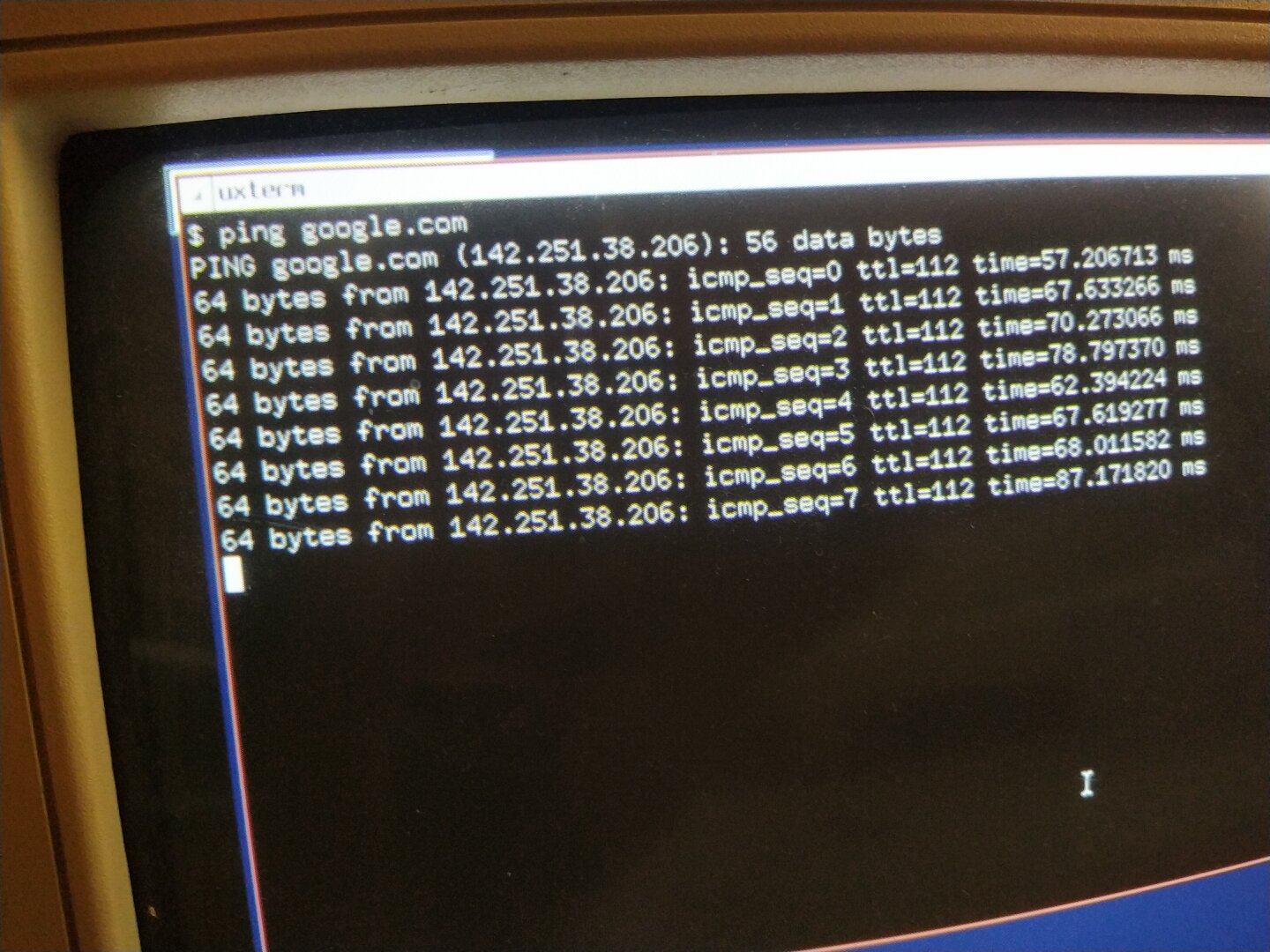
(Okay, technically the second time. I already tested the network connection xD)
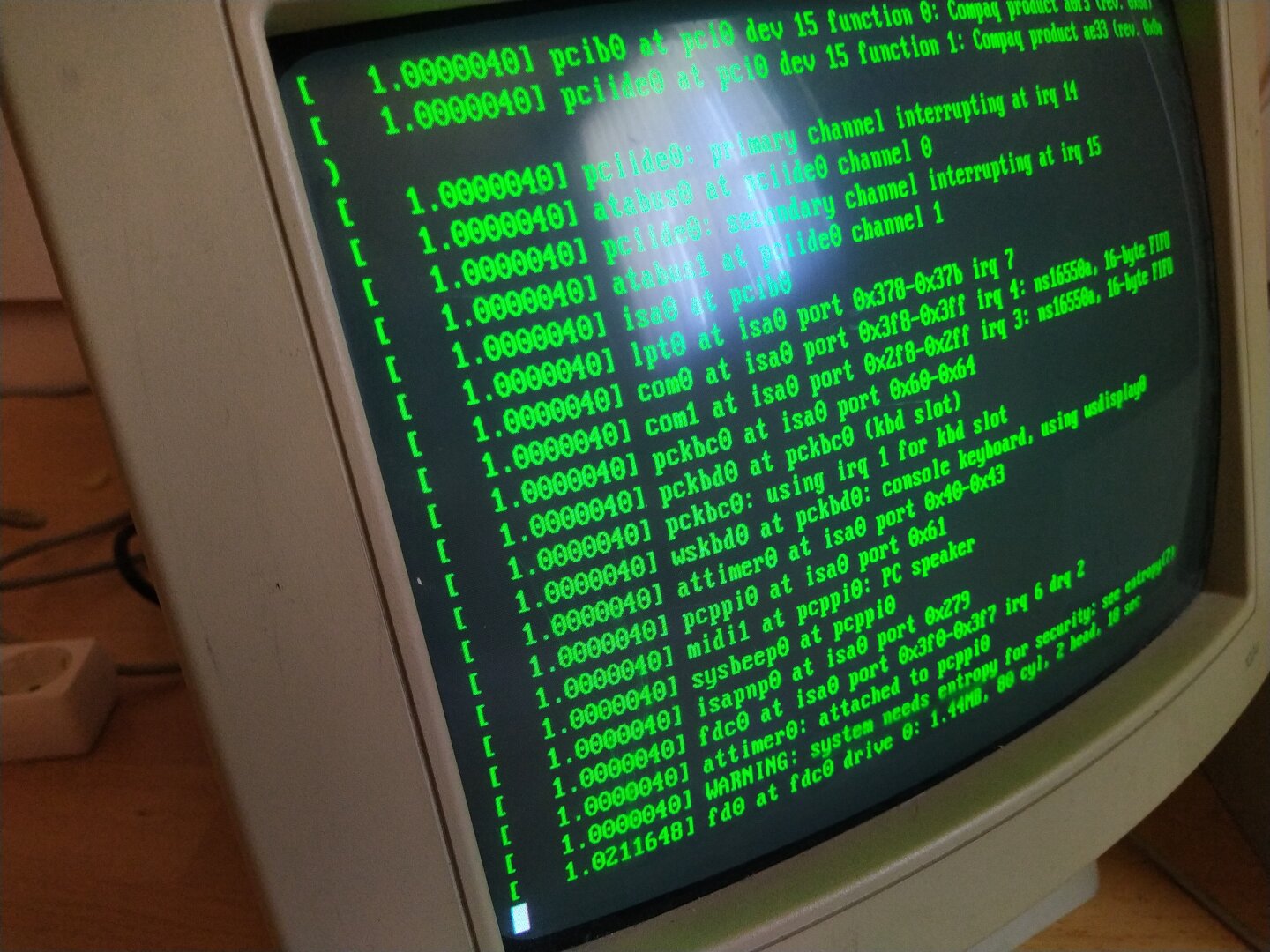
I eventually decided to use NetBSD as the operating system. The reason is surprisingly mundane: my USB to PS/2 adapter is broken and the window manager I was using with Tiny Core Linux cannot be fully controlled with the keyboard. So I needed another Unix.
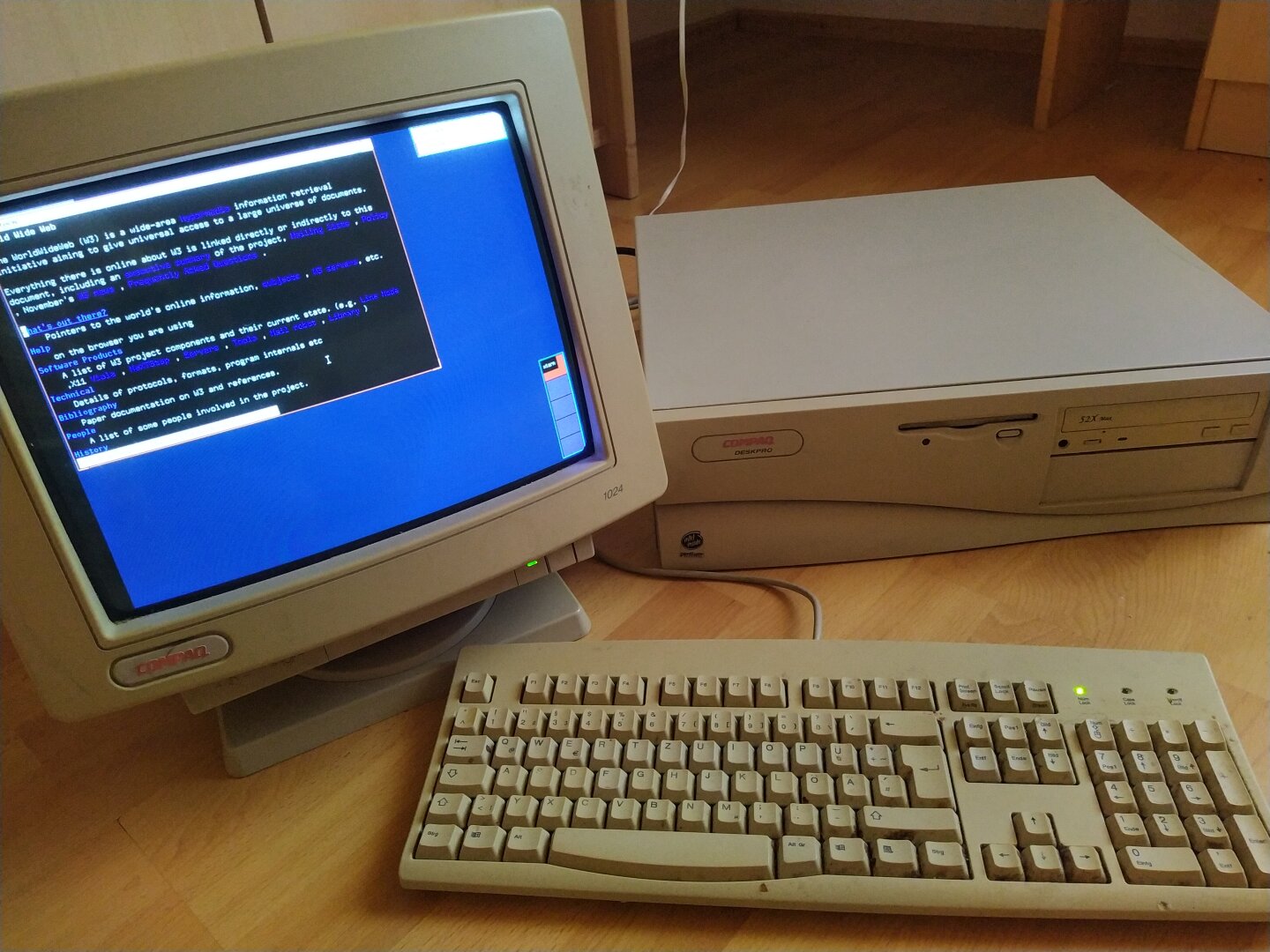
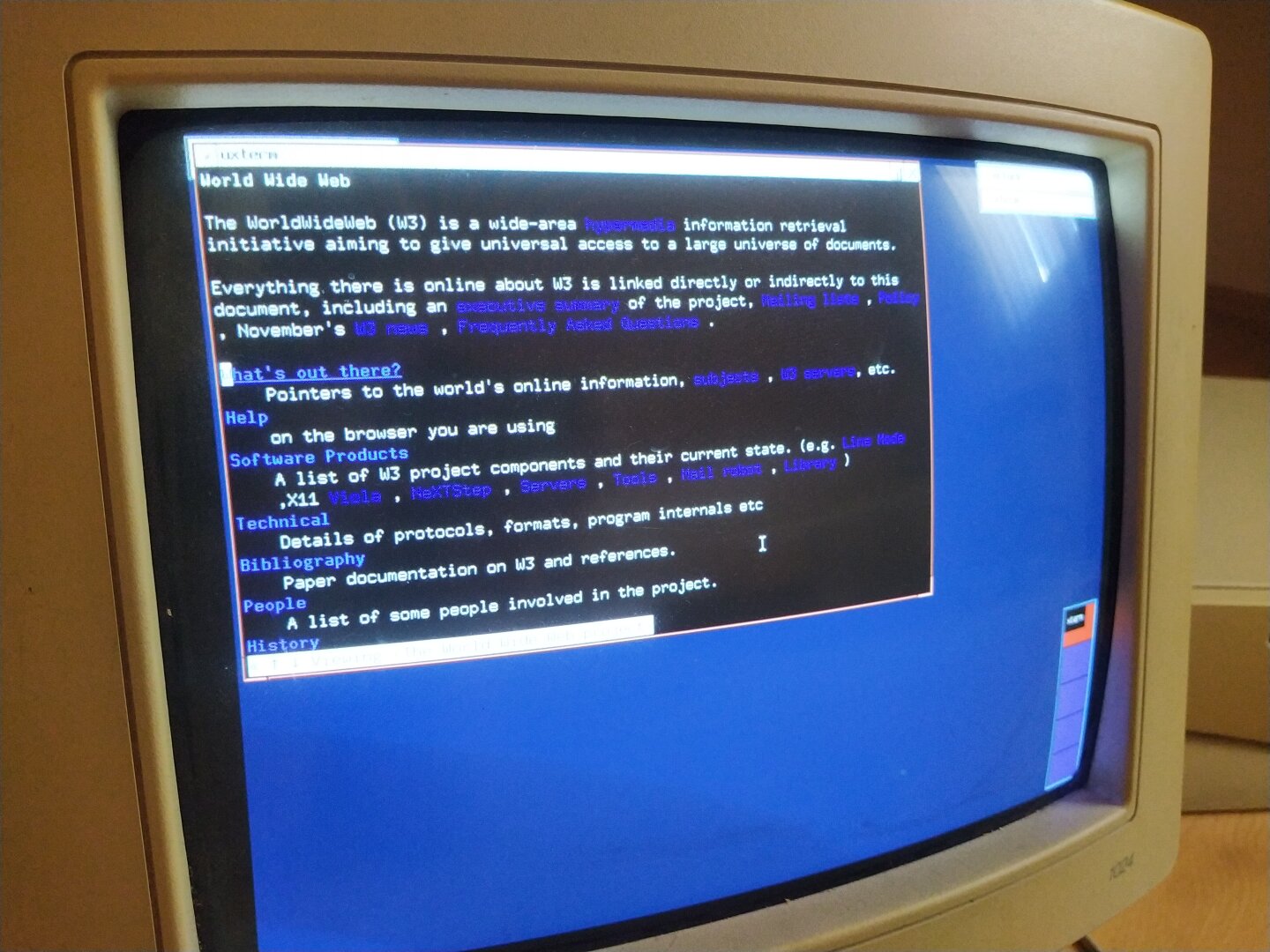
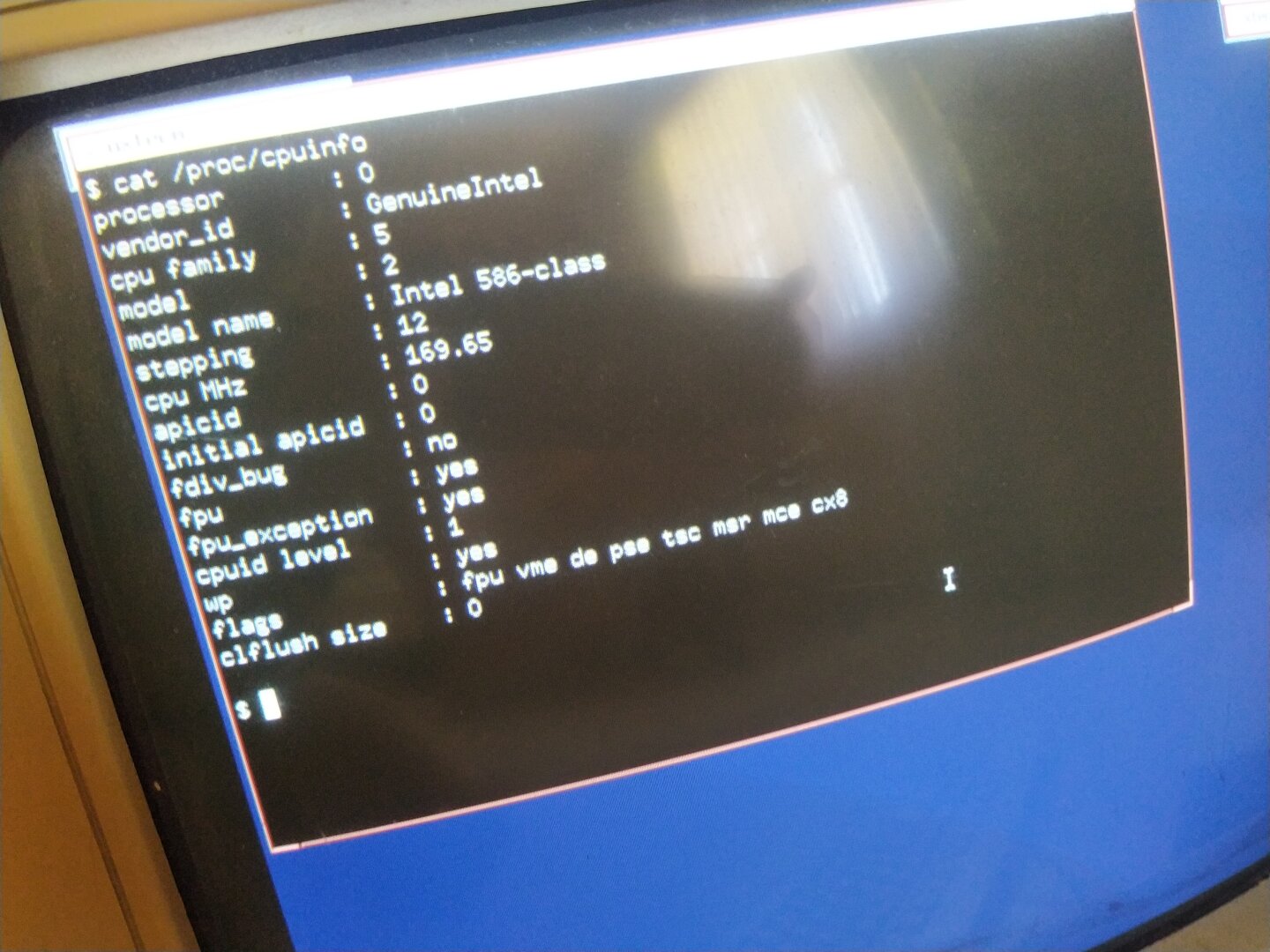
It is now running NetBSD 11.0 with X.Org 21.1.24 and TWM, which means a current 2026 software stack on almost 30 year old hardware. The GPU is a Cirrus Logic D:
The machine has 80 MB of RAM, which feels rather generous compared to another machine I tried with only 64 MB. NetBSD wouldn't install on that one because its CD drive is broken and it also refused to boot the installer through Plop Boot Manager.
Dillo was originally planned as the graphical web browser. Unfortunately, the current FLTK 1.4.5 that Dillo depends on immediately crashes on this Pentium 166 with a bus error. fluid and all of the FLTK libraries do the same. Apparently, "i386" doesn't necessarily mean "runs on an actual Pentium" anymore D:
So I went with w3m instead and used it to open the very first website ever created:
http://info.cern.ch/
And yes, the entire setup was done remotely from my Linux machine over SSH xD
Btw Project Dillo has just begun xD
#RetroComputing #RetroComputer #VintageComputing #Pentium #Pentium166 #IntelPentium #OldHardware #NetBSD #BSD #Unix #Linux #OpenSource #FOSS #Xorg #X11 #W3M #WebBrowser #WorldWideWeb #FirstWebsite #CERN #1990sComputing #ComputerHistory #TechNostalgia
One of the main problem with #Slackware #Linux is that it is rock solid. Why is this a problem? Because I never feel like doing updates!
If it ain’t broken, don’t fix it.
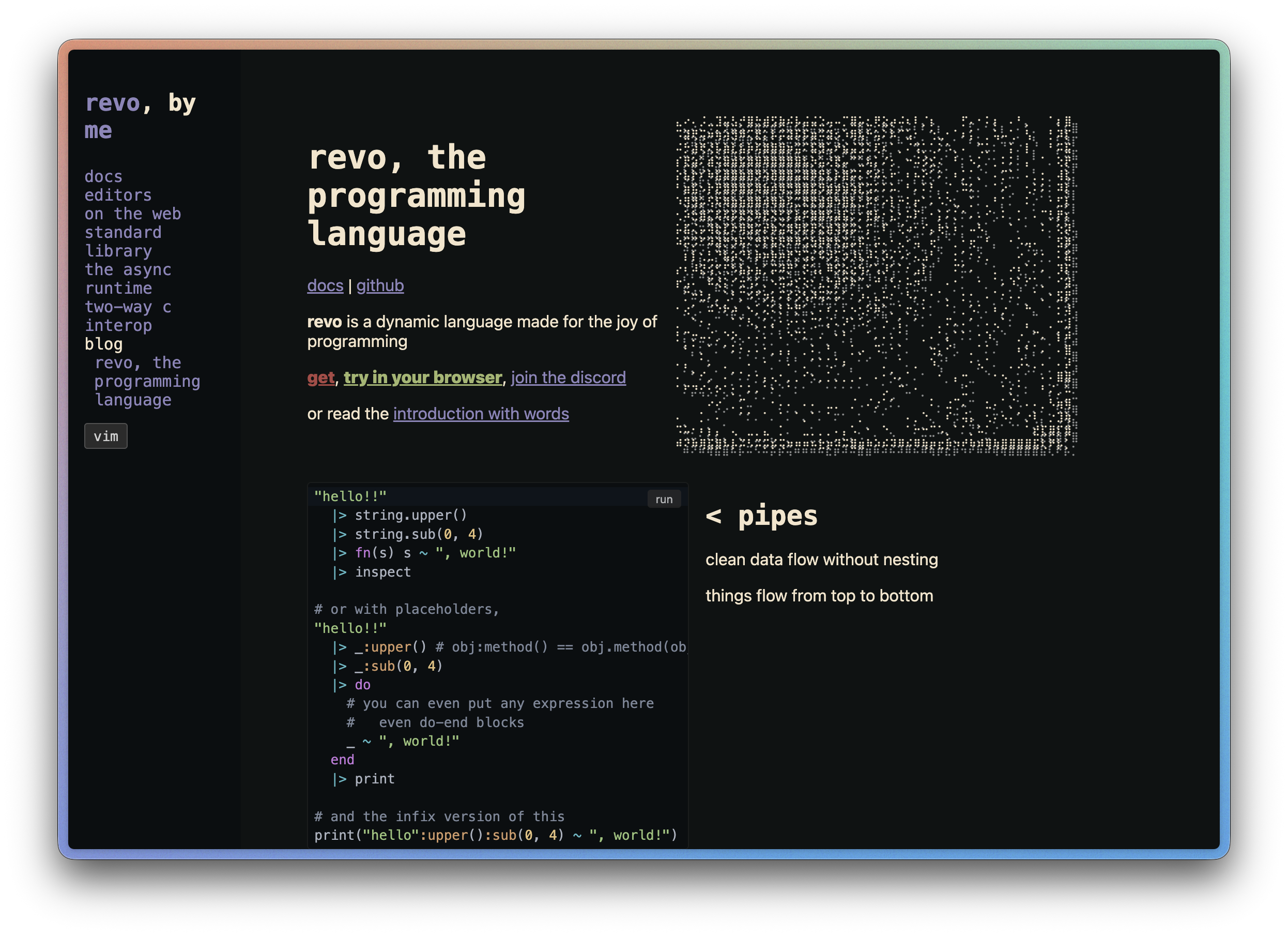
Fini le nil et les crashs cachés : dans Revo, langage dynamique open source, les erreurs sont des valeurs explicites. Pattern matching, macros sur l'AST et des fibers qui rendent n'importe quel code bloquant async avec un simple spawn. ⬇️
https://revo.lung.fyi/
#Programming #WebDev #Linux #FOSS
📬 Ma veille dev, chaque vendredi par email → https://l.camilleroux.com/sig-RxD
Alt...
Page d'accueil de Revo, un langage de programmation dynamique présenté avec des exemples de code, une description des fonctionnalités (notamment le système de pipes) et des liens d'accès à la documentation et communauté.
![[?]](https://media.bsd.cafe/bsdmmedia01/accounts/avatars/110/740/169/477/916/693/original/dfa8f1b9beefa405.png)
Next Saturday at #EuroBSDCon 2026, I'll tell the story of one of the longest nights of my career.
On 10 March 2021, I had just fallen asleep when the alerts started arriving. One server down. Then another. And another.
Different servers, different workloads, one thing in common: the OVHcloud Strasbourg data centre.
Then came the news: SBG2 was on fire.
I had 142 servers there.
The mission for the night was simple to state: bring the critical services back before 8, then recover everything else as quickly as possible.
This talk is about what happened next. The things that worked, the architectural choices that saved us, and especially the ones that failed when we needed them most.
And it's also the story of why that night changed the way I design infrastructure, and why BSD systems became such an important part of it.
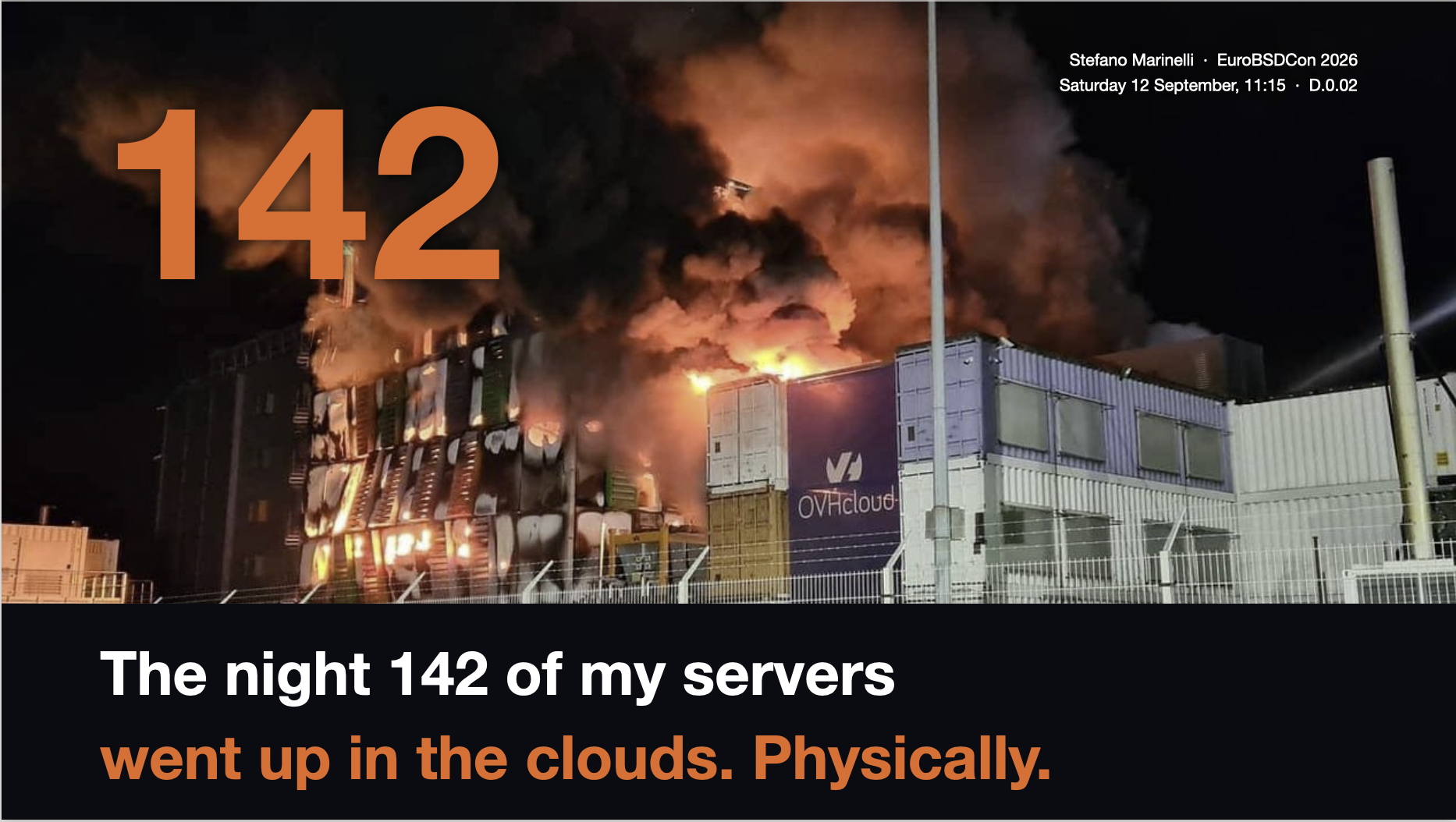
The night 142 of my servers went up in the clouds. Physically.
📅 Saturday 12 September, 11:15
📍 EuroBSDCon 2026, D.0.02
#BSD #FreeBSD #EuroBSDCon #Sysadmin #Infrastructure #RunBSD #NetBSD #OwnYourData #Linux #DisasterRecovery
Alt...
Cover slide for Stefano Marinelli’s EuroBSDCon 2026 presentation. A nighttime photo shows the OVHcloud Strasbourg data centre engulfed in flames and thick smoke. A huge orange "142" overlays the fire. Below, on a black background, the title reads: "The night 142 of my servers went up in the clouds. Physically."
In the top-right corner: "Stefano Marinelli · EuroBSDCon 2026 · Saturday 12 September, 11:15 · D.0.02."
![[?]](https://cdn.masto.host/urbanistssocial/accounts/avatars/109/535/000/336/856/574/original/2163d8422e98b617.jpg)
@dnkl Now that #fuzzel 1.15 is out for #Linux I'm working on on a micro-app that uses it as a frontend for a todo.txt TODO file.
Using the features like custom keybindings, prompt-only mode and the new header and emoji support, a small script is able to display, prioritize, add, edit and check off a todo list.
Still not sure if I'll prefer it over the CLI interface for todo.sh, but it's nice the Fuzzel UI is always one keybinding away.
Once I've fixed the obvious bugs, I'll share it.
![[?]](https://cyberpunklol.files.fedi.monster/accounts/avatars/117/024/347/319/605/995/original/cc6c4d011463faf5.png)
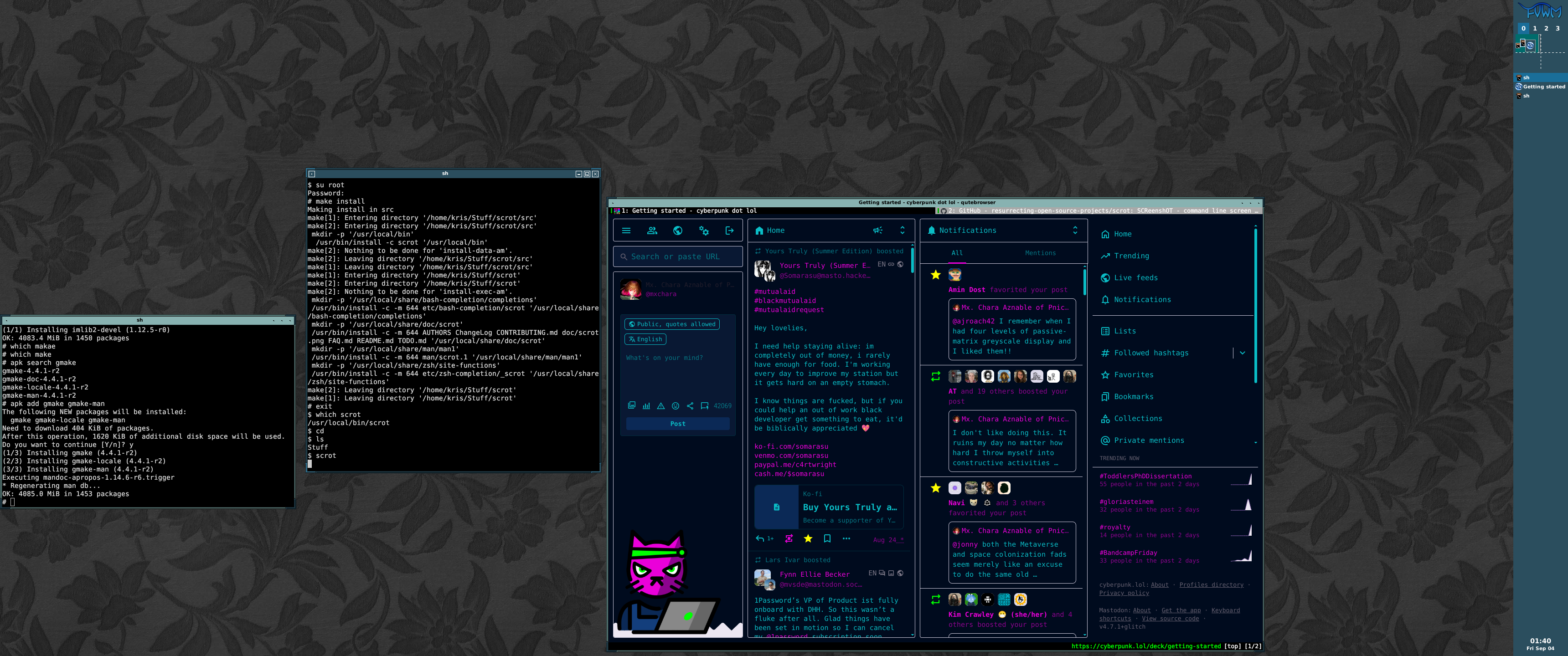
Hey look at that! cyberpunk dot lol running just fine on qutebrowser (Chimera #Linux)
Alt...
complete snapshot of the Pnictogen Wing's widescreen desktop, showing two `kitty` terminal windows open and an instance of `qutebrowser` with Mx. Chara Aznable's cyberpunk.lol webpage on display
![[?]](https://cdn.masto.host/floss/accounts/avatars/109/129/003/918/936/187/original/cf6e3c194b06199f.png)
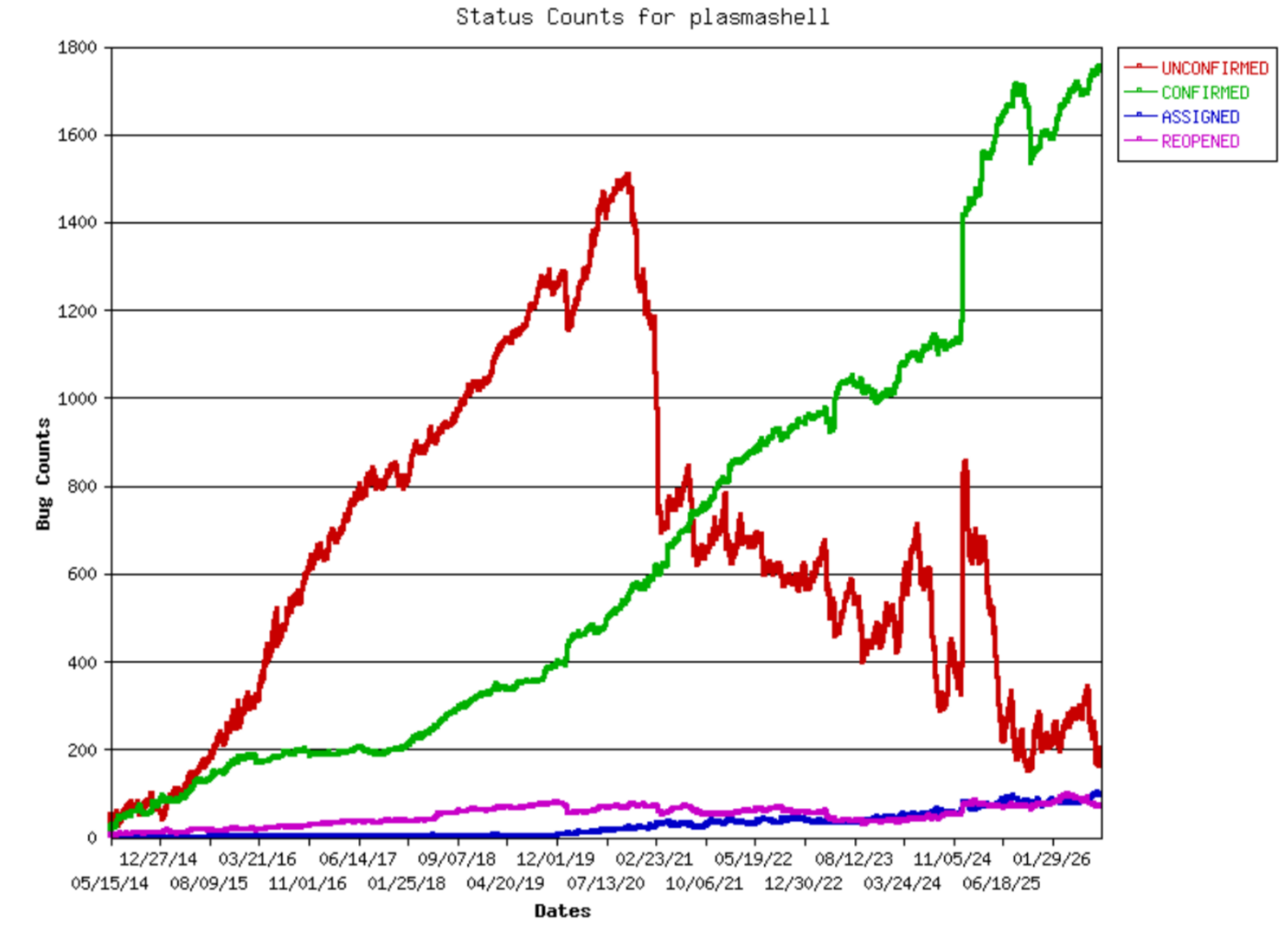
More on KDE's fight for #efficiency: We have driven down the number of unconfirmed #bug reports to its lowest levels in over a decade and are managing to keep it there.
To improve that number further, we need your help:
https://pointieststick.com/2026/09/03/bug-triaging-help-needed/
--
Keep KDE funded💲! Become a Supporter! Adopt an App! All at once!:
#bugs #OpenSource #FreeSoftware #desktop #Linux #BSD
Alt...
A graph showing a dramatic drop in the number of unconfirmed bugs (red curve) over the last 5 years. This is important because unconfirmed bugs cannot be fixed, because we don't know if they are real or not.
![[?]](https://cdn.woof.tech/accounts/avatars/114/551/070/511/462/702/original/5e4a20b50664e275.gif)

![[?]](https://media.bsd.network/accounts/avatars/109/207/430/504/108/566/original/b37198ec33972825.png)
I've been using Chimera Linux for some time now, and it's great. (The maintainer of it is a bit of a strange one, but hey-ho).
Chimera Linux is the Linux based on musl using the freebsd userspace. (This isn't anything new, Debian had an attempt at this with Debian-freebsd).
@wezm has created Casuarina which is essentially Chimera Linux with glibc rather than musl.
Very cool. I'll be looking into this!
Oh. A casuarina is a type of Australian Pine; I've never seen one (they're native to Australia), but thanks to all the #crypticcrossword puzzles I solve, I've heard of one. ;P
![[?]](https://assets.merveilles.town/accounts/avatars/110/618/037/889/897/311/original/7685c244dff08111.png)