Search results for tag #netbsd
![[?]](https://cdn2.miau.pub/accounts/avatars/111/077/294/997/712/881/original/e466d91ac7b69254.png)
Moving on to the newest laptop, bought this year, this one has the Intel LunarLake chipset. I made more danger labels, because #NetBSD is in the house! The framebuffer works in X11, but not good enough to be a daily driver...yet! I will have to do a lot of reading to see how new chipsets get ported across operating systems. Maybe it is something simple or maybe not. Don't know until I try. That's why the danger labels. Can't be too safe. I took the next week off work so I can nerd into this.

Alt...
Laptop with various radiation warning stickers across the lid and a few NetBSD stickers too.
![[?]](https://mastodon.sdf.org/system/accounts/avatars/000/005/463/original/a54b1acc2e3ae4b1.jpg)
![[?]](https://6-28.mastodon.xyz/accounts/avatars/000/001/258/original/4ebc15b16a9159d0.png)
![[?]](https://assets.chaos.social/accounts/avatars/000/099/874/original/fca7530e6a4755a1.png)
Wuah, #NetBSD! Ich mach pkgin upgrade in einem Terminal aufm XFCE Desktop. Soweit so gut, es rödelt los und irgendwann findet es, auch XFCE selber updaten zu müssen.
Und PÄNG! ist der Desktop samt dem Terminal und dem laufenden Upgrade-Prozess weg!
Was für eine Chrümschelisoftware!
![[?]](https://recurse.social/system/accounts/avatars/000/027/974/original/0aad3b48c170be13.jpeg)

![[?]](https://media.bsd.cafe/bsdmmedia01/accounts/avatars/113/698/673/569/488/272/original/1fc827cf6cff37d6.png)
![[?]](https://mastodon.radio/system/accounts/avatars/109/287/240/926/155/194/original/da0381e39c8940e1.jpeg)
 boosted
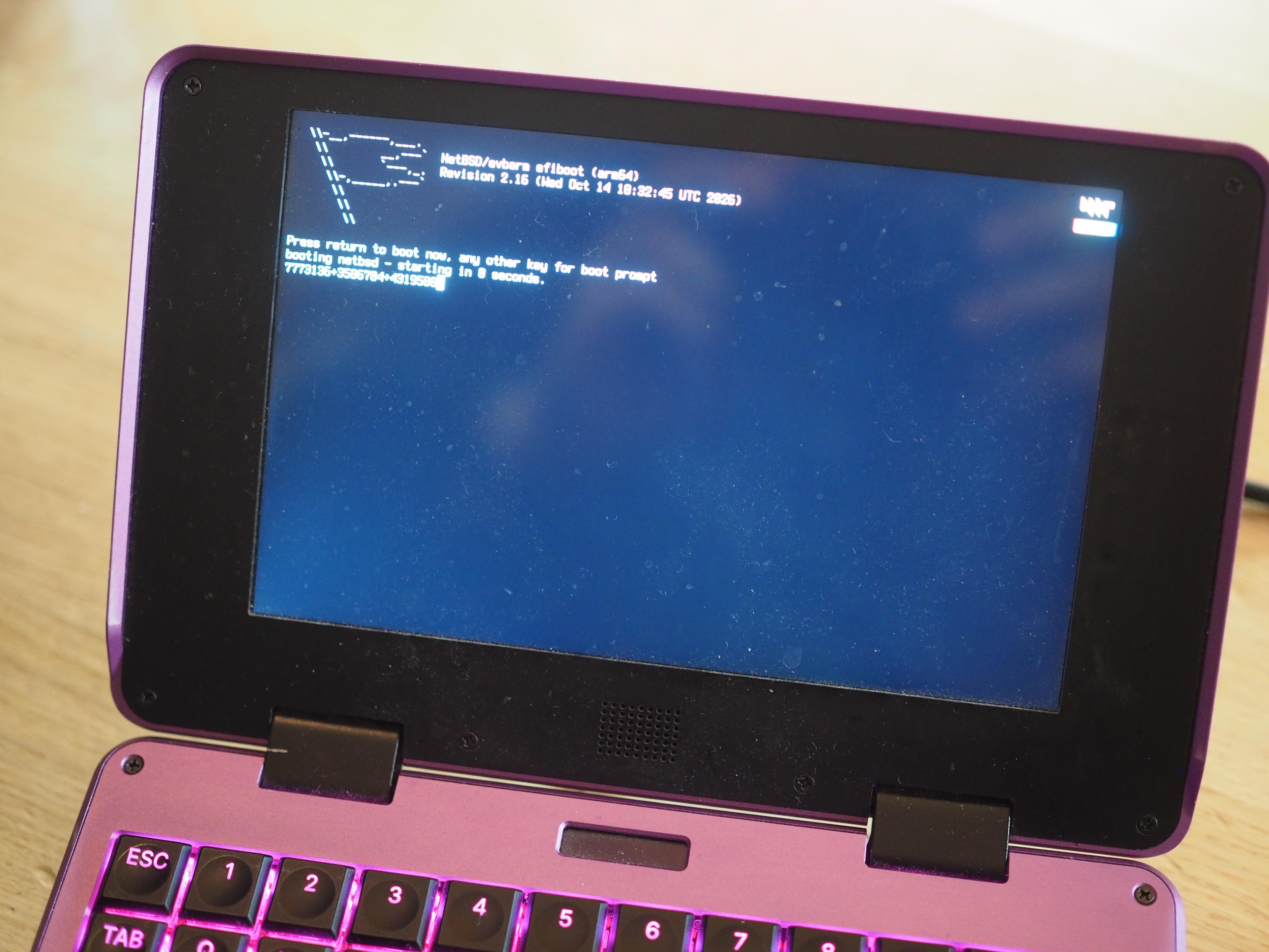
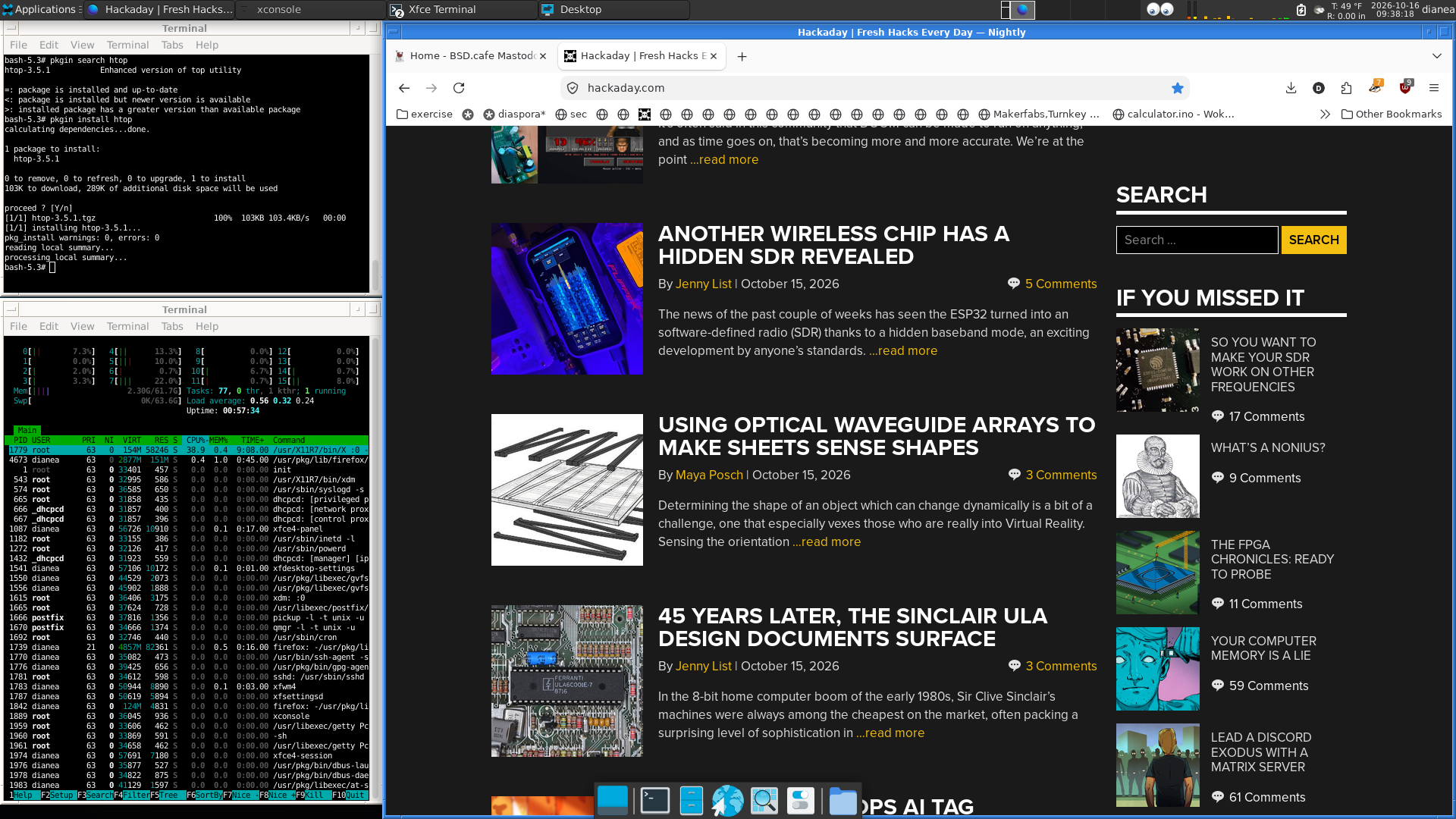
This morning, I have successfully installed #NetBSD on the newish laptop. After 30 years of running Linux exclusively in this house, today is the beginning of a new era. #RUNBSD

Alt...
Full screenshot of the XFCE4 Desktop with the Motif theme running on NetBSD, with Firefox and a few terminals open, not shown is the desktop wallpaper with the void kitty
![[?]](https://mylittlefedi.capella-ember.uk/media/01a144aa-0930-7f3f-9ecf-bfbf35680a1c/image.png)
![[?]](https://cdn.masto.host/floss/accounts/avatars/110/684/815/186/127/406/original/63507e43d67e9049.png)
![[?]](https://media.bsd.cafe/bsdmmedia01/accounts/avatars/117/449/223/768/395/817/original/604e806bdb3817af.png)
![[?]](https://s3.qaf.pp.ua/media/accounts/avatars/116/906/449/450/988/726/original/8d57a0c2f6916883.jpg)
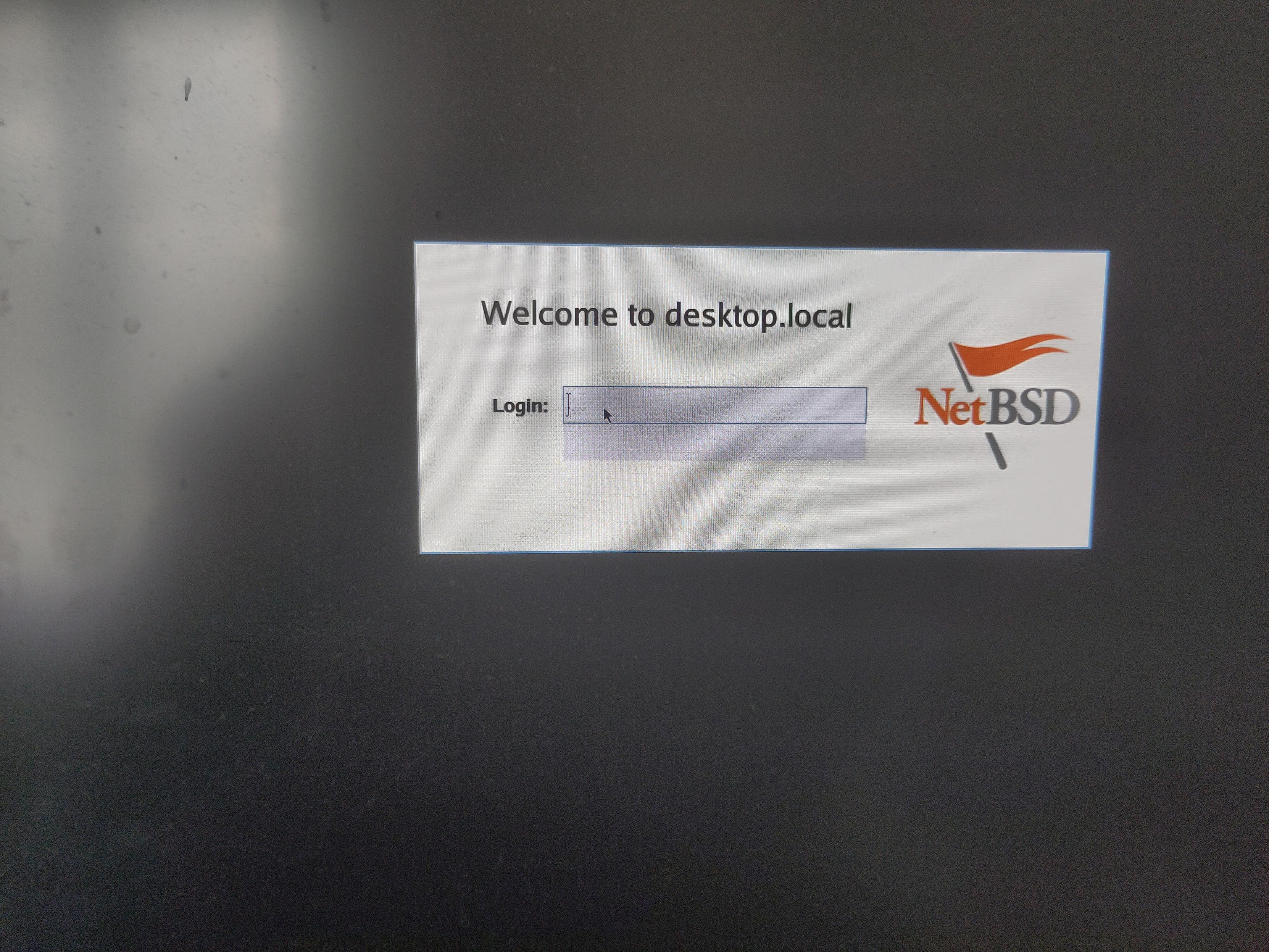
Okay bejbas so you need to create a non-root user **and** give it a non-null password
Thanks for the grear ux installation screen (/s) 

Alt...
NetBSD but it's logged in
Me thinking I was going to get X11 on the i486

Alt...
"She had no idea they was gonna play in her face" meme

Because of how well explained the installation process was, I didn't add a user yay

Alt...
Login incorrect or forbidden by policy

Nevermind then

Alt...
WiFi attempts to connect on loop, vomiting on the terminal and trampling over any user input prompt
![[?]](https://triptico.com/social/angel/s/4489c37d896224fc004b7759f2960515.jpg)
 boosted
![[?]](https://files.mastodonapp.uk/accounts/avatars/109/508/813/126/393/770/original/98a69cbbce7ad298.png)
If one is concerned about organizations that endorse LLM use, and organizations that want to avoid it, then #Debian's recent community decision where it rejected the latter and agreed with the former is something to take into account.
https://lists.debian.org/debian-vote/2026/08/msg00360.html
It's why people are looking at #NetBSD and are frustrated at #FreeBSD. The NetBSD people made a clear statement about not using #LLMs, and FreeBSD does not have a clear statement and in the meantime a few of its developers appear to be merrily using LLMs.
This is one of those questions where the answer is 'of course'. (-:
(Package management did not originate with Linux. AT&T System 5 Release 4 Unix had a package manager.)
The BSDs all have binary package managers, supporting inter-package dependencies.
#OpenBSD has Jordan Hubbard's pkg that was actually written for FreeBSD. #FreeBSD and derivatives (#DragonFlyBSD, #GhostBSD, #MidnightBSD, et al.) now have pkgng, a later rewrite that replaced it in 2012. #NetBSD has pkgin.
They *also* all have the ability to build from source, with doing so automatically integrating with their binary packaging system.
It's called 'the ports system' everywhere but on NetBSD, where it is called 'pkgsrc' (because a 'port' on NetBSD means something else).
![[?]](https://files.mastodon.social/accounts/avatars/117/448/178/506/799/131/original/0105f93335cfc8cd.png)
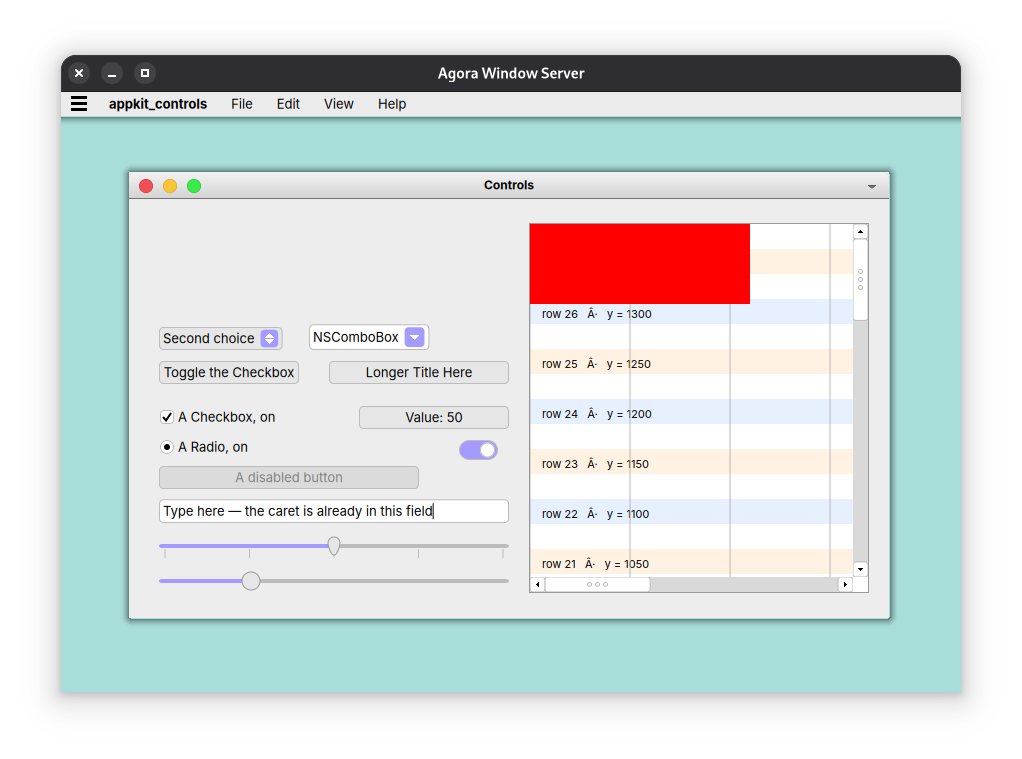
Agora is composed of several sub-projects:
- libagora-core, equivalent to Core Foundation
- libagora-drawing, equivalent to Core Graphics
- libagora-text, equivalent to Core Text
- libagora-app, equivalent to Application Kit
- WindowServer, a Wayland-based window server specifically for Agora
- Agora Workspace, a to-be-designed file manager
- Agora Dock, a to-be-designed Dock
More will be added as Agora grows.
Hello, Mastodon!
Agora Desktop is a project to produce a Mac-like desktop environment and UI toolkit, based on the Cocoa API, for Linux and the BSDs.
Up front disclosure: This project makes use of agentic coding in the hands of a 30+ year programming veteran, so if that's a dealbreaker, feel free to ignore it entirely, flames go to /dev/null. Positive interactions only!
#programming #linux #freebsd #bsd #openbsd #netbsd #ai
![[?]](https://cdn.yiff.life/accounts/avatars/109/440/163/990/391/713/original/7cddf7992e595b0b.png)
Oh thank lod I can change the install colors on my #netbsd installer. My eyes no longer burn.

![[?]](https://media.infosec.exchange/infosec.exchange/accounts/avatars/111/483/146/790/492/677/original/0fc9d472abd6911c.png)
Well, NetBSD doesn’t see my Wi-Fi adapter. I’m spoiled by having the usual Linux tools like modprobe, lspci, and the like… which aren’t installed on this v11.0 build.
Even dmesg isn’t helping me out. I gotta figure out IF my adapter is supported and WHETHER I can find a drive to copy to this system to get networking up.
![[?]](https://fedi.paulwilde.uk/media/01a0f7c9-c9f7-7999-9332-2a0607fba224/image.png)
@nina_kali_nina@tech.lgbt mmmm, alpineBSD you say... That's an interesting concept (I use alpine)
But otherwise...yeah, #NetBSD install weekend around the world!
Oh I am actually reading documentation on how to write #netbsd drivers. Thats actually exciting!
![[?]](https://media.bsd.cafe/bsdmmedia01/accounts/avatars/112/333/060/238/284/470/original/1c072481f6f94ff9.png)
First time I've actually installed #NetBSD on "real" hardware, until now I've only run it in VMs and on a Raspberry Pi 1.
So far configuring it differs a bit from FreeBSD, but commands like ifconfig, route, sockstat, top, and so on are almost identical, which makes it rather intuitive.
The host is online, the first few packages are installed, a service set up and running. Next I will take a look at the npf firewall, can't wait to see how it compares to OpenBSD/FreeBSD pf and learn it's own special features. :)
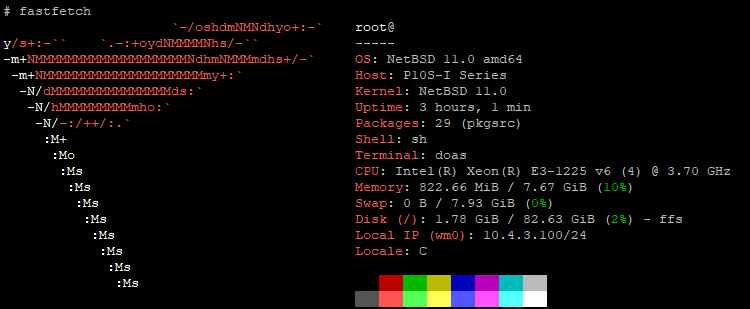
Alt...
Screenshot of fastfetch output on NetBSD (Asus P10S-I, Intel Xeon E3-1225 v6, 8 GiB DDR3, 100GB SSD)
![[?]](https://corteximplant.com/system/accounts/avatars/114/776/252/296/330/772/original/21635a8ea99a9d29.jpeg)
When it comes to BSD, I've only ever really used OpenBSD on servers, and the occasional time I'd fire up NetBSD on the Dreamcast.
If I were to dive into trying desktop BSD, which way would you go or have you gone? I haven't kept up, and honestly, from a desktop perspective, have zero idea of where to start, and it's high time I started expanding my knowledge to user-facing parts.
(Target machine, if viable, is a Dell XPS 13 9370 Developer Edition; the ones that shipped with Ubuntu by default.)
Thoughts, suggestions, guides, opinions welcome.
| OpenBSD: | 0 |
| NetBSD: | 0 |
| Some other BSD: | 0 |
![[?]](https://icosahedron.website/system/accounts/avatars/000/002/041/original/6fbf379e9cc89471.jpeg)
So if I’m going to commit to #NetBSD then I need my laptop WiFi to work. And then I need my graphics card to be supported.
I could sit and start hacking I guess. But I mean… am I barking up a tree that’s already being climbed?
If I never buy another PC then I’m stuck with my Thinkpad and an old NUC.
![[?]](https://media.mstdn.social/accounts/avatars/109/696/860/885/494/817/original/835eb175bbf72dc8.png)
For people asking about NetBSD & Steam & Proton & GamesFromThisCentury.
#netbsd
https://github.com/NetBSD/src/blob/trunk/games/wargames/wargames.sh
![[?]](https://pleroma.debian.social/media/bca19c925b36df15917381a1c1207fbc055ed86d4502324c3e22ab5b0bda578e.png)
RT: https://pleroma.debian.social/objects/0a6f3f20-e9f9-4cd9-9123-b95aeb67856a
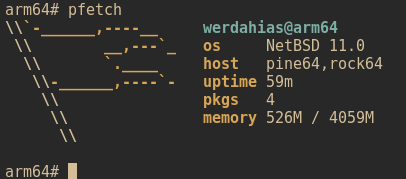
Alt...
A pfetch screenshot showing NetBSD running on a rock64.
PROGRESS REPORT
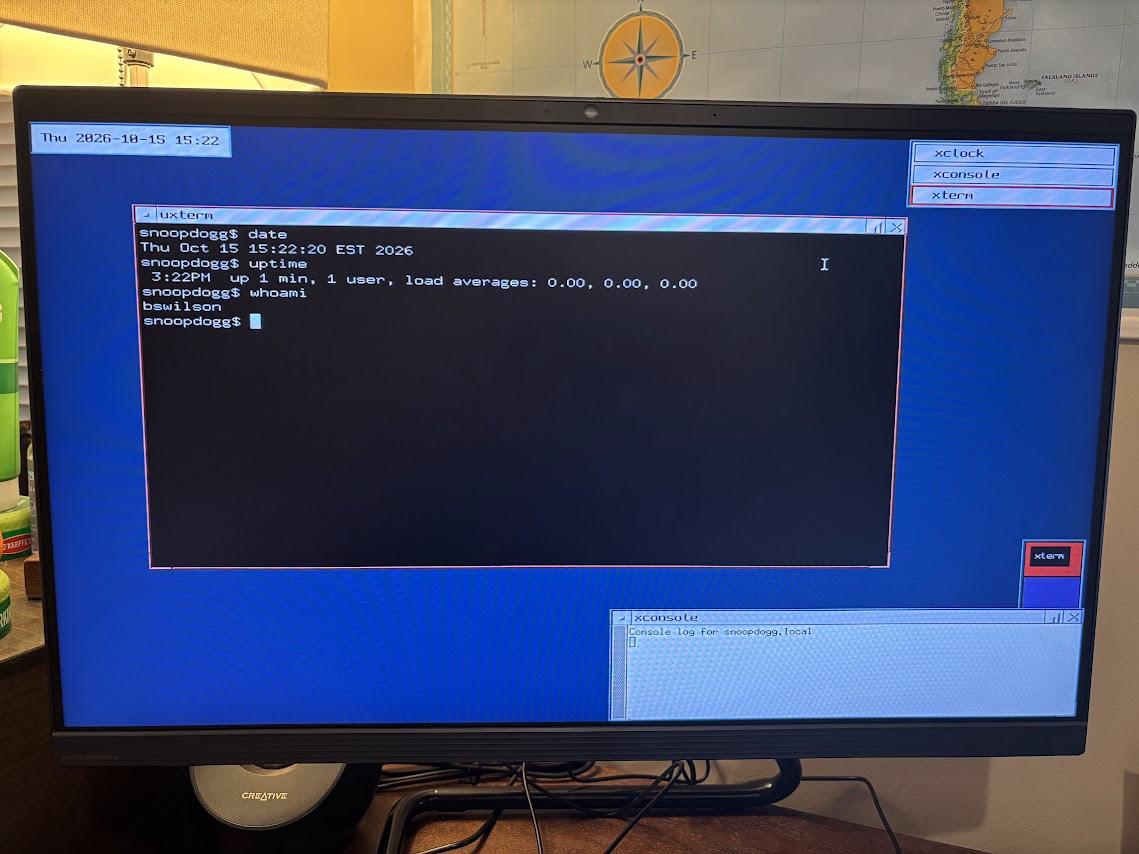
Alt...
NetBSD 11.0 desktop showing the X Window interface.
Commands in the Terminal are date, uptime, and whoami. :-)
I guess I'll start my little #NetBSD adventure on the i486 netbook (shoutout to the #UPerU programme http://www.xtec.cat/centres/e3006678/1x1/1x1.html ) and see what's up before fucking with what was supposed to be my livelihood and all
![[?]](https://media.tech.lgbt/accounts/avatars/113/923/105/002/660/874/original/01c8f78a74cf391f.png)


 [
[No dear #linux users none of the #bsd s is a drop in replacement for your favorite #distribution . Not every hardware under the sun is 100% supported.
Look at the hardware compatibility lists of the given projects before you set yourself up for frustrations.
#FreeBSD has the broadest mainstream hardware support.
Especially for #NetBSD read this first
https://www.unitedbsd.com/d/1158-netbsd-hardware-compatibility-thread
![[?]](https://cdn.fosstodon.org/accounts/avatars/109/860/465/494/023/450/original/eb2faa9c8053bd7a.jpg)
Day 32
New blog post!
Syncthing is a continuous file synchronization program. Once installed and configured, it will keep designated directories and their contents synced between multiple devices. I’m currently using Syncthing to sync photos and videos taken with my Android phone with my NetBSD 11.0 desktop.
![[?]](https://cdn.masto.host/mastodongamedevplace/accounts/avatars/109/246/276/757/677/263/original/e86349d503620c7b.png)
![[?]](https://media.tech.lgbt/accounts/avatars/109/093/165/028/047/640/original/7463f84b80dc117a.jpg)
RE: https://tech.lgbt/@nina_kali_nina/117441043503225633
The new policies for the Linux kernel make it more or less impossible to support a slop-free fork of Linux, so if you're worried about the reliability of your system level software, or have ethical concerns about LLM usage on your computer, the time to act is, well, now.
If you have time this weekend, I recommend you to try one of the slop-free systems: NetBSD, 9front, HyperbolaBSD, Haiku, or OpenBSD. If you're adventurous, you could try new AlpineBSD, or research smaller systems, like FreeDOS. If you don't feel adventurous, you might want to check out anti-AI Linux distributions, like Elementary or Gentoo.
There's no "one solution that fits all". But there's a solution that I chose for myself, and that's NetBSD: it gives me the most freedom, it supports most of my hardware, and can run a great deal of software I need. It's not easy to run, but it's a great learning opportunity. There's quite a few folks around using BSD and capable of giving hints and advice, so if you feel stuck, toot about #netbsd.
1/2
Web browser package availability in #NetBSD challenge. Go!
@netbsd@mastodon.sdf.org
@Vivaldi@vivaldi.net
@librewolf@chaos.social
@Waterfox@mastodon.social