Search results for tag #NetBSD
![[?]](https://snac.bsd.cafe/bpl/s/avatar-b605f1db31dc57fe49b6eb2033dc306c.jpg)

![[?]](https://cyberpunklol.files.fedi.monster/accounts/avatars/117/024/347/319/605/995/original/cc6c4d011463faf5.png)
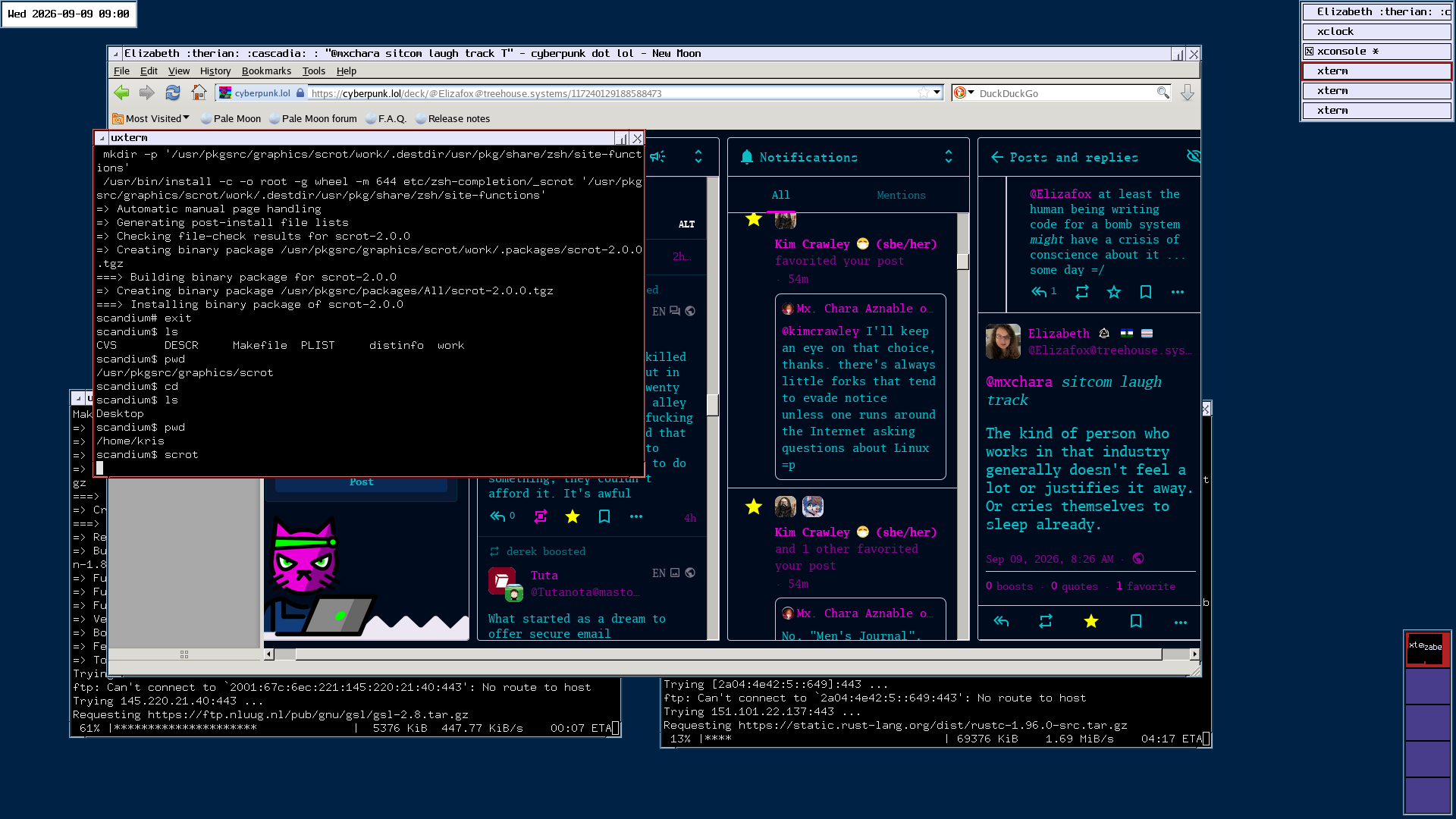
#NetBSD works smoothly on my main laptop, a slimmer and newer ThinkPad than the HaikuOS machine. I do need to tweak the X11 touchpad settings a little.
Alt...
screenshot of NetBSD desktop, showing `ctwm` window manager in use with a few xterms open and a `palemoon` web browser, a clock in the upper left corner, a task list in the upper right corner, and available virtual desktops in the lower right corner
![[?]](https://polymaths.social/fileserver/01HCMX6M1CZNEVJ4F5H58TT5XJ/attachment/original/01JHC5KM5K0V0J0436SPD3F86H.jpeg)


 🍵
🍵  [
[Maybe you learned #VHDL in the interim. (-:
Uh, NO, do you see me staring far off into the distance and drooling? 😂
By the way, you made me re-visit the doco for case. It should be ;& (just the one semi-colon) to fall through in all sh-conforming shells, because that was standardized back in 2024. #NetBSD and #FreeBSD knew it was coming in 2017 and adjusted their Almquist shells.
And I realized that I've been writing for a highest common factor that is actually too low, because the #FreeBSD manual for sh(1) is wrong. They kept the shell conformant, but didn't keep the doco in synch.
Huh, I tried sh, ksh, mksh, and bash with ;;, ;&, ;;&, and ;| on NetBSD, and the only ones that worked were bash and ksh.
(Ok, I see how I miscommunicated here. I meant the only ones where ;;& or ;| worked, not ;&)
On this Devuan box, bash accepts ;;, ;&, and ;;& just as the manpage states (short-cut, accept all after first accpetance, evalute all, respectively)
mksh works just like bash, but also accepts ;| as equivalent to bash's ;;& (which it also accepts)
Dash's sh (debian almquist) only accepts ;;, and gives an execution-stopping syntax error with all of the other forms.
On a freebsd server I tried, ksh (ksh93) only accepts ;; and ;&. sh acts the same. Tried an OpenBSD server and got the same result.
Here's the test script:
echo
echo 'trying ;;'
case a in a) echo its a;; b) echo its b;; *) echo its something;; esac
echo
echo 'trying ;&'
case a in a) echo its a;& b) echo its b;& *) echo its something;& esac
echo
echo 'trying ;;&'
case a in a) echo its a;;& b) echo its b;;& *) echo its something;;& esac
echo
echo 'trying ;|'
case a in a) echo its a;| b) echo its b;| *) echo its something;| esac
![[?]](https://cdn.fosstodon.org/accounts/avatars/109/860/465/494/023/450/original/eb2faa9c8053bd7a.jpg)
Day 8
Spiffed up my .xinitrc and started on my bspwm + sxhkd setup. Its been a while since I configured a window manager from scratch. 🙂
![[?]](https://files.mastodonapp.uk/accounts/avatars/109/508/813/126/393/770/original/98a69cbbce7ad298.png)
Maybe you learned #VHDL in the interim. (-:
By the way, you made me re-visit the doco for case. It should be ;& (just the one semi-colon) to fall through in all sh-conforming shells, because that was standardized back in 2024. #NetBSD and #FreeBSD knew it was coming in 2017 and adjusted their Almquist shells.
And I realized that I've been writing for a highest common factor that is actually too low, because the #FreeBSD manual for sh(1) is wrong. They kept the shell conformant, but didn't keep the doco in synch.
 boosted
![[?]](https://todon.eu/system/accounts/avatars/108/195/195/683/530/949/original/8174cd7215c979ba.png)
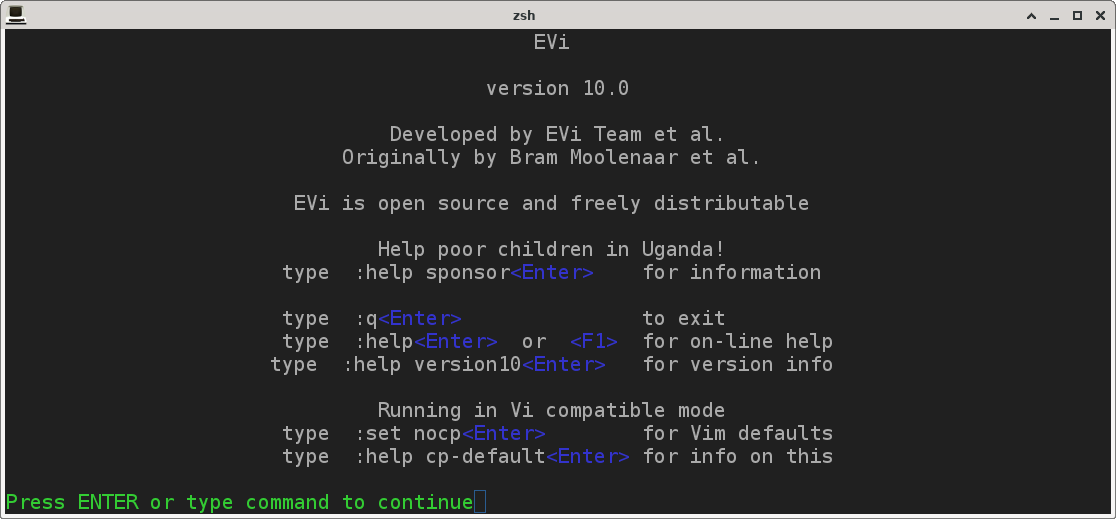
Just compiled the EVi editor on NetBSD 😊
#Evi #NetBSD #NoAI
Alt...
EVi
version 10.0
Developed by EVi Team et al.
Originally by Bram Moolenaar et al.
EVi is open source and freely distributable
Help poor children in Uganda!
type :help sponsor<Enter> for information
type :q<Enter> to exit
type :help<Enter> or <F1> for on-line help
type :help version10<Enter> for version info
Running in Vi compatible mode
type :set nocp<Enter> for Vim defaults
type :help cp-default<Enter> for info on this
Press ENTER or type command to continue
![[?]](https://media.bsd.cafe/bsdmmedia01/accounts/avatars/115/138/278/314/458/705/original/14801851e6f000f4.png)
![[?]](https://files.mastodon.social/accounts/avatars/113/635/103/853/964/473/original/0a4435eaf8d5c473.png)
NetBSD GSoC 2026 Testing Compat Linux Syscall testing https://lobste.rs/s/im7lnc #netbsd
https://blog.netbsd.org/tnf/entry/gsoc2026_testing_compat_linux_2
boosted![[?]](https://pxscdn.com/cache/avatars/789980589548961657/avatar_4v14.jpg)
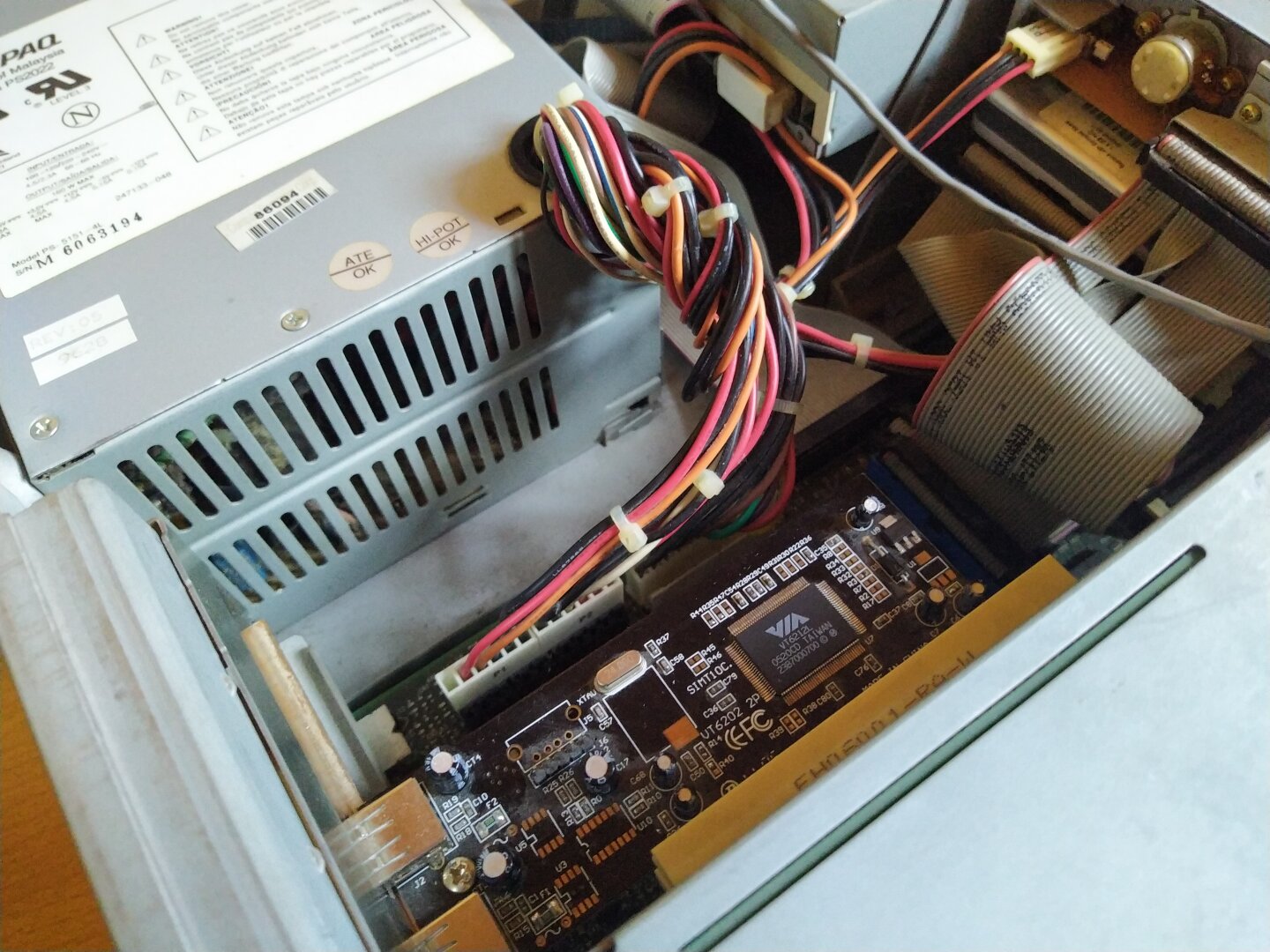
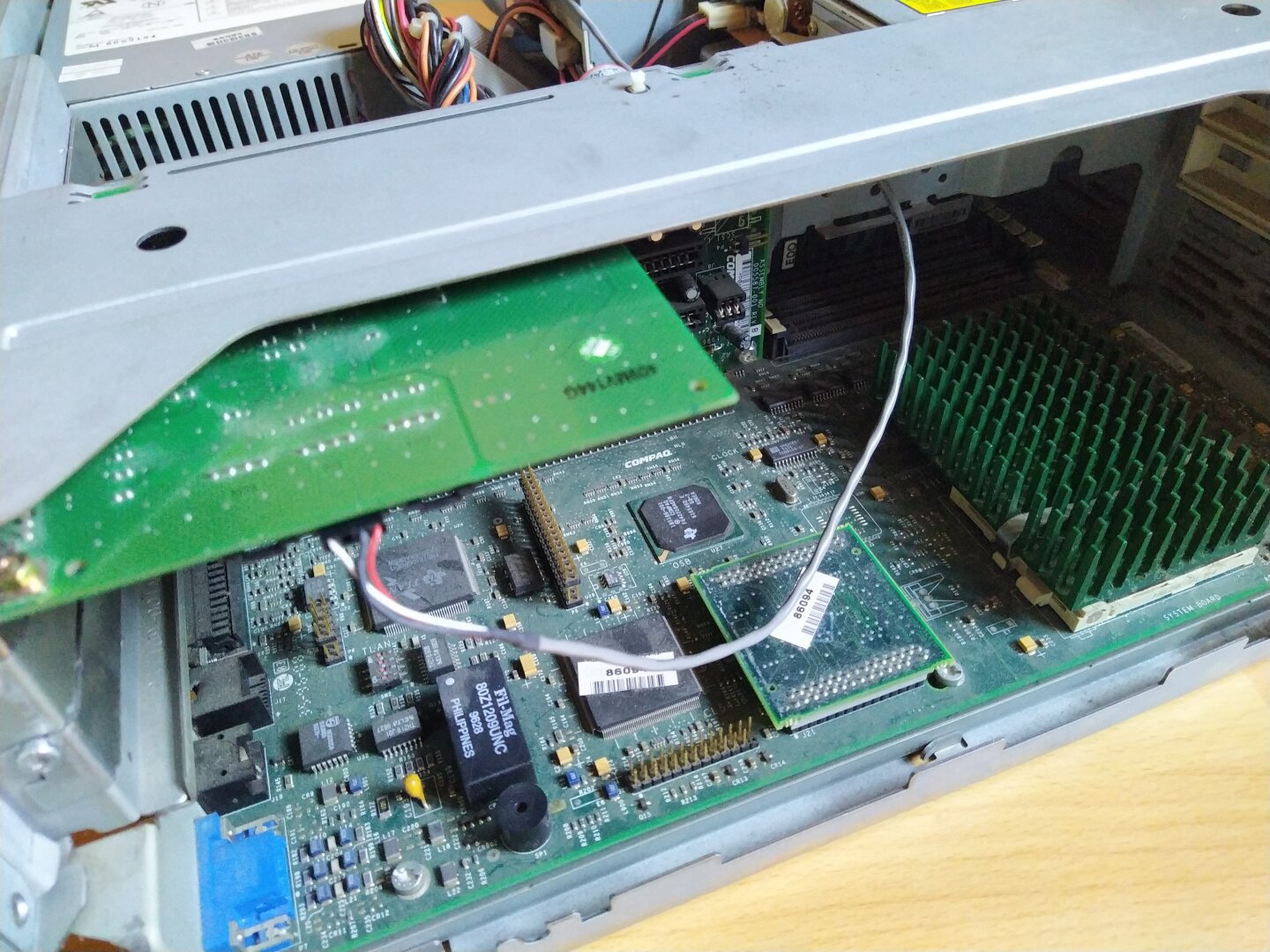
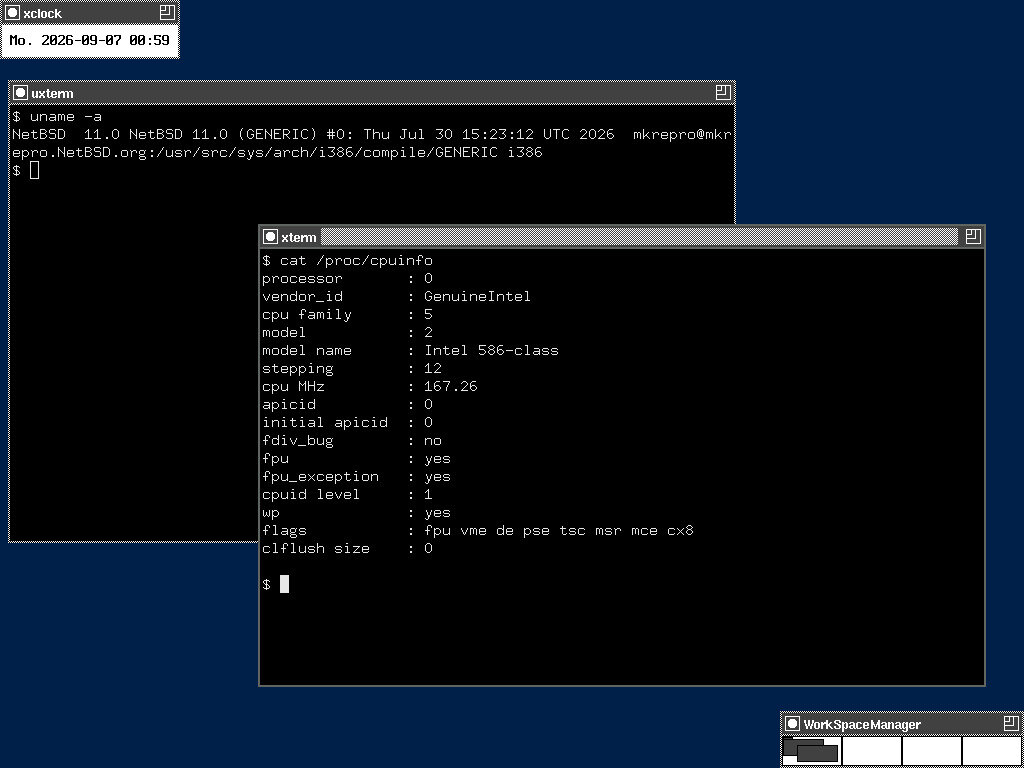
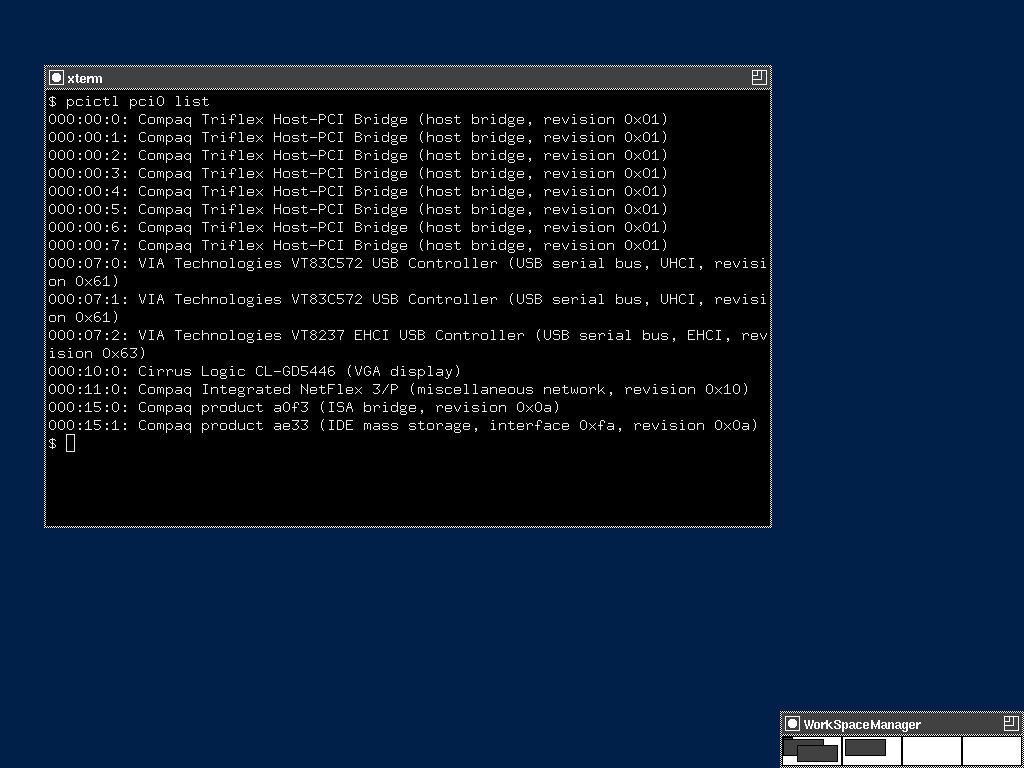
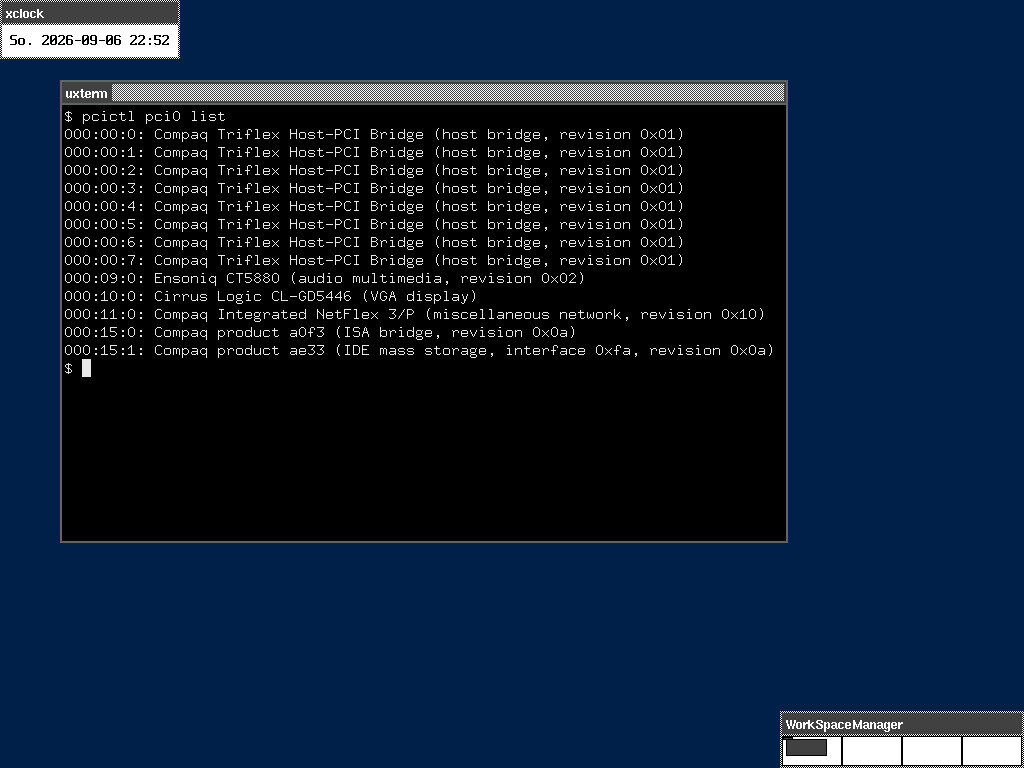
The Pentium 1 got USB for the first time in its life today and not just USB, but USB 2.0! :O
The reason for this: my PS/2 to USB adapter died and since I only have a USB mouse and the Pentium 1 had no USB at all, I needed to get USB into the machine. A purely keyboard only configuration of CTWM turned out to be quite a pain...
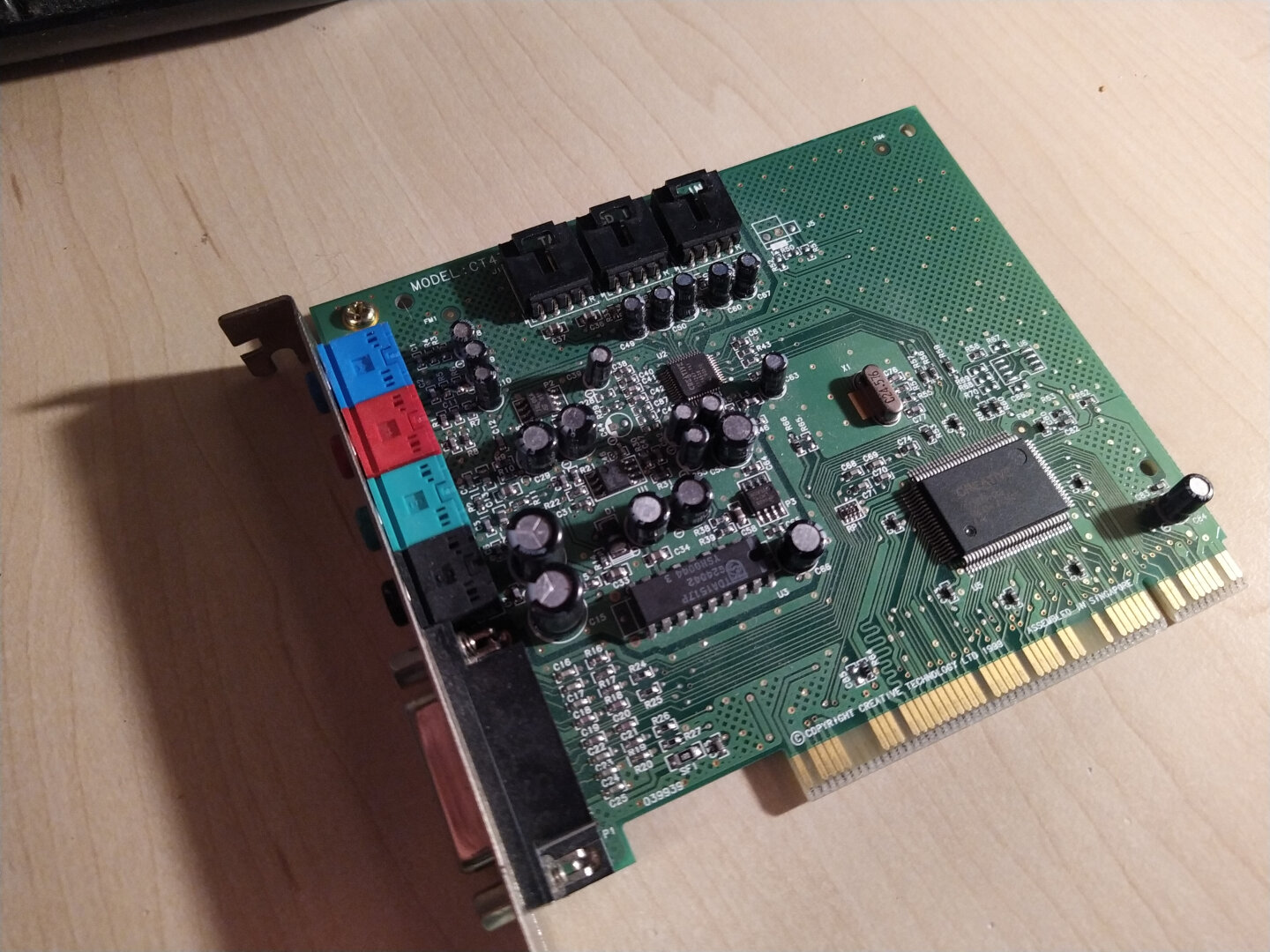
So I decided to take an old USB card out of another PC and put it into the Pentium 1 (yes, the entire computer is called that now xD). The card never really worked properly in that machine under Windows 98 anyway (VIA chipset, instant crash after installing the drivers).
Unfortunately, I had to sacrifice the SoundBlaster for this. At first, both cards were assigned the same IRQ (11), which meant NetBSD wouldn't even boot. Then I moved the USB card to another slot. NetBSD booted after that, but the BIOS no longer configured the SoundBlaster properly (eap0: autoconfiguration error: can't map i/o space).
That wasn't a problem until I rebooted. After that, it completely went berserk during boot with timeout messages. So out it goes (for now... it's going on the list right behind Dillo)!
Seriously: Plug and Pray.
But I still have sound! While testing, I discovered that I can play audio CDs directly through the CD drive... lol
Screenshots work now too, directly through xwd from the X server, using a little script triggered by a key press! Almost like a real DE xD
Multitasking confirmed: 6 xterms at once! D:
#RetroComputing #RetroPC #Pentium1 #Pentium166 #NetBSD #NetBSD11 #BSD #i386 #CTWM #X11 #XServer #Xorg #USB2 #PCI #SoundBlaster #Windows98 #VIA #OpenSource #FOSS #FreeSoftware #VintageComputing #OldComputers #ComputerHistory #Unix #RetroTechnology #RetroHardware #TechNostalgia #ClassicComputing #RetroTech
 boosted
![[?]](https://media.bsd.network/accounts/avatars/000/006/949/original/9592eac6e5018e39.png)
#NetBSD GSoC 2026 Testing Compat #Linux: Syscall testing
https://blog.netbsd.org/tnf/entry/gsoc2026_testing_compat_linux_2
![[?]](https://fe.upload.disroot.org/media/af6e120c08b65b0e21400140b5908c8b7d109b7249e609ac1b74f260f2b79627.jpg)
![[?]](https://gts.tumfatig.net/fileserver/01FJ093H6Y5VGN20G998J7KN1M/attachment/original/01JZTJV1P9RVJ502PCXKN68R1F.jpeg)
This aimed to be a simple  #RunBSD post about the AOOSTAR WTR Pro NAS system. But it ended being nearly a "Tune #FreeBSD for power consumption" one :p
Anyway, I very like this tiny #HomeServer. And it fits well in my #HomeLab closet.
https://www.tumfatig.net/2026/overview-of-aoostar-wtr-pro-on-bsd/
True digital literacy isn't generated; it's understood. 💡
On this Literacy Day, step away from the opaque shortcuts of AI, dive into the clean NetBSD source code, and empower human curiosity from the bare metal up. Read the source, master the system, and keep human craftsmanship alive. 📖⚙️
RTFM (Read the Fantastic Manual)
#NetBSD #LiteracyDay #DigitalLiteracy #ReadTheSource #CodeLiteracy #HumanIntelligence #runBSD #Linux #Unix #RTFM #internationalliteracyday #noai #antiai #nollm #antillm
 boosted
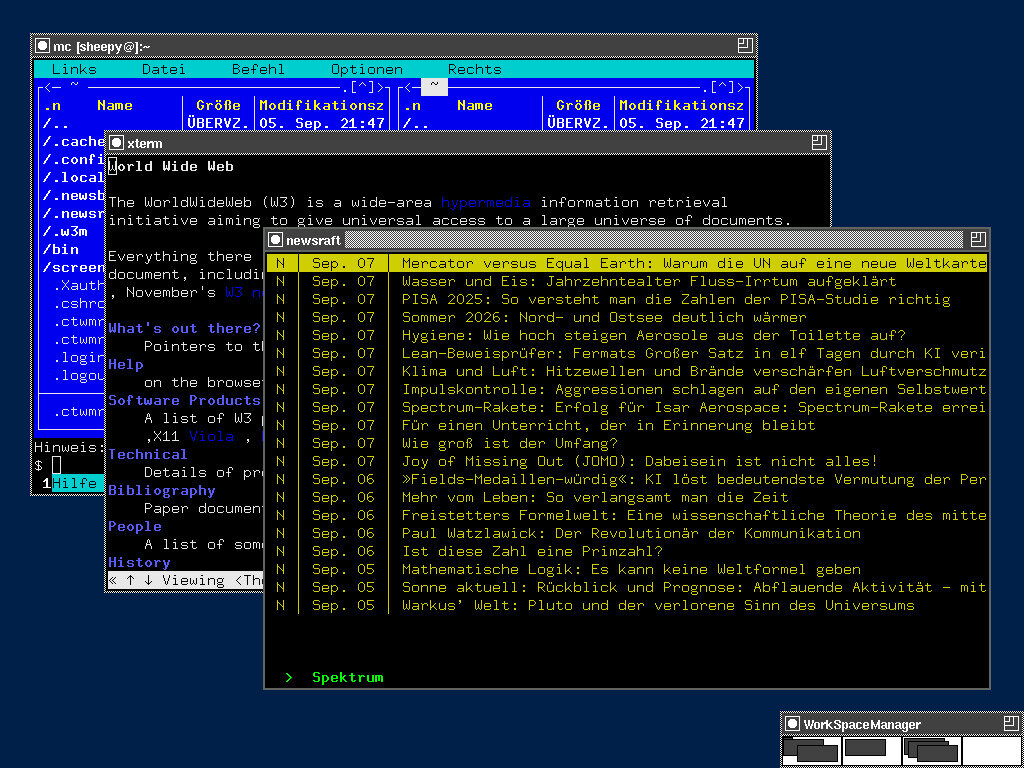
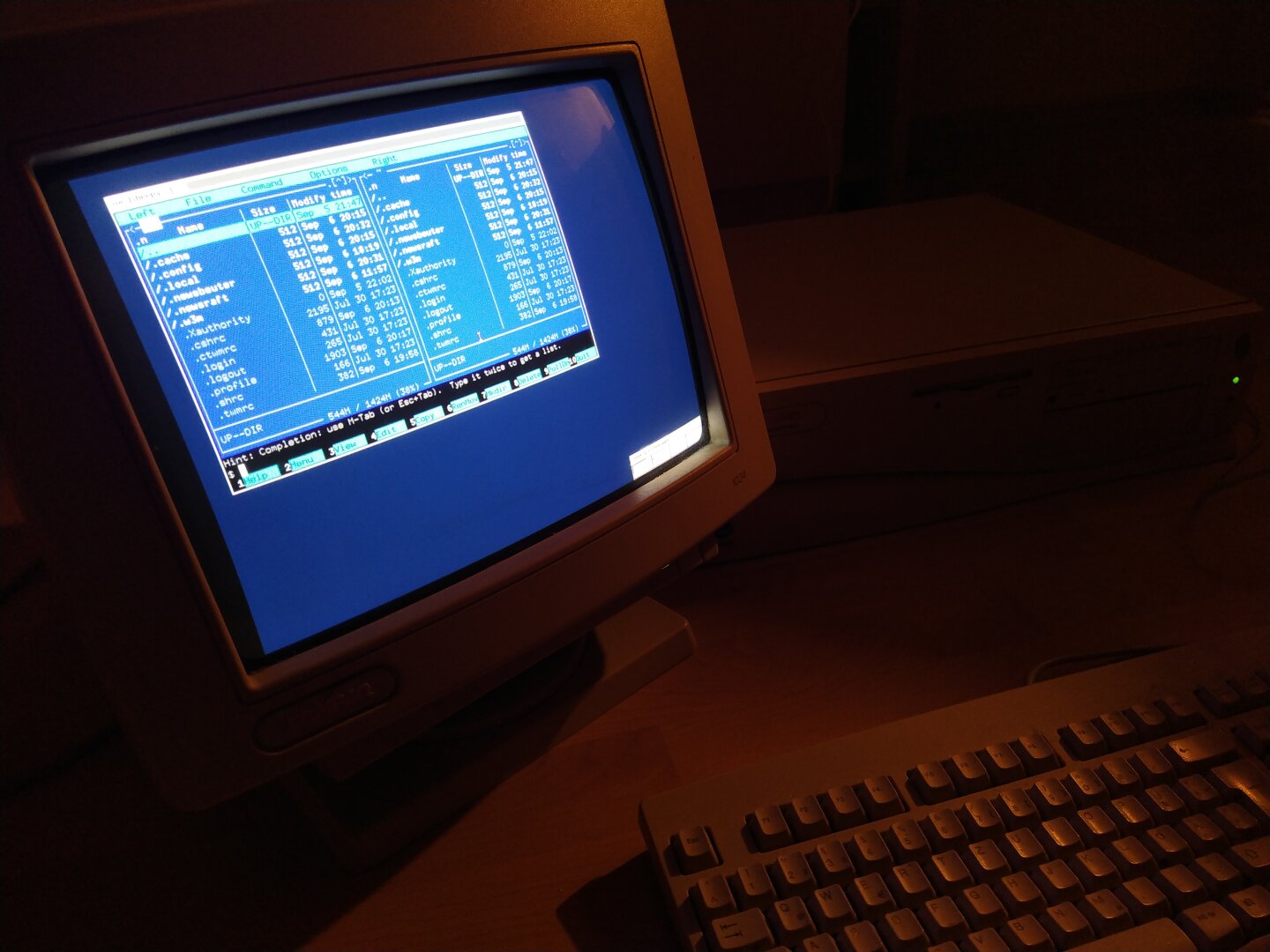
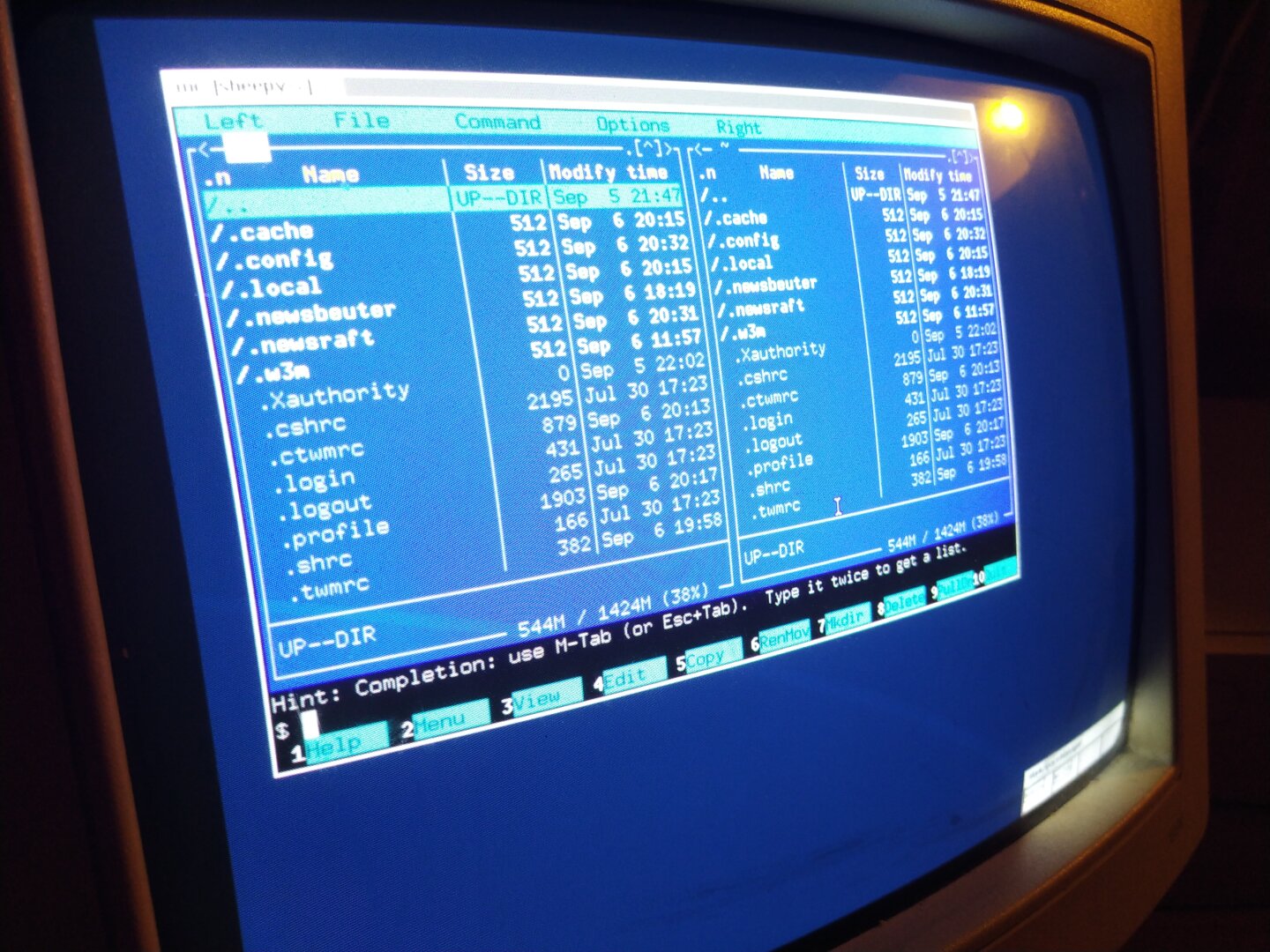
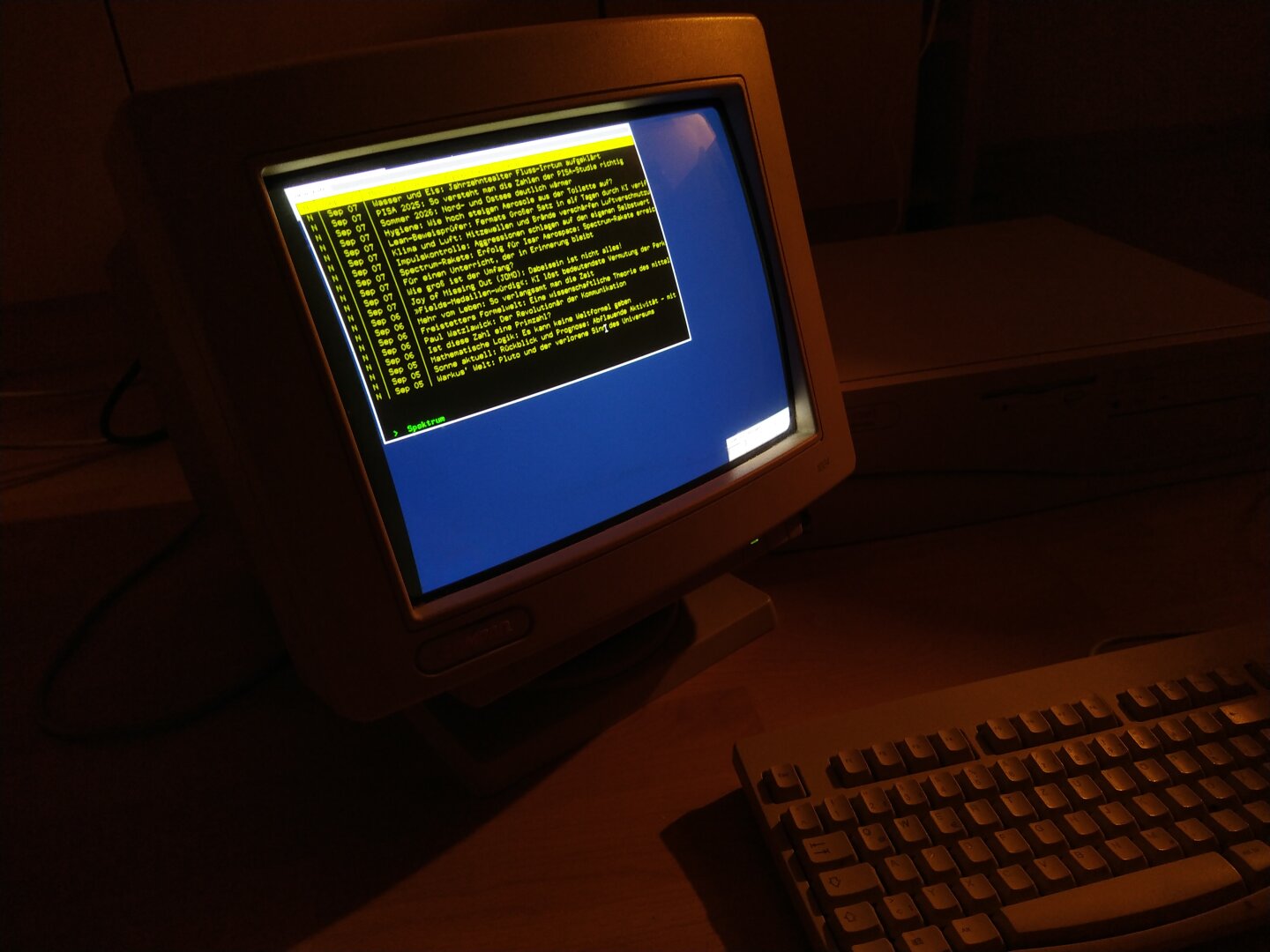
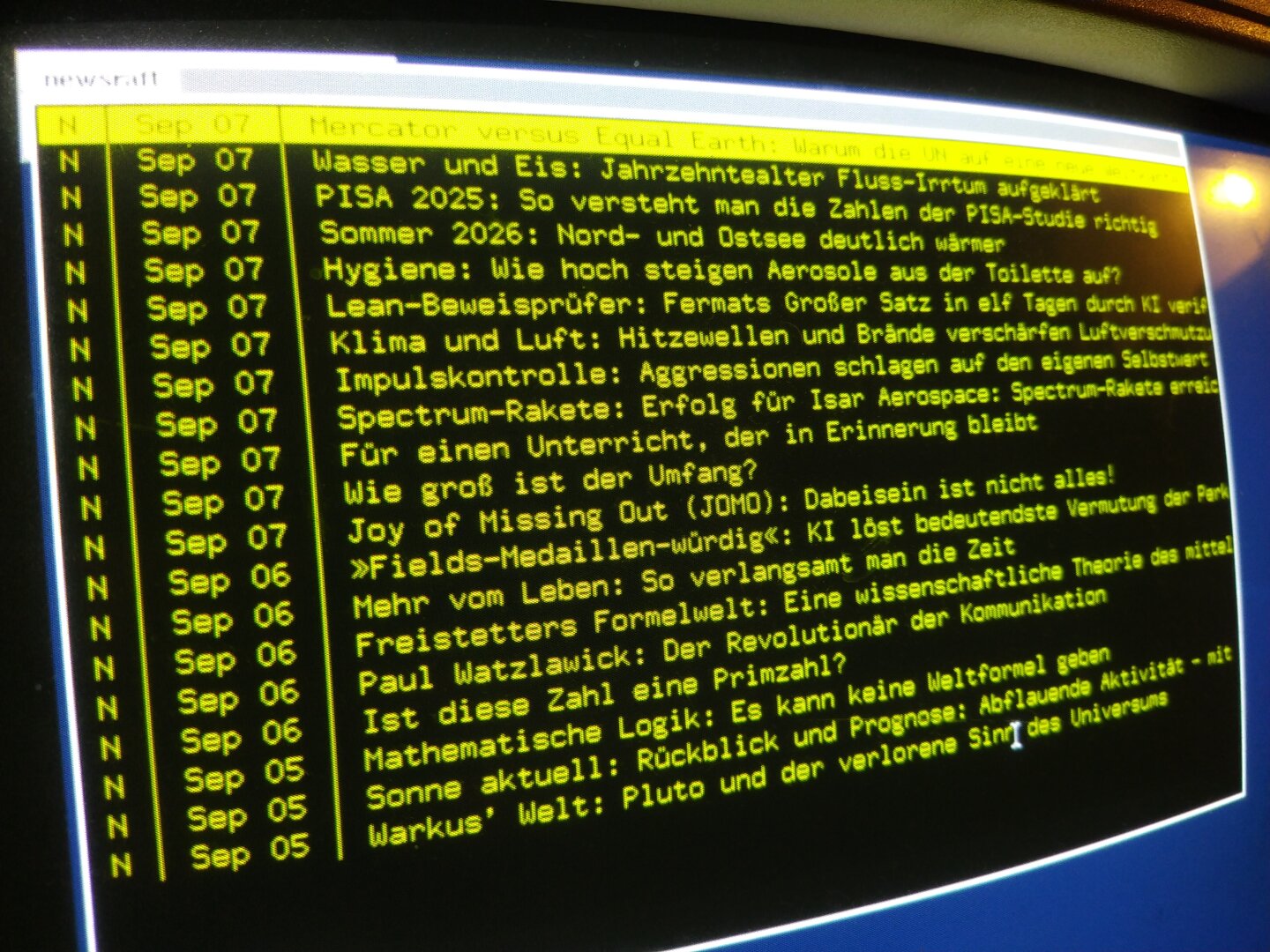
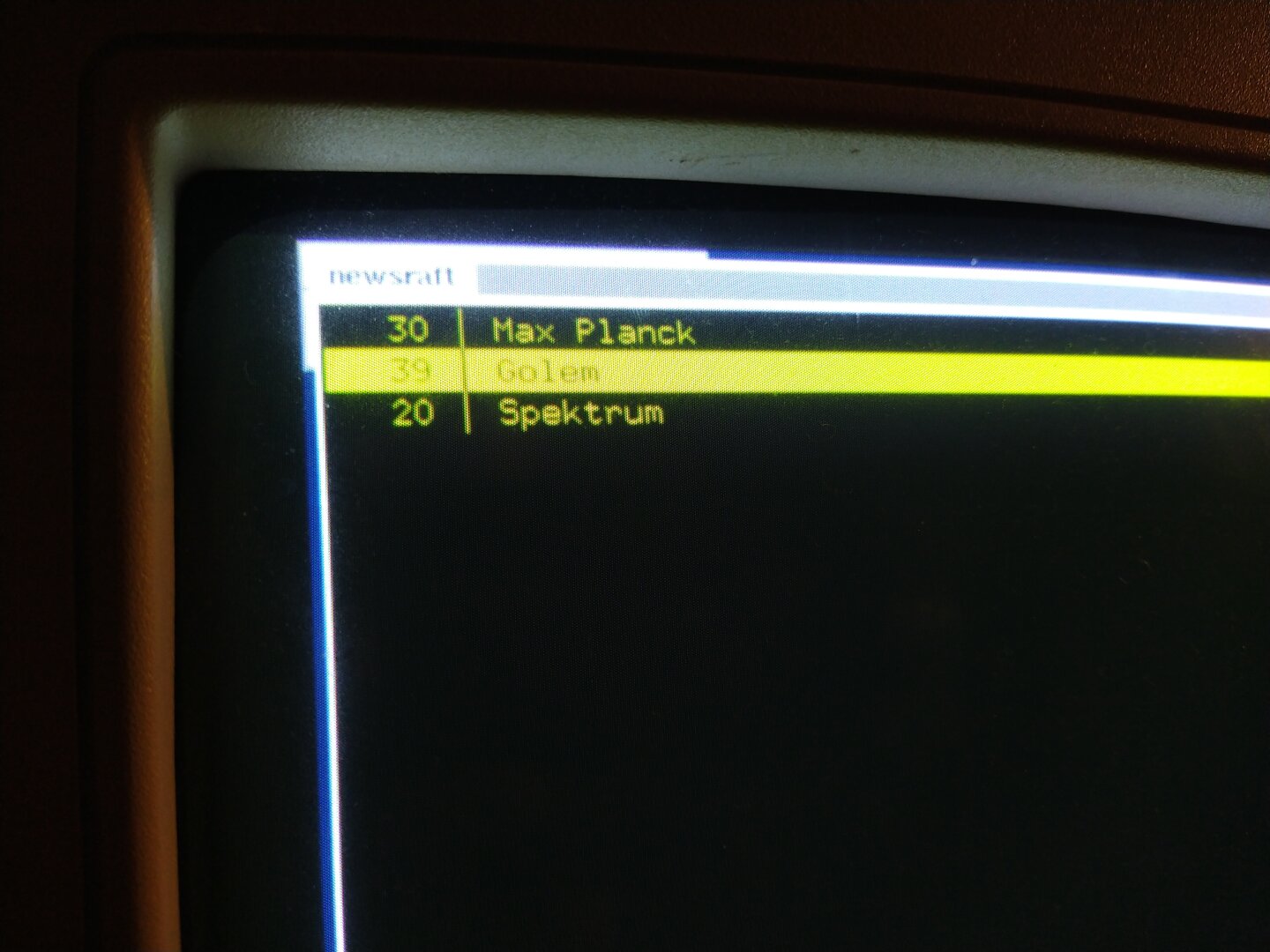
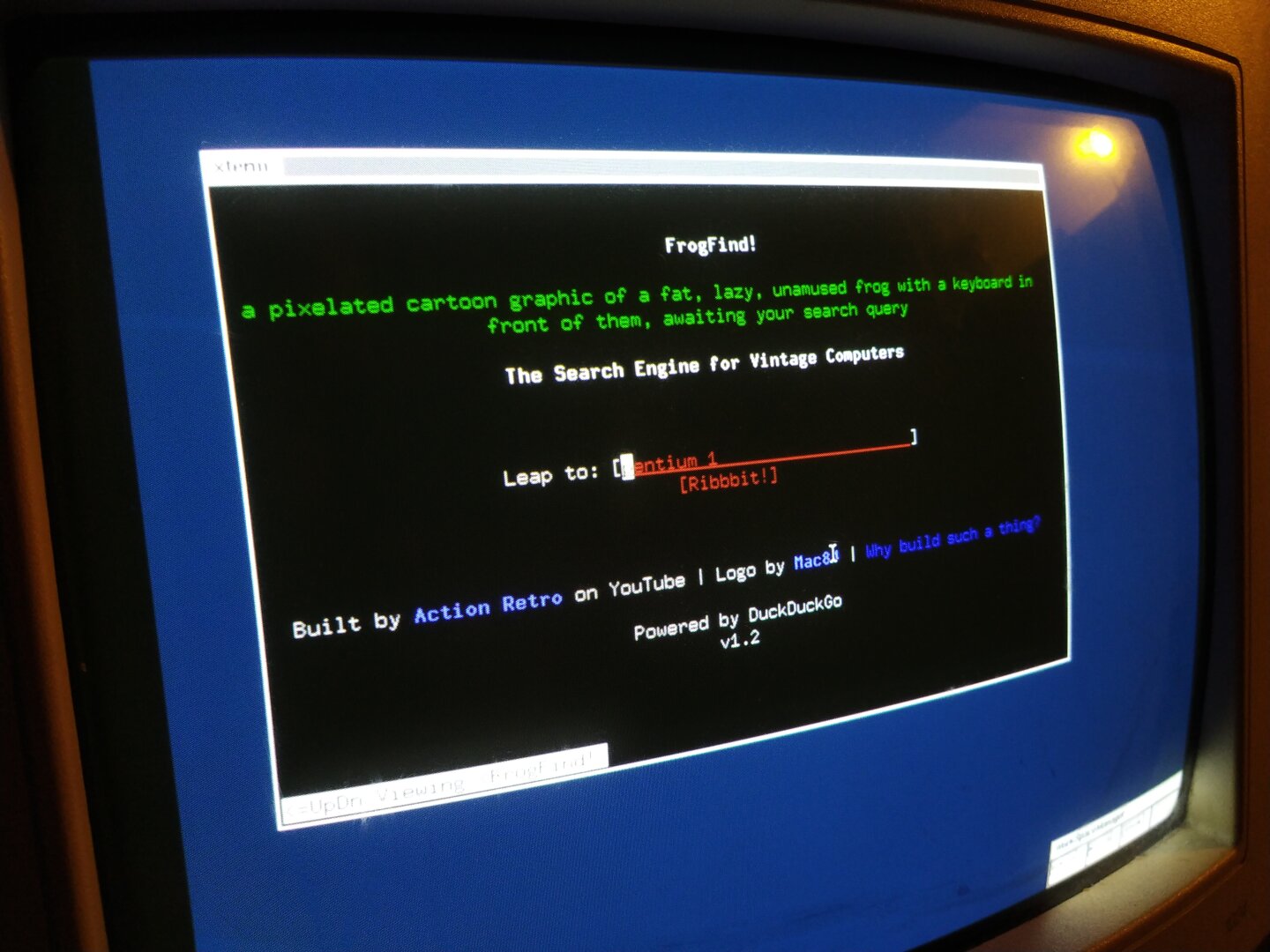
I’ve equipped it with a few useful CLI tools, for example Midnight Commander as a file manager and Newsraft as an RSS reader!
I’ve realized that you could theoretically still be productive on a machine this old (I’m not!!! xD) if you’re willing (NO!) to make a few compromises (OMG NO xD). You can browse the internet (if you don’t care about images, CSS, JS, basically 99.9% of the modern web), write emails, chat, read news feeds, program using GCC, write a PhD thesis in Markdown using vi and then use Pandoc to create the most beautiful PDF in the world xD
Things got interesting with the NetBSD packages: Some of them were built with compiler flags for newer CPU architectures, which means the ABI isn’t compatible with the Pentium 1. For example FLTK, a lightweight GUI library that is used by programs such as Dillo and Newsbeuter.
The prebuilt libfltk.so.2.0.0 doesn’t run on the Pentium 1 because it was built for a newer CPU architecture. So I got the FLTK source and tried to build it myself with appropriate compiler flags.
Then bmake wanted to build a specific GCC version as a dependency and suddenly I was compiling my own GCC from source... which was the point where I gave up!
With pkg_add I also ran into the problem that some packages can’t be installed when they expect different versions of the same dependency, for example different versions of curl.
#RetroComputing #RetroPC #Pentium1 #NetBSD #BSD #i386 #CLI #Terminal #CommandLine #MidnightCommander #Newsraft #FLTK #GCC #OpenSource #FOSS #FreeSoftware #VintageComputing #OldComputers #ComputerHistory #Unix #RetroTechnology #RetroHardware
![[?]](https://media.bsd.cafe/bsdmmedia01/accounts/avatars/114/439/967/181/871/365/original/9c94f4a4076e444d.jpg)
OK... I need my hit of colour again, and lsd(1) provides:
https://cdn.netbsd.org/pub/pkgsrc/current/pkgsrc/sysutils/lsd/index.html
Especially ike how items modified today show a different colour for date.
Thanks to @vermaden for telling me about it!
![[?]](https://media.mstdn.social/accounts/avatars/109/287/431/436/273/223/original/550d8d6162cf1a22.png)
NetBSD 9.5 released
Speaking of NetBSD, the fifth and final 9x release has been released.
It represents a selected subset of fixes deemed important for security or stability reasons since the release of NetBSD 9.4 in April 2024. It is fully compatible with NetBSD 9.0.
This also marks the end-of-support for all NetBSD-9.x releases and the netbsd-9 branch. All users still on this branch are urgently asked to upd
boostedNetBSD 11 from scratch
Why use an installer to install an operating system, when you can just do it yourself, step by step?
In this post I will cover the installation process of the NetBSD operating system, including disk level encryption. Instead of using the standard installation program (sysinst), I decided to install NetBSD “from scratch”, as a way to dive into the internals, and learn more about the nuts
![[?]](https://cdn.masto.host/indiewebsocial/accounts/avatars/112/536/017/792/352/435/original/a87e9128d6303e02.png)
![[?]](https://files.ioc.exchange/iocexchange/accounts/avatars/107/084/658/024/451/486/original/f1ee00901961984c.png)
free operating systems and freedoms [SENSITIVE CONTENT]
i notice people talking about switching operating systems, and not just away from debian but away from linux entirely, with one popular destination being NetBSD in large part due to their strong anti-AI policy. seems to be a lot of enthusiasm at the moment!
to folks who have done this: was copyleft a consideration for you? the idea that the bsd license allows somebody to take the code, change it (or not change it), sell it, and have no obligation to release any source code - that gives me some pause. at the same time, it makes me wonder about the *actual usefulness* of copyleft guarantees in software today, and how useful they will be in the future...
but rather than get deeper into my own thoughts right now (which are not really settled), i'm curious about others'. if this was important to you prior to switching to a bsd, what changed?
Day 7
An excellent walkthrough of the (new to me) bspwm window manager by @justaguylinux ... I'm going to try this on NetBSD.
https://www.youtube.com/watch?v=8OrBs62opVo
Thing is, I rarely use tiling. But the WM has a 'monocle' mode that sounds like it behaves like a stacking WM with maximized windows which is more to my liking. And configuring hotkey combos in a separate X daemon that can be reused in other WMs is a neat idea.
boosted![[?]](https://mastodon.sdf.org/system/accounts/avatars/109/331/226/121/432/740/original/932e706977e06d66.png)
I have updated the application server powered by #NetBSD for my day job. It is slow enough. However it is a bad time to purchase a new machine...
![[?]](https://darkpenguin.social/system/accounts/avatars/109/615/144/127/438/591/original/3e0adffb1d5c4749.jpg)
@ParadeGrotesque Friends this is a distro that booted flawlessly and opened my mastodon feed *mostly with wifi* on:
A stock pinebook pro,
a System76 Lemur Pro,
all the amd64,
and a RPi born in December 2011
Once I figure out zfs on root, I'm all in. Last week, @cwebber posted about FOSS missing its moment. Well the second-best time is now.
Vote with your downloads, vote with your wallet, vote with your no-JS blogs, be the change.
🚩 NetBSD 9.5 released and EOL for netbsd-9
https://blog.netbsd.org/tnf/entry/netbsd_9_5_released_and
boosted![[?]](https://justfollow.me.uk/system/accounts/avatars/109/320/306/219/107/803/original/abdeb1bbb89e40f5.jpg)
@jon_bon @trashheap #NetBSD is easy to install on standard PC hardware (mainly just boot off USB and follow through a few defaults) and many ARM devices (copy image to SD card and boot). It gets more funky on odder hardware.
![[?]](https://media.bsd.cafe/bsdmmedia01/accounts/avatars/117/026/439/058/798/087/original/af8e3cb0866b0580.jpg)
dropQbsd in three habits - how BSD compartmentalization without virtualization works
Habit 1 — Never save anything in /home/user. Your files live in userdoc, where the browser cannot reach them.
Habit 2 — Browser and mail in their own domains. The browser browses. The mail handles mail. The firewall enforces the rest.
Habit 3 — Three commands to move files between domains: qcp, qmv, qimport. Permissions enforced automatically. Quarantine with an explanation if something goes wrong.
https://gnulinux.tube/w/aymeWDMEZMbk2YQMqnMm93
#dropQbsd #openBSD #freebsd #netbsd #bsd #qubesOS #openSource #cybersecurity
dropQbsd in three habits - how BSD compartmentalization without virtualization works
**Habit 1** — Never save anything in /home/user. Your files live in userdoc, where the browser cannot reach them.
**Habit 2** — Browser and mail in their own domains. The browser browses. The mail handles mail. The firewall enforces the rest.
**Habit 3** — Three commands to move files between domains: qcp, qmv, qimport. Permissions enforced automatically. Quarantine with an explanation if something goes wrong.
https://gnulinux.tube/w/aymeWDMEZMbk2YQMqnMm93
#dropQbsd #openBSD #freebsd #netbsd #bsd #qubesOS #openSource #cybersecurity
dropQbsd in three habits - how BSD compartmentalization without virtualization works
**Habit 1** — Never save anything in /home/user. Your files live in
userdoc, where the browser cannot reach them.
**Habit 2** — Browser and mail in their own domains. The browser
browses. The mail handles mail. The firewall enforces the rest.
**Habit 3** — Three commands to move files between domains: qcp, qmv,
qimport. Permissions enforced automatically. Quarantine with an
explanation if something goes wrong.
https://gnulinux.tube/w/aymeWDMEZMbk2YQMqnMm93
#dropQbsd #openBSD #freebsd #netbsd #bsd #qubesOS #openSource #cybersecurity