Search results for tag #netbsd
![[?]](https://media.bsd.network/accounts/avatars/000/006/949/original/9592eac6e5018e39.png)
@Canageek people do gaming on #NetBSD https://www.reddit.com/r/BSD/s/zakRs7SycX
Wine is also there but I haven't played or tried any.
![[?]](https://assets.oldbytes.space/assets.oldbytes.space/accounts/avatars/117/269/529/528/928/810/original/2943bbcfc7b5171f.png)
 sinza [
Funny thing is that this Latitude and my eeePC have... different tastes in BSD when it comes to wifi to put it mildly.
The Latitude uses a wpi device... which NetBSD detects but doesn't like. #OpenBSD needs firmware, but it plays nice otherwise.
The eeePC has an ath device, which OpenBSD detects but doesn't like, and no firmware can satisfy it. #NetBSD is the only BSD that likes it in my experience.
![[?]](https://stockroom.wandering.shop/accounts/avatars/000/005/830/original/e9f34c5c2b5ed7d1.png)
Question: Is it possible to game on NetBSD or is it server and programmer only? Can you run steam on it? Is there Wine and Proton? Will modern AMD graphics cards work?
![[?]](https://files.mastodonapp.uk/accounts/avatars/109/508/813/126/393/770/original/98a69cbbce7ad298.png)
All of them.
Don't fall into the ' #FreeBSD is X, #NetBSD is Y, and #OpenBSD is Z' trap.
Aside from the fact that #DragonFlyBSD, #MidnightBSD, #MirBSD, and #GhostBSD exist to spoil such a 'blondes, brunettes, and redheads' categorization; the reality even with the top 3 is a lot more complex than any simple differentiation based on 3 adjectives.
Read the NetBSD Guide, the FreeBSD Handbook, the OpenBSD FAQ, and the DragonFlyBSD Handbook. Check out the on-line copies of the manual pages, hyperlinked from the several doco sites.
https://netbsd.org/docs/guide/en/
https://dragonflybsd.org/docs/handbook/
https://midnightbsd.org/documentation/
https://ghostbsd-documentation-portal.readthedocs.io/en/latest/
Do *not* read the 'OpenBSD Handbook'. Although similarly named, it is a third-party mish-mash of stuff and sometimes inaccurate, and "I read the Handbook and it says …" tends to irk OpenBSD people at this point.
![[?]](https://media.bsd.cafe/bsdmmedia01/accounts/avatars/117/006/199/875/207/359/original/dfd5a542d6917324.jpeg)
As many of you know, I've been getting back into running BSD after 20 or so years away from it. I'm wanting to get NetBSD running, mainly because of the no-AI policy, but I've been struggling and its frustrated me a bit. Well, to be honest, quite a lot. To get BSD running on my desktop, laptop, and small server, and so I can move away form Linux, I'm going to go ahead and get FreeBSD up and running on my hardware. I know that they have a questionable AI policy but this will get me over to BSD and then I can move from there. Plus, FreeBSD has some really, really good documentation to get me started.
![[?]](https://media.hachyderm.io/accounts/avatars/110/492/347/627/948/632/original/f0c7816f2364a2e3.jpg)


![[?]](https://pxscdn.com/cache/avatars/789980589548961657/avatar_4v14.jpg)
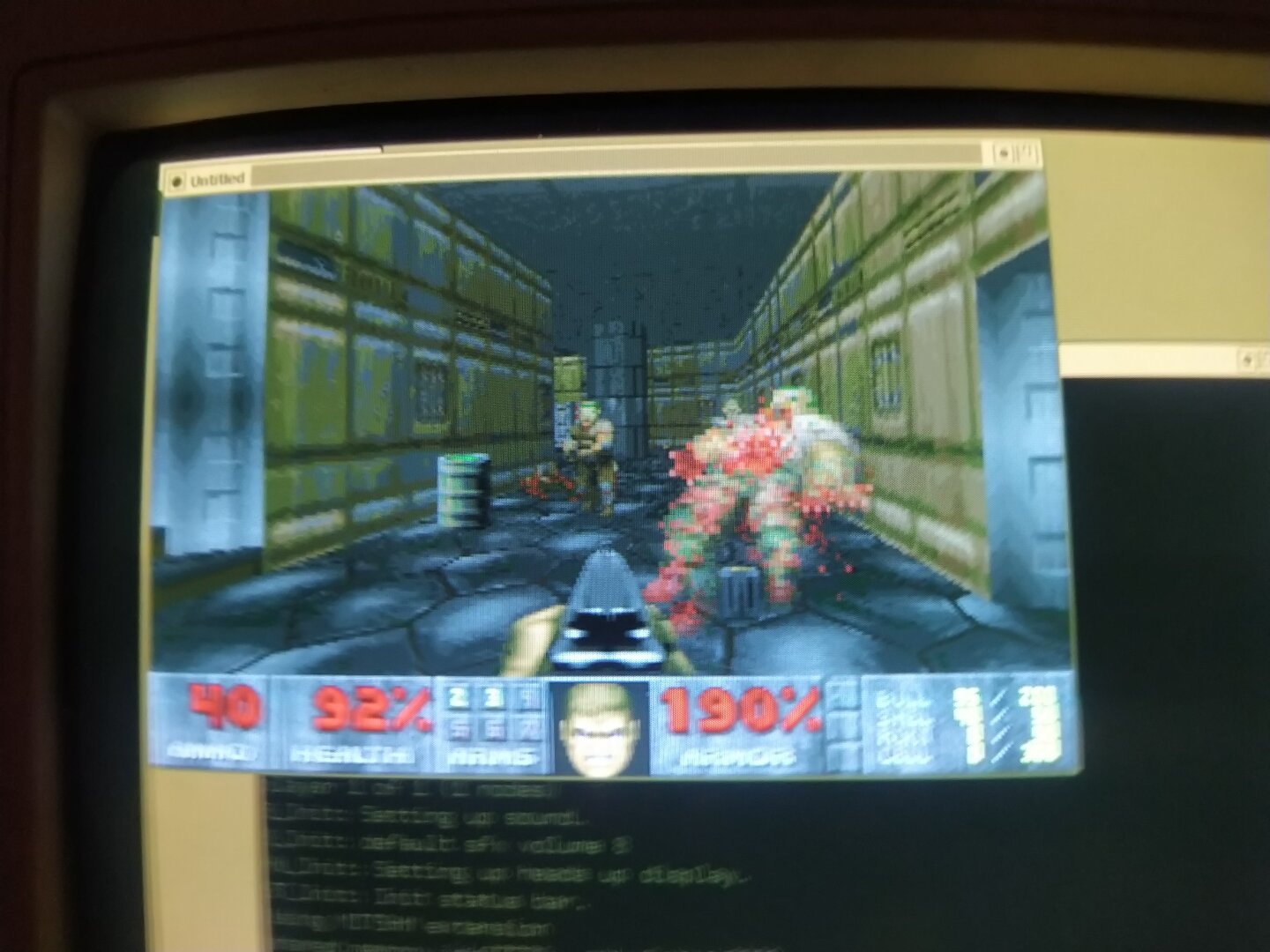
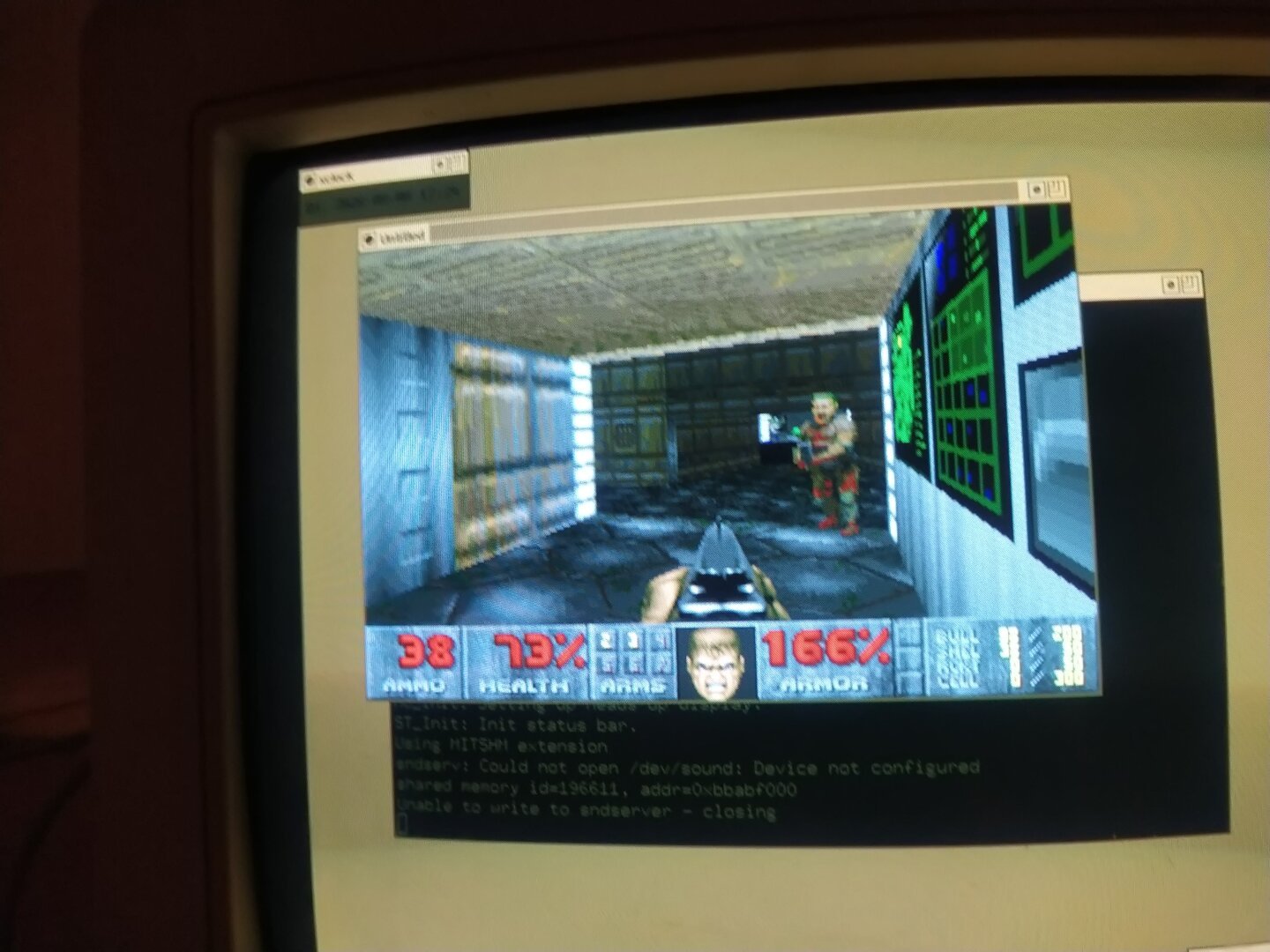
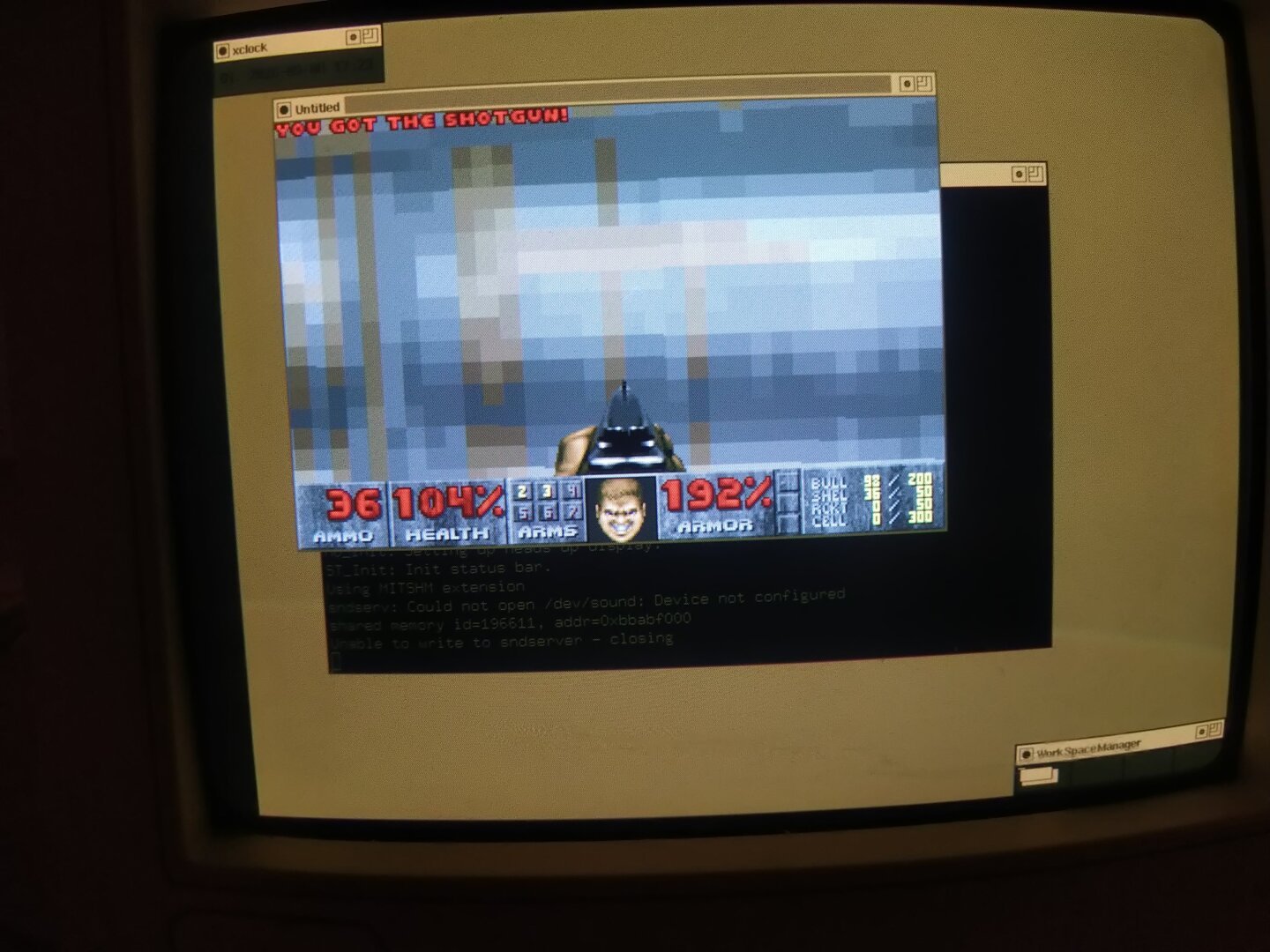
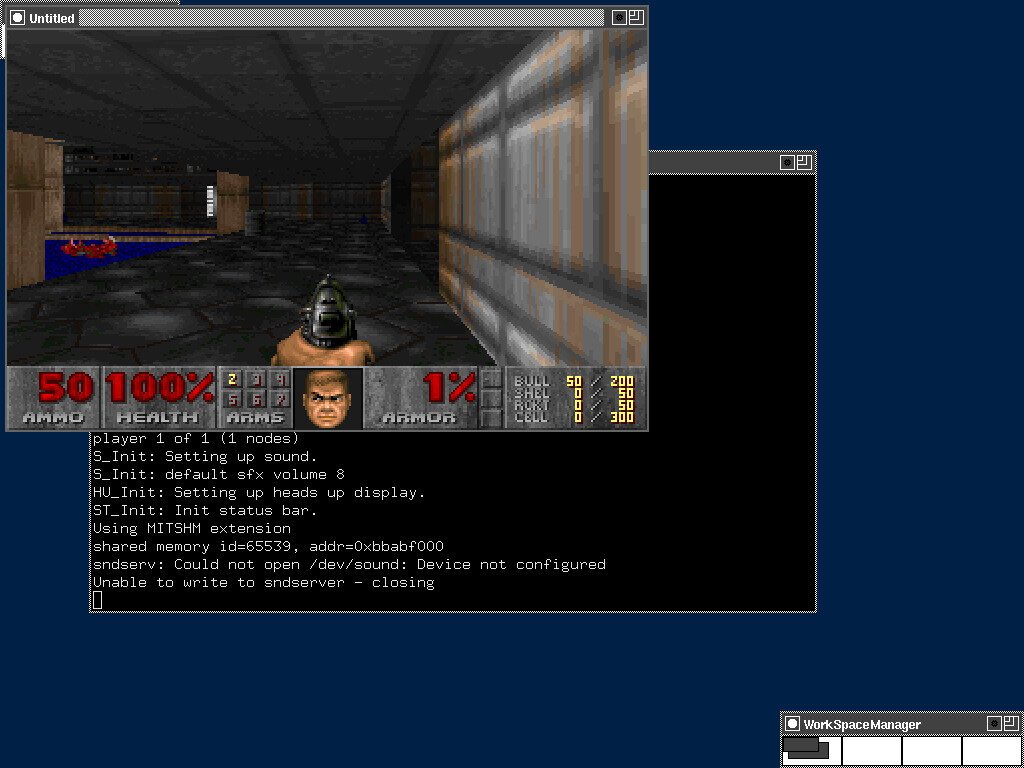
But getting it running on my almost 30-year-old Pentium 1 under NetBSD 11.0 and X.Org is a different story.
I'm using xdoom, the old X11 port based on the original Linux DOOM 1.10 source. It uses the original-style software renderer and requires an 8-bit PseudoColor X11 display, so I configured X.Org itself to run at 8-bit color depth.
And it runs smoothly on the Pentium 166 MHz!
I initially made the rather stupid mistake of trying Chocolate Doom with SDL2. Turns out, throwing SDL2 at a Pentium 1 is a terrible idea xD SDL2 itself was already enough to bring this machine to its knees.
So I went back to something much more appropriate for the hardware: xdoom, X11 and 8-bit color.
The Pentium lives to slay demons another day.
Can it run DOOM? Yes. But can it run Crysis?
Since I actually ended the Pentium project with the successful installation of Dillo -.- this is Episode 5 (not 2 xD): THE PENTIUM STRIKES BACK
The first posts are therefore accordingly Episode 4: A New Pentium...
Episodes 7 to 9 will never happen, but they will make Episodes 1 to 3 shine in a new light!
#RetroComputing #RetroPC #Pentium #Pentium1 #Pentium166 #NetBSD #NetBSD11 #BSD #i386 #DOOM #xdoom #LinuxDoom #Doom1 #X11 #Xorg #FOSS #OpenSource #VintageComputing #RetroGaming #OldComputers #ComputerHistory #Tech
![[?]](https://media.bsd.cafe/bsdmmedia01/accounts/avatars/117/230/143/862/280/275/original/a62dee3e69e032a8.jpg)
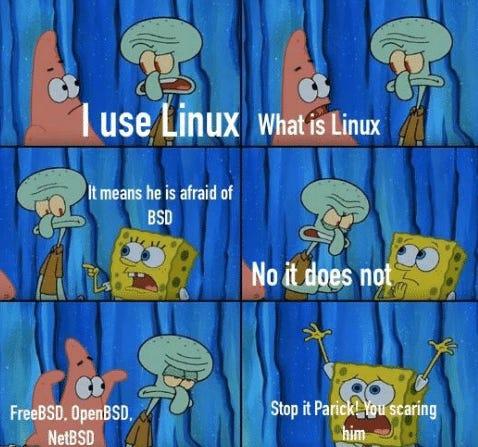
When you say ‘I use Linux’ and accidentally summon the entire BSD family.
#FreeBSD #OpenBSD #NetBSD #Unic #Linux #BSD #Meme #Memes #Humor #SpongeBob
Alt...
Six-panel cartoon featuring SpongeBob, Patrick, and Squidward. Patrick says, “I use Linux.” Squidward asks, “What is Linux?” SpongeBob replies, “It means he is afraid of BSD.” Squidward responds, “No it does not.” The next panel lists “FreeBSD, OpenBSD, NetBSD,” while Patrick looks funny. In the final panel, SpongeBob raises his hands in panic as Patrick says, “Stop it Patrick! You’re scaring him.”
 boosted
![[?]](https://federate.me.uk/system/accounts/avatars/109/309/886/224/077/101/original/5413a04479190d6c.jpg)
@Unsightly3055 We don't decide on which software to port to pkgsrc or not, it's just around 100 of us, plus contributors, who spend time creating and updating packages for things that we use.
We love it when people get involved and help out packaging up the software that they like and need, and we're looking forward to welcoming new contributors as they migrate from Linux.
Until then, yeh you can usually run Linux binaries using the emulation, or even still run VMs for a bit.
![[?]](https://cdn.fosstodon.org/accounts/avatars/109/860/465/494/023/450/original/eb2faa9c8053bd7a.jpg)
Day 22
For a lightweight terminal to be used with an X11 window manager (Openbox), I'm liking *lxterminal*. Set to use FiraCode font and 'Tokyo Night' colour palette.
![[?]](https://assets.chaos.social/accounts/avatars/000/025/219/original/2704a4be35d99211.png)
@ShadSterling @dthompson NetBSD already watered down their LLM stance from "no contributions that used LLM" to "contributions that used LLM are okay if you have written permission by NetBSD Foundation".
I wonder when they will water it down further.
At least #NetBSD has a proper AI stance. Most Linux distributions have no stance. So I am very much in favour of NetBSD.
People regularly ask this sort of question, and the complex answer is that the BSDs (which include #DragonFlyBSD, #MidnightBSD, #MirBSD, and #GhostBSD too) do not really divide up by any simplistic classification.
And one person's 'minimalism' is another person's 'they removed necessary feature Y outright!'.
The good news is that they are all full operating systems out of the box, they all come with ports/packages systems for third-party applications, they all are relatively well documented, and they all have the option of giving you the source code for the whole operating system under /usr/src . (-:
The rest, though, is a complex exercise in what *exactly* you want.
I was reading through the #OpenBSD documentation and ran into a small but revealing detail: in OpenBSD 5.6, released in 2014, the project didn’t merely disable Bluetooth by default it removed the Bluetooth subsystem altogether.
The official release page simply lists “bluetooth” among the utilities removed from the base system, while the 5.6 changelog gives the blunt explanation: “bluetooth(4) support removed (code did not work properly anyway).”
What I find interesting is that this was not presented as a grand statement that Bluetooth itself was inherently unacceptable or impossible to secure.
OpenBSD had carried Bluetooth support before: its historical changelog shows that parts of the #NetBSD Bluetooth stack were imported and that Bluetooth drivers were later added to the generic kernel configuration, though initially not enabled. There was even a driver, ubt(4), for #USB #Bluetooth #adapters in OpenBSD 5.5.
So, the practical reason OpenBSD dropped it in 5.6 was much simpler: the code was not working properly, which strongly suggests it had become difficult to maintain and could not meet the project’s expectations for reliability and code quality.
Rather than leaving behind a feature that existed mostly on paper, behaved unpredictably, or accumulated unreviewed complexity, the developers chose to remove it.
In many systems, keeping a feature can feel safer because users may rely on it someday. OpenBSD often takes the opposite view: unsupported or broken code is not really a feature it is maintenance debt, potential attack surface, and a promise the project cannot honestly keep. Removing it makes the system smaller, easier to audit, and clearer about what actually works.
My takeaway from reading this is that OpenBSD 5.6 did not abandon Bluetooth because of a single dramatic vulnerability or because wireless hardware was categorically forbidden.
It removed Bluetooth because the implementation was not in a state the project considered worth carrying forward. It is one of those deceptively small release-note lines that reveals a bigger principle: for OpenBSD, a feature has to earn its place through working, maintainable code not merely through demand or familiarity.
boosted![[?]](https://media.bsd.cafe/bsdmmedia01/accounts/avatars/115/259/277/430/803/651/original/4b70dbf4edf35875.jpg)
Can some #netbsd folks help me out? I'm trying to install it in a VM (first time I'm having a look at it).
I downloaded the current DVD iso.
I went through the installation, configured the hard disk, installed from DVD, and got to the config menu. I'm following this guide here:
https://www.netbsd.org/docs/guide/en/chap-exinst.html#exinst-system-configuration
I configured my network device and verified in the shell that I could ping the outside world. I set a root password, set the correct timezone, selected /bin/sh as the root shell and now I'm at step e, "enable installation of binary packages".
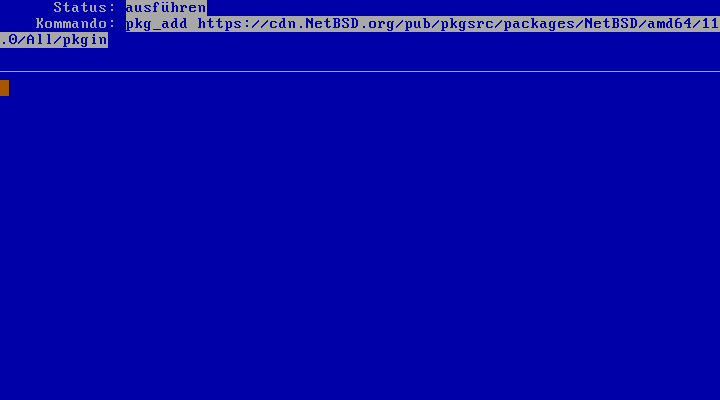
I left all the defaults, entered "bash tree" as additional packages as shown in figure 3.37 and selected option x, "install pkgin and update package summary".
This then brings me to the state shown in the screenshot, where I'd expect something to be downloaded and configured, but nothing ever happens, it stays like this forever.
What do I do here? I've been following the instructions up until this point, but here I'm stuck...
![[?]](https://media.bsd.cafe/bsdmmedia01/accounts/avatars/113/033/293/822/670/571/original/436dcf170cc75fdc.png)

Peeps, ~3 months to go! Let's see if we can hit that goal 💪
https://www.netbsd.org/donations/#how-to-donate

Alt...
Screenshot of my donation to the NetBSD Foundation
![[?]](https://mastodon.uy/system/accounts/avatars/000/000/003/original/f5baa4af59d10487.jpg)

 boosted
![[?]](https://justfollow.me.uk/system/accounts/avatars/109/320/306/219/107/803/original/abdeb1bbb89e40f5.jpg)
@overeducatedredneck @chadmccullough @admin @netbsd It's pretty easy setting up a #NetBSD Xen dom0 with just two packages needing adding (plus the auto-installed dependencies). You can then add as many domUs as you want if you want full privilege separation. PVH is probably best. You can use a ZFS dataset per VM. It's also easy enough to add #FreeBSD, #OpenBSD and #Linux domUs
Quite a few of us have worked on improving the How-To
http://wiki.netbsd.org/ports/xen/howto/
boosted![[?]](https://assets.chaos.social/accounts/avatars/108/198/383/090/213/558/original/92bec86704400a34.jpg)
@xyhhx One of the historic oddities is the source of #NetBSD's burgee, as art based on the infamous Iwo Jima photo. Representing one OS for multiple hardware platforms was always my take.
And sort of WW2 era anti-fascism kind of maybe?

Alt...
Demons raising the NetBSD flag, spiked.

Alt...
NetBSD logo, a burgee in orange with a black mast.
boosted![[?]](https://files.mastodon.social/accounts/avatars/110/697/973/076/734/397/original/7f6c18d1ad5b27ab.jpg)
I copied a NetBSD image to the SD card for my Raspberry Pi but I realized I don't have the HDMI cable, nor an Ethernet cable.
Isn't there some way to plug it into a host computer via the USB ports and have it act like a little LAN?
Day 21
I wanted to change the resolution of my laptop display upon starting X. So I modifed my .xinitrc file.
This didn't work:
xrandr --output eDP1 --mode 1600x900
Nor this:
sleep 1; xrandr --output eDP1 --mode 1600x900
Eureka!
sleep 2; xrandr --output eDP1 --mode 1600x900
Seconds count. I won't mention how many seconds it took to get this working. 🙂
Onward!
Okay, tomorrow I will be back to work trying to get @netbsd installed either on my desktop or laptop. I took a break for a week but I really need to get this done. After 30 years, I think I am done with Linux. I'm struggling to move on, but I know it's the right thing to do.
For my small home server, I'm not sure what to install on it just yet. I know that I can get FreeBSD going rather quickly but there's the AI issue. Would NetBSD be a good option for the server, as well?
![[?]](https://media.bsd.cafe/bsdmmedia01/accounts/avatars/113/698/673/569/488/272/original/1fc827cf6cff37d6.png)
@jaypatelani @pjacock Please don't "develop" #netbsd into a parallel to other bloa0ted systems
![[?]](https://indiepocalypse.files.fedi.monster/accounts/avatars/117/102/576/716/677/162/original/cea2ad95dd7a18df.png)
@jaypatelani Found an old #NetBSD mailing list post (2012) with a short kernel model implementing disabling Optimus NVIDIA cards...
https://mail-index.netbsd.org/netbsd-users/2012/08/31/msg011341.html
![[?]](https://cdn.masto.host/rubysocial/accounts/avatars/000/093/360/original/920f5a8782200f9b.jpg)
#NetBSD in a GNOME Boxes VM update:
LibreOffice installed and ran perfectly.
Foliate ebook reader wouldn't run -- having some kind of glib2 issue (that I haven't run into before).
Xfce running great.
And between this live environment and my GNOME Boxes instance, this is the most success I've had with #NetBSD
boostedI was able to use wpa_gui to get WiFi working with my Intel chip.
Then:
# sysctl -w hw
led me to the brightness control:
# sysctl -w hw.acpi.acpiout15.brightness=100
And then I was able to change Firefox's language from Japanese to English
So ... display looks good (at full resolution), WiFi works. Fan control was working OOTB. Good signs for future #NetBSD use on this old HP laptop (which is my daily driver on #Debian 13 for now).
I haven't met a #BSD I didn't like ...
![[?]](https://polymaths.social/fileserver/01HCMX6M1CZNEVJ4F5H58TT5XJ/attachment/original/01M4GVVZSEWT13KC280GWBJSF8.png)


 🍵
🍵  [
[The laptop I'm running it on has Intel WiFi, so chances of it working are decent.
The laptop I'd LIKE to run it on has Atheros WiFi, and BSDs have never caught up with the "newer" chips. I do have some USB WiFi interfaces that could help me get that one going with a real #NetBSD installation.