Search results for tag #netbsd
![[?]](https://cdn.masto.host/mastodongamedevplace/accounts/avatars/109/308/985/063/911/240/original/f7b639e61e4ec833.jpg)
 🎮
🎮Seeing all the latest posts, I'm almost feeling like giving #netbsd a try. I just need to find a spare old laptop to play around with...
![[?]](https://cdn.fosstodon.org/accounts/avatars/109/860/465/494/023/450/original/eb2faa9c8053bd7a.jpg)
Day 34
Trying out virtualization on NetBSD with QEMU + NVMM. I created a NetBSD VM, though I had to drop 3D acceleration ("gl=on") for the install to proceed, which is no biggie for running the TUI installer.
This works:
qemu-system-x86_64 -accel nvmm -cpu max -smp cpus=2 -m 2G -display sdl -cdrom NetBSD-11.0-amd64.iso
 boosted
![[?]](https://social.akselmo.dev/fileserver/017XGKG5790GWEA0R11EB747ME/attachment/original/01M0R7AW2NZKCCXDC9W7P6MD3Q.png)
I feel bad for not being able to help with the KDE + NetBSD issues but I believe there's enough critical mass for people to make their own smaller community within KDE community to get stuff working, fixing bugs, etc.
I don't have the time as I'm busy enough with Linux stuff but I definitely encourage anyone interested to start organizing this.
![[?]](https://media.mstdn.social/accounts/avatars/115/147/839/325/025/322/original/6f50e92be2e37cce.png)
![[?]](https://media.tech.lgbt/accounts/avatars/000/065/526/original/8e7db2445303f872.jpg)

 [
[RE: https://mastodon.online/@sethmarinello/117458152536349762
Honestly, I think this is one thing folks really can do. Is fund projects rejecting slop-code. I know ive been giving @elementary some cash. I've seen others talk about #HaikuOS and #NetBSD. #NeverSlop
![[?]](https://files.mastodon.online/accounts/avatars/000/073/264/original/cbc7e09ba97e378b.jpg)
![[?]](https://assets.oldbytes.space/assets.oldbytes.space/accounts/avatars/108/194/429/158/116/939/original/5e481bff3e4a5784.png)
With all the latest hype around #NetBSD - which is understandable, given the speed at which things get slopped - people should understand that it is not a drop-in replacement for a full blown Linux workstation. A lot of hardware isn't yet supported (think USB devices), Linux binary compatibility is still a work in progress and you will have to make compromises elsewhere.
This is explicitly *not* meant to discredit NetBSD but to save people from over-expecting things.
![[?]](https://v2.cache.treehouse.systems/accounts/avatars/108/085/452/624/998/534/original/97ca266859eaf8ae.png)
Starting to see some people checking out #NetBSD due to its anti-LLM contribution policy. It's always great to see folks trying out OSes off-the-beaten-path!
But for those who want to go offroad and graphical, check out #Redox and #Haiku (#HaikuOS) too! Both of them also have anti-LLM policies as well:
https://gitlab.redox-os.org/redox-os/redox/-/blob/master/CONTRIBUTING.md#ai-policy
https://review.haiku-os.org/c/haiku/+/11180
![[?]](https://cdn.masto.host/helvedenet/accounts/avatars/109/188/961/346/919/471/original/9137ab5154ef10ab.png)
![[?]](https://media.tech.lgbt/accounts/avatars/116/115/244/974/045/364/original/387986d9db12f4d4.png)
![[?]](https://retro-pizza.s3.de.io.cloud.ovh.net/accounts/avatars/114/373/336/434/504/367/original/2c6e9b33eaf6a08b.png)
So… where's that #Linux kernel fork?
Or maybe better yet, how's Linux emulsion on #NetBSD? Can I run #Steam on it yet? What's the gaming situation over there?
What's the gaming situation on #HaikuOS, for that matter? Does the Steam version of Terraria run?
@nixCraft https://mastodon.social/@nixCraft/117451805824031590
![[?]](https://media.bsd.cafe/bsdmmedia01/accounts/avatars/117/229/469/256/862/649/original/1f7e21b86b7a3a7f.jpeg)
![[?]](https://media.tech.lgbt/accounts/avatars/109/093/165/028/047/640/original/7463f84b80dc117a.jpg)
#netbsd adventure continues: orca installed from pkgsrc now builds correctly, and doesn't crash on start (probably should report to the package maintainer), but still can't find the Gst plugin. Thinking...
![[?]](https://hj.9fs.net/p/s/avatar-dea0df353fcc369128b6bd7ae161bec5.jpg)
 boosted
![[?]](https://drive.nya.social/files12/webpublic-a2647278-0bb5-442b-9b98-743a825b8510.png)
thanks #NetBSD
It is regrettable, but Orca shipped with binary packages does not work out of the box. First, the /usr/pkg/bin/orca has a bogus shebang that points to the wrong Python. Second, it tries to find autoaudiosink GStreamer plugin, and can't, it was not installed by dependencies. I think I might have good chances at making it work by building it from #netbsd pkgsrc, though.
This really sucks, though, because blind users can't even just type in some commands in, keep their fingers crossed that things will be installed okay, and then run their OS; they'd have to be in a position to fix things. :( It's not an un-fixable situation, it's just something that needs to be worked on.
![[?]](https://furry.engineer/system/accounts/avatars/113/618/776/313/099/289/original/2126ecb75eb4b2f7.png)
 🏳️🌈
🏳️🌈#netbsd install party continues. Much better luck with MATE. I just pkgin in mate, then added a line exec mate-session in .xinitrc, and now startx starts this lovely desktop.
I've heard that MATE has best accessibility, so I'll install Orca and will try to see how it works.
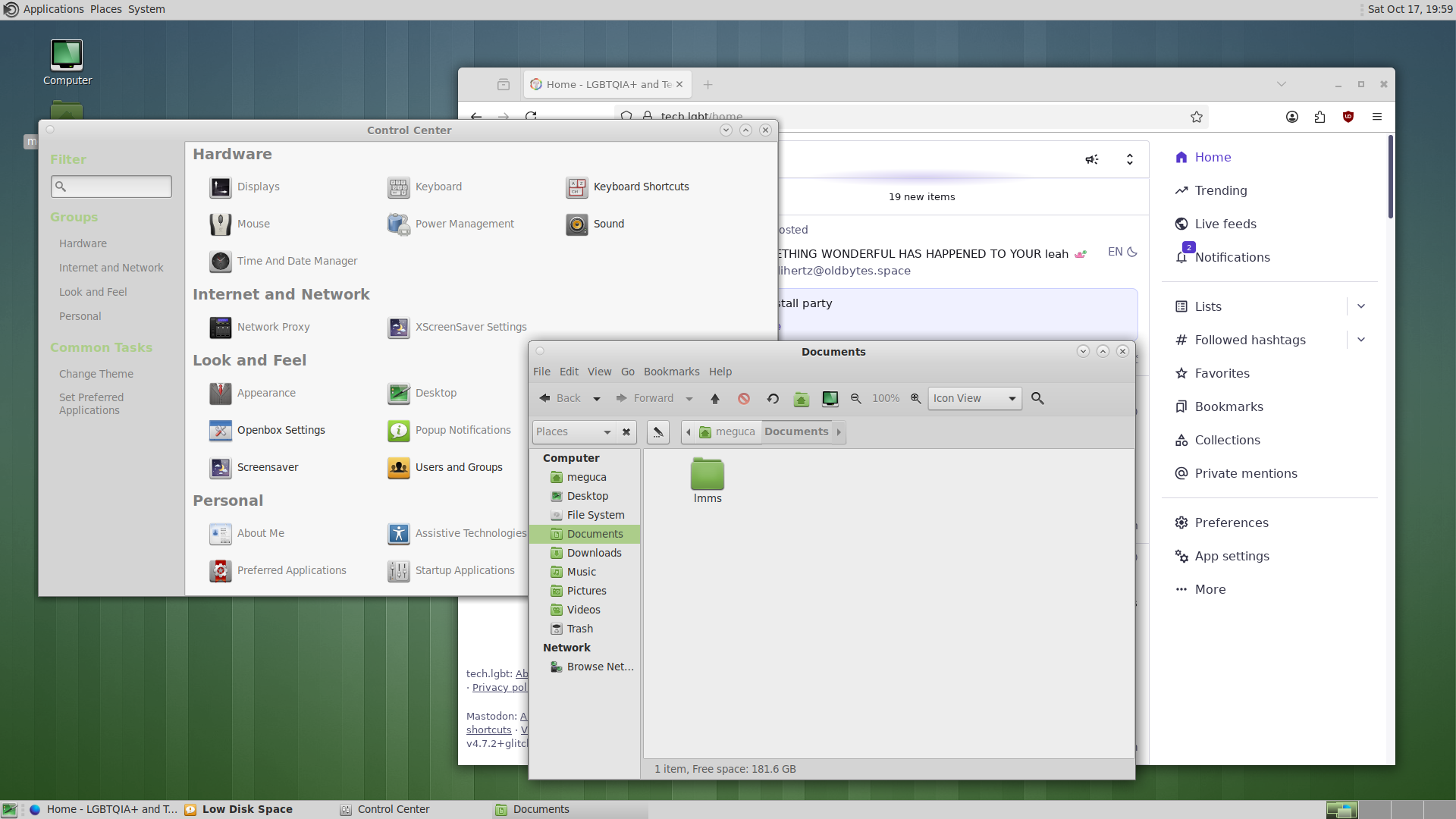
Alt...
A colourful screenshot of a desktop environment, showing a file manager, a configuration panel, and a Firefox web browser
![[?]](https://static.toot.community/accounts/avatars/116/866/266/057/435/413/original/c0b994414b298793.jpg)
I didn't realize that I was getting in on the #netbsd weekend install party action, but I installed it anyway! NetBSD 11 on a Raspberry Pi 4. Lessons learned from this:
- you have to copy the RPi bootloader onto the generic NetBSD image, replacing the default bootloader
- if you want HDMI, you need to edit config.txt in the boot partition to set config_hdmi_boost to 7 or higher
- CTWM grows on you
- X11 font config strings can get knotted
Okay, so LXQt installs, and it is as simple as pkgin in lxqt (that's #netbsd ).
I can't start it from the command line with startlxqt as it fails to start X, complaining about some Qt modules, but I can add startlxqt after I have X running. And then it works. Basic things like PCManFM work, too. That's a progress.
Most KDE apps work; Dolphin, notably, crashes on any interaction. Sus.
Time to take another break.
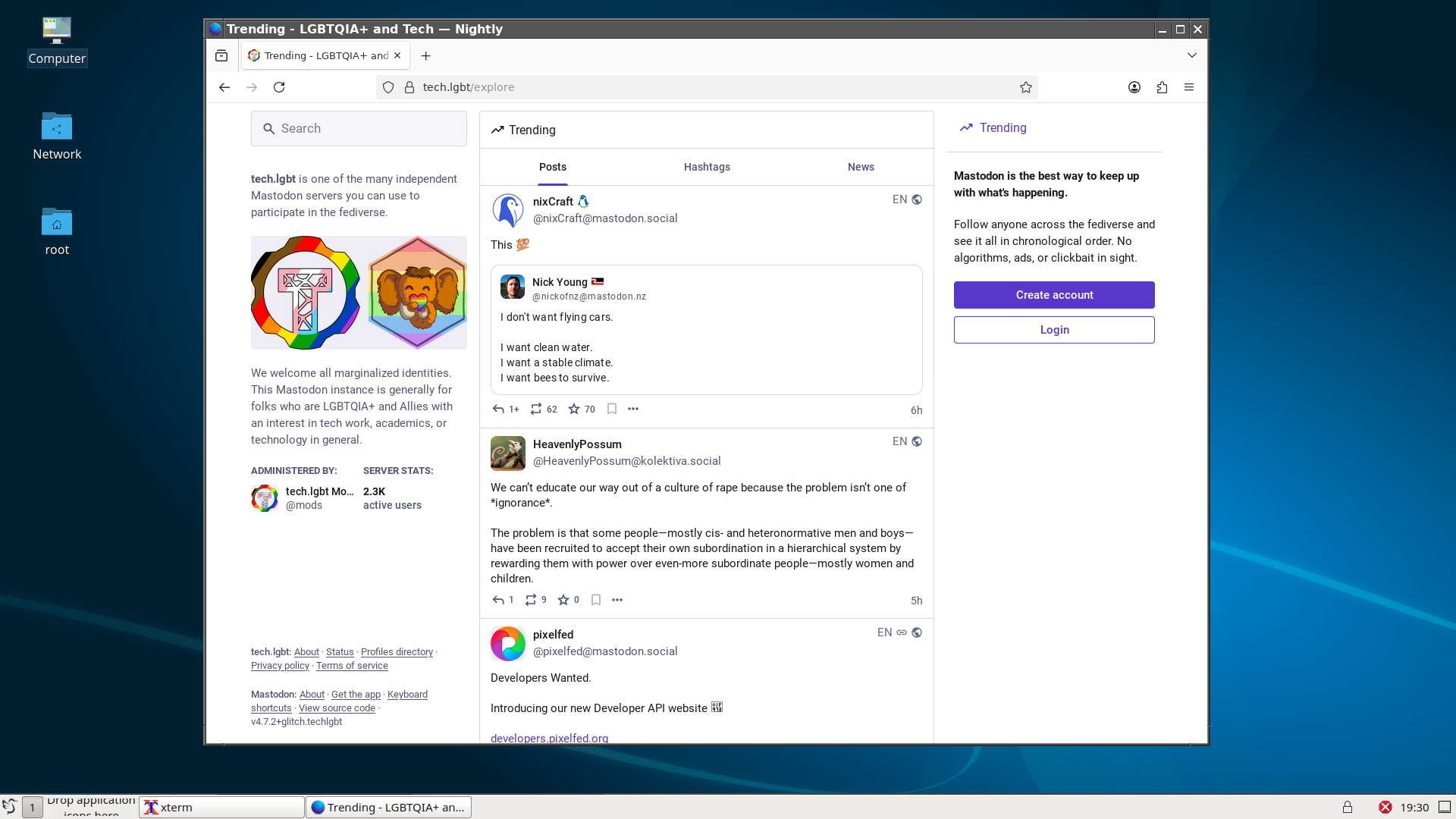
Alt...
A screenshot of a basic LXQt desktop (windows-style desktop) and a browser showing tech.lgbt home page with some feed in
boosted![[?]](https://files.mastodonapp.uk/accounts/avatars/109/508/813/126/393/770/original/98a69cbbce7ad298.png)
<cough>
* http://jdebp.info/FGA/BSDs-for-Linux-users/
Two of the hyperlinked pages are directly on point for you.
I've also done a contribution to the #NetBSDGuide that went in less than a week ago, thanks to an actual #NetBSD person, dealing with GUID partitioning, and I'm working on another one, which I hope that xe will check over and also put in, updating it to dealing with modern bootstrap.
You can follow along on my system tools account.
#NetBSD doesn't really favour older kit. It more favours the stuff that the comparatively small pool of developers can write for. It's the usual story. A developer with the time, money, hardware, and doco.
I have NetBSD running quite happily on machines with HDMI and USB; whereas there have been people talking about problems, on the FediVerse, with laptops that use PS/2 devices for their keyboards and touchpads, that have idiosyncratic manufacturer-specific extensions to PS/2, and I2C mixed in for good measure.
If the criterion were strictly 'older kit' the PS/2 devices would work and my USB devices would not. (-:
![[?]](https://files.mastodon.social/accounts/avatars/115/033/912/889/256/727/original/5762f30d49ae6df1.jpeg)
For those with install and usage issues on #netbsd, try https://www.unitedbsd.com/
I got helpful answers within 10-15 minutes there.
![[?]](https://awesome.garden/system/accounts/avatars/109/593/993/412/791/963/original/212c784db254e278.png)
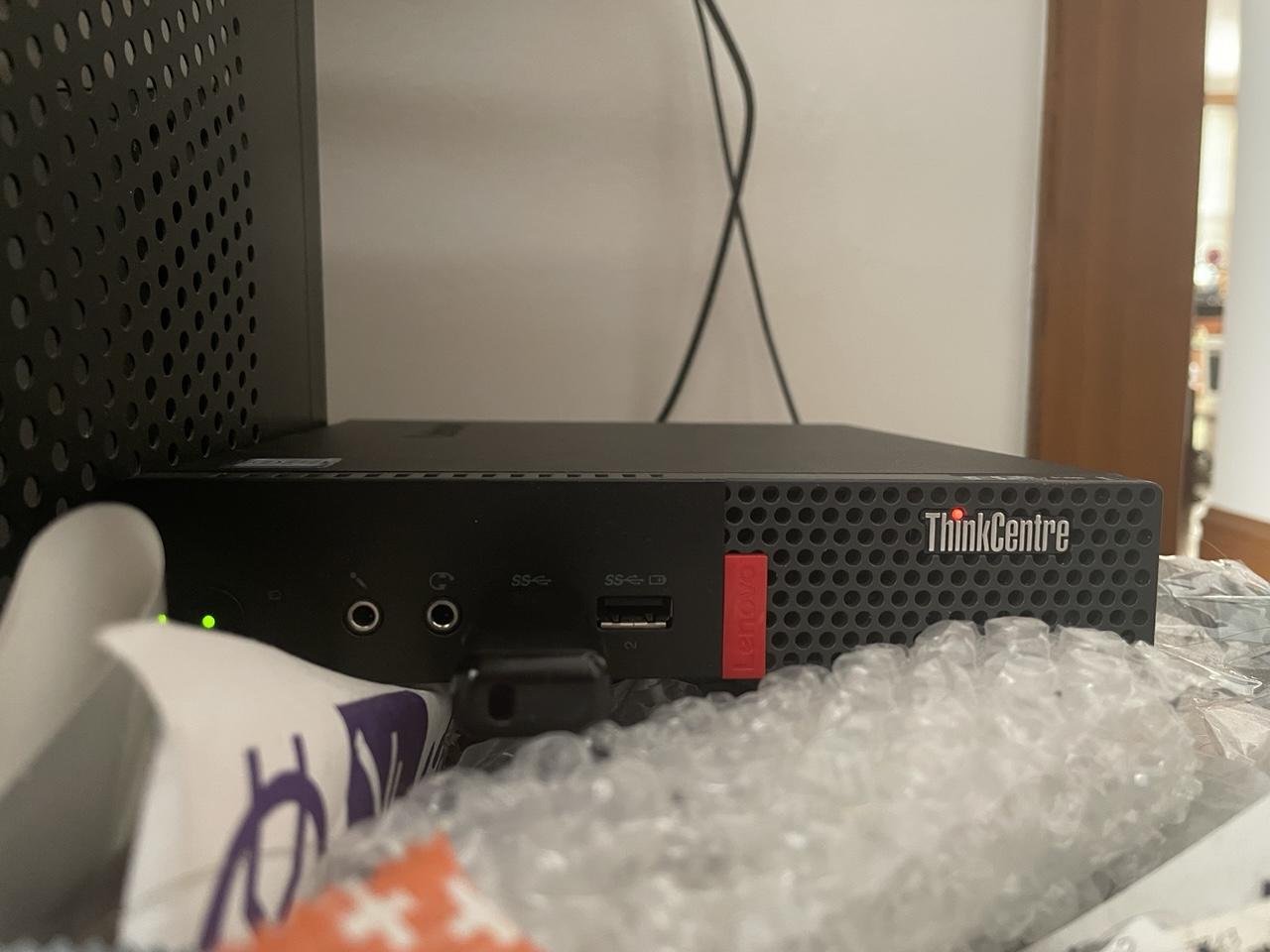
Trying out #NetBSD on a little Lenovo M910q SFF PC (which it literally sitting on top of my overflowing trash can). Gonna just YOLO this installation and see how far I get.
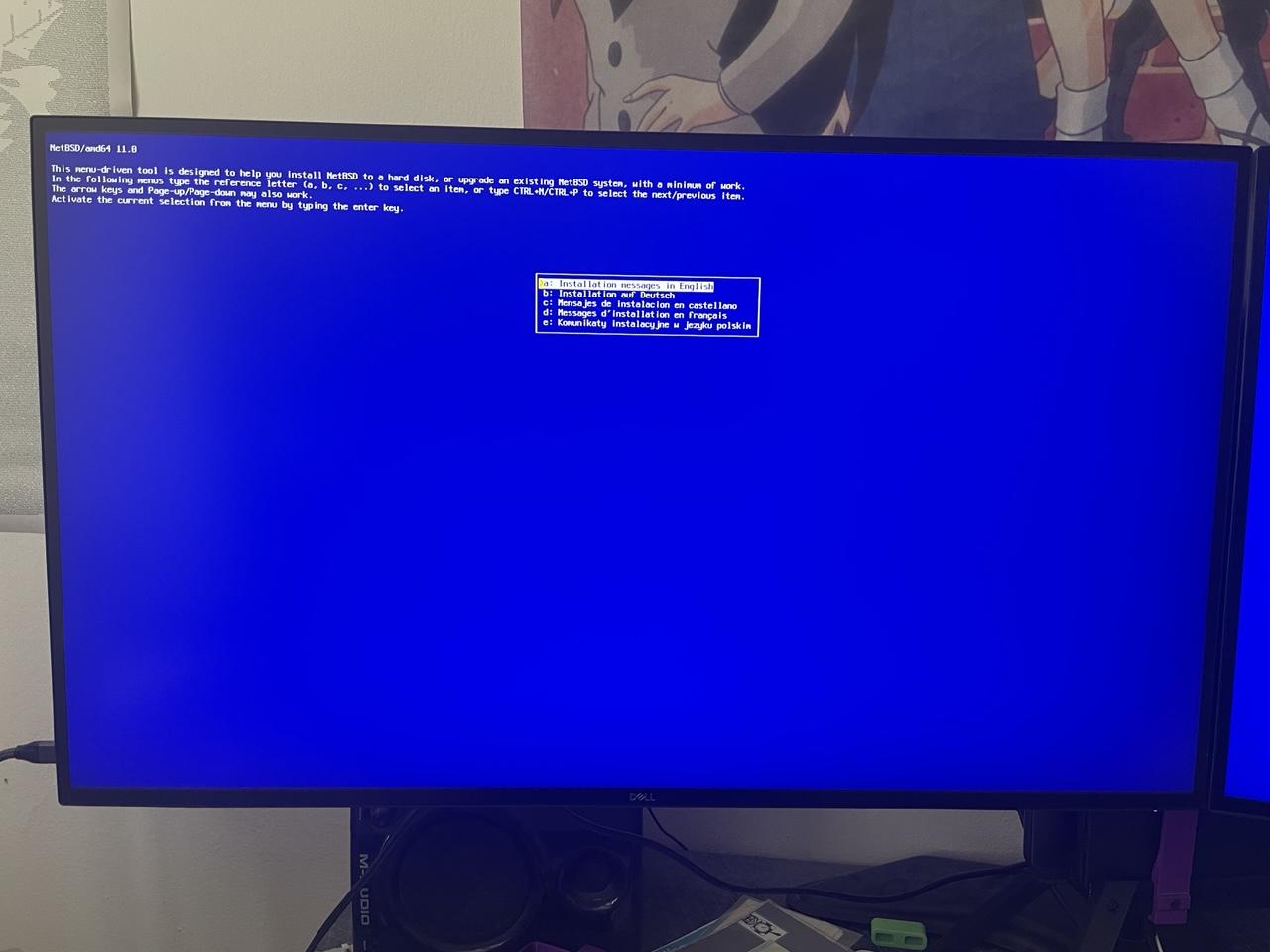
Alt...
Starting install screen for NetBSD 11.
Alt...
A small computer comfortably nestled into a pile of garbage.
![[?]](https://cdn.yiff.life/accounts/avatars/109/440/163/990/391/713/original/7cddf7992e595b0b.png)
Ive installed the KDE meta package,.but there is no startkde or plasma-session binary?
Do I need to use pkgsrc, #netbsd
#kde
#netbsdinstallparty
It has a ring of Debian kFreeBSD to it.
But there's more to it than APK instead of #pkgsrc. It's based around @ska's #s6 and #execline and suchlike. Of course, those are also available on actual #NetBSD too.
I suspect that it's not aimed at people who want to switch operating systems as such, but at people who use #AlphineLinux but who do not want to have #Linux as part of that any more.
![[?]](https://cdn.masto.host/mastodongamedevplace/accounts/avatars/116/059/571/717/705/272/original/911c28d931792a2d.png)
RE: https://mastodon.gamedev.place/@gins/117441072083607343
#netbsd day 1
Today was busy, but now I've sat down and started by downloading the image and created a bootable USB stick.
My plans have changed, I won't risk my main PC with a dual boot, since I know next to nothing about BSD, but I have a laptop that I can wipe completely, so I'll go with that. Might motivate me to use my laptop more often and tinker away from my main desk.
I'm new to microblogging, but since I'm here, I might as well. I learn from y'all and maybe I find something new too.
![[?]](https://media.tech.lgbt/accounts/avatars/115/667/046/035/383/149/original/8aba4b412016af05.png)

#netbsd installer warning me that my computer does not have a strong random number generator and prompting me to input a randomized seed by hand, was fun
I made a python script to output randomized hex bytes a while back, grabbed some lines from that
Okay, so, kdm isn't installed, and so are many other parts of kde. Libbluray is installed but it seems like the library is not where it should be. Next step: find the library, symlink to the back expected location, restart the package installation.
:thread: (install kde on #netbsd continues)
@nina_kali_nina I just finished a basic #netbsd install on my spare pc! the default DE is gorgeous 
boosted![[?]](https://media.mstdn.social/accounts/avatars/113/936/644/661/615/009/original/a7b5096ef53c43af.png)
✅ Backed up my SSD (in case I have to go back to Linux)
✅ Tarballed my /home (to restore later)
✅ Downloaded a fresh copy of NetBSD
⏺️ Burning the ISO to a DVD
⬜ Install NetBSD
Almost there!
#netbsd weekend installation party for me has three goals:
- get KDE working (there's quite a few people out there who like it more than the alternatives),
- get screen reader working (I want to try it out),
- try AlpineBSD in Qemu
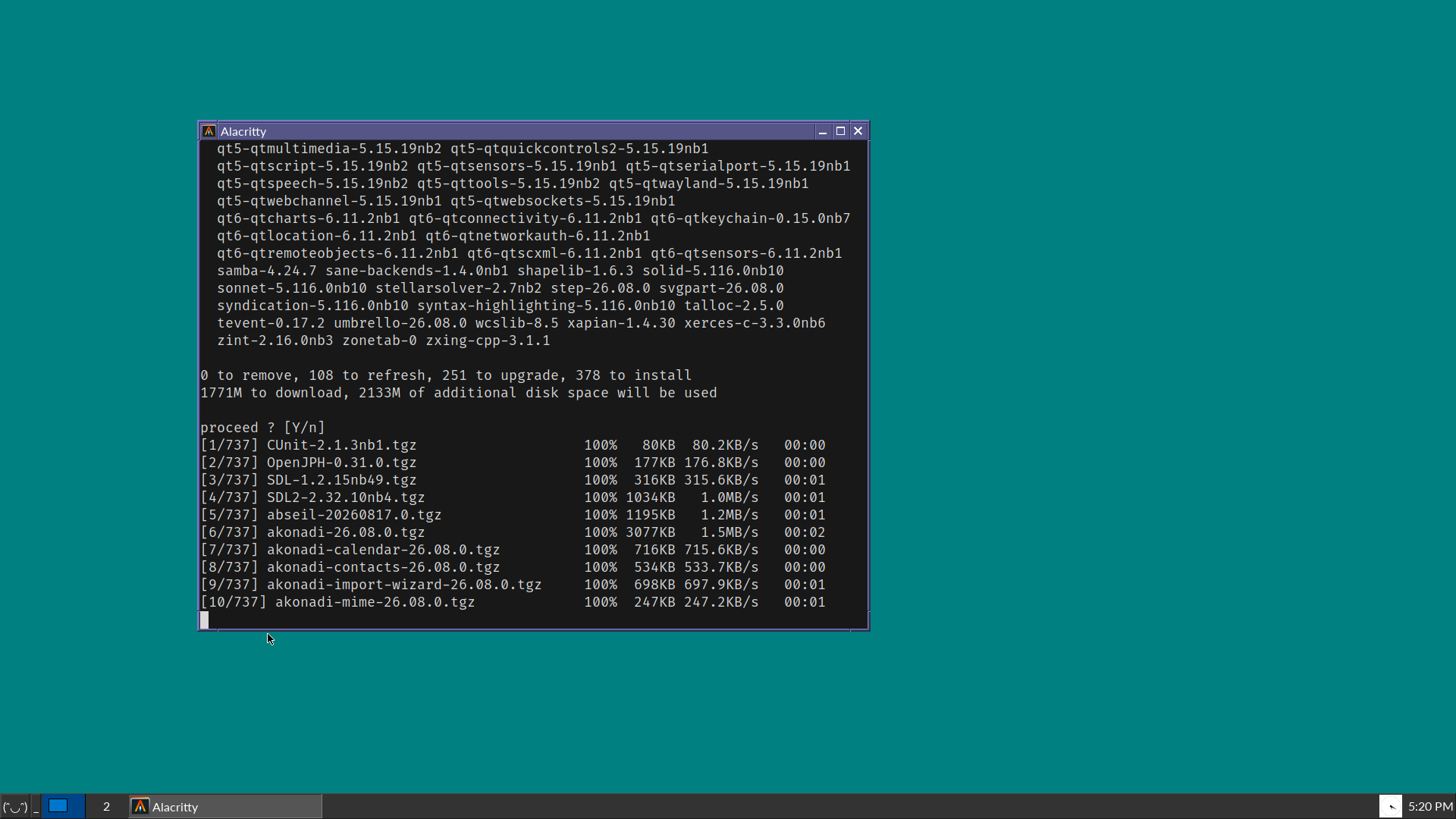
I start with my experimental install of NetBSD (running jwm, alacritty and rox), and proceed with installing kde (pkgin in kde). There are lots of things to download, and I think the NetBSD CDN might be experiencing more load than usual due to, well, news.
I'll report in this very 🧵 thread with updates when I'll have them.
Alt...
A vintage-looking screenshot of a desktop OS, showing blue-green background, a Windows 95-style taskbar in dark grey, and a terminal window that is about to install many packages for KDE.
![[?]](https://f2.tchncs.de/accounts/avatars/000/216/707/original/59002558c4a752fe.jpg)
#netbsd #netbsd11
...use support for...
How can I setup a graphical login with xfce4?
I have setup:
rc.conf with xdm&dbus
.xsession & .xinitrc
Without .xsession I can login at the prompt, type startxfce4 ... ok but not my goal...
When I initiate .xsession with xdm I can login but the login process redirect direktly to idm login again...and agian...and again...
Any idea?
![[?]](https://files.ohai.social/accounts/avatars/114/456/967/863/618/736/original/f647d10235954580.png)
Great to hear you got NetBSD running on both machines!
It just dawned on me that of course I'll need that one proprietary app for work (the dreaded WeChat), which has a Linux version (such an improvement over running the Windows version in Wine) & I've read that the Linux compatibility layer works great on #FreeBSD but not so on #NetBSD.
I don't know if you're going to try running software packaged for Linux on NetBSD, but if you do, please let us know how it goes 🙏
![[?]](https://cdn.masto.host/floss/accounts/avatars/110/684/815/186/127/406/original/63507e43d67e9049.png)
The problem in #barebox got fixed by @a3f
https://lore.kernel.org/barebox/20261017115018.1202076-2-a.fatoum@barebox.org/T/#u
I now get the #NetBSD backtraces on serial. The first one is USB specific (and disabling usb in barebox gets us further) and the second problem is that it is unable to find the root device. I'll write up two PRs about this later today.
Another thing I learned today: to get serial output in NetBSD I have to run this in barebox:
fb0.register_simplefb=enabled
This was also documented by @mntmn for #OpenBSD https://source.mnt.re/reform/mnt-reform-barebox/-/blob/main/README-mnt.md#booting-openbsd
boosted![[?]](https://cannot.understand.computer/kunev/s/avatar-65999931a6a066390559fd4274303df5.png)


Alt...
initial NetBSD install screen on a Thinkpad T460s with a "never slop kito" holo sticker propped on the monitor
![[?]](https://media.bsd.cafe/bsdmmedia01/accounts/avatars/114/932/322/584/208/816/original/e8177168b64868c0.jpeg)
Updating NetBSD system files on a Raspberry Pi Zero W with the 'sysupgrade' utility requires a small edit to /usr/pkg/etc/sysupgrade.conf:
RELEASEDIR="https://nycdn.netbsd.org/pub/NetBSD-daily/netbsd-$(uname -r | cut -d. -f1)/latest/$(uname -m)-$(uname -p)"
This changes part of the subdir from "evbarm" (which doesn't exist) to "evbarm-earmv6hf" (which does).
Please note that I might not know what I'm doing, being quite new to NetBSD.
boosted![[?]](https://files.mastodon.social/accounts/avatars/108/319/157/409/975/618/original/e6886ed3948ef9d4.jpeg)
@nina_kali_nina @felichsdakatze
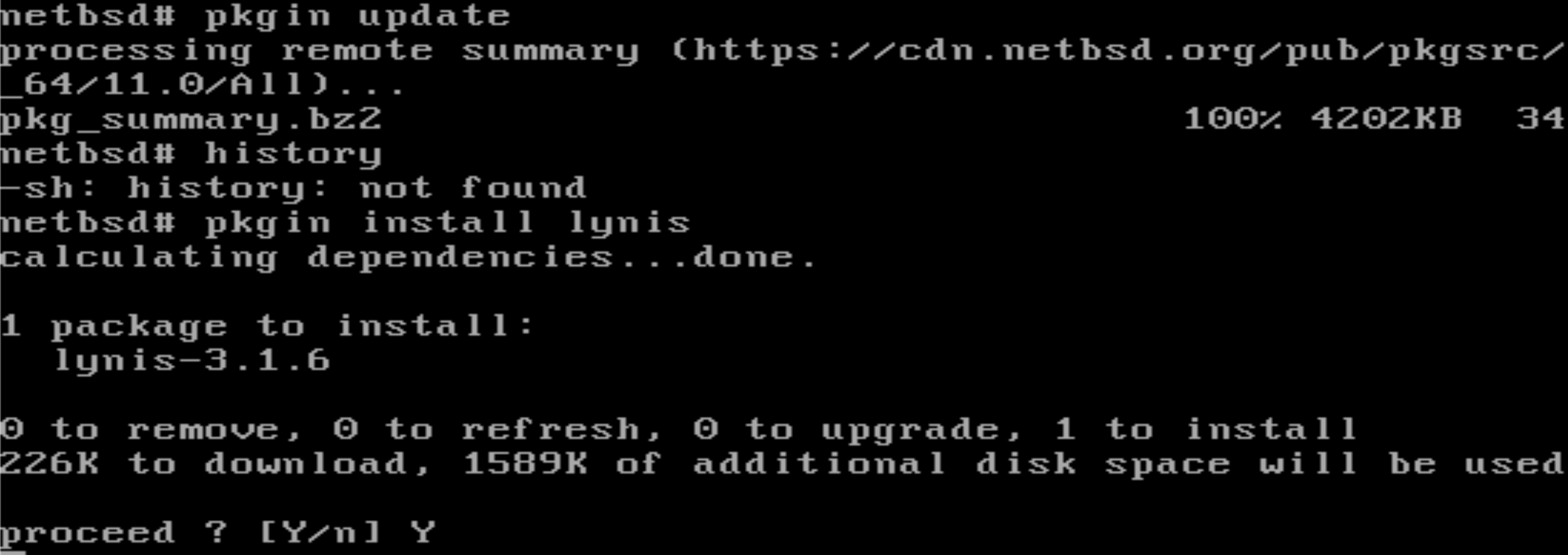
Don’t be alarmed—the live version of NetBSD comes with a very bare-bones setup. To install `curl`, you’ll first need to add `pkgin` ( #netBSD 's equivalent of `apt`) by downloading the package directly.
pkg_add https://cdn.netbsd.org/pub/pkgsrc/packages/NetBSD/x86_64/11.0_2026Q3/All/pkgin-26.4.0.tgz
is your friend.
So, bring a bit of patience along!
![[?]](https://media.mas.to/accounts/avatars/109/847/676/999/751/988/original/3a816be6aca6f251.png)
The current hot thing in alternative OSes is NetBSD because they have rejected any LLM-generated submissions.
Thing is, Linux has a few features that I have grown to depend on, and that I plain ol' don't know if NetBSD provides them:
1. support for virtualization that is comparable to KVM.
2. support of AMD GPUs (no, not for AI stuff, but for gaming), also: Steam?
3. support of UVC devices (USB webcams, basically)
4. support for USB audio devices (e.g. the Scarlett 4i4)
5. Wayland support (ties in with #2)
6. Decent support for USB hacking and rev'enging, similar to Linux's USBmon.
I know I have at least one NetBSD aficionado in my followers, but I don't want single them out by pinging them specifically ;)
Also, tangentially, have OpenBSD and FreeBSD said anything about LLM contributions?
If you know the answers to (any of) 1-6 above, I'd be thankful, will also try and find out myself. TIA!
Comments about "it's GNU/Linux" or "use nix!" should be shouted into /dev/null.
I think what I'll try re NetBSD is, I've got an old 32-bit HP 2140 netbook with an Atom N270 CPU. Isn't being used for anything. I'll try installing it on that, see what problems I encounter. (Wifi, I'm thinking, but let's see.)
![[?]](https://polymaths.social/fileserver/01HCMX6M1CZNEVJ4F5H58TT5XJ/attachment/original/01M4GVVZSEWT13KC280GWBJSF8.png)


 🍵
🍵  [
[![[?]](https://s3.eu-central-003.backblazeb2.com/social-lol-media/accounts/avatars/111/887/223/729/319/238/original/b4e4bf986ca15639.jpeg)
RE: https://lgbtqia.space/@dianea/117450116135860784
I've been thinking of going with one of the BSDs as well. #GhostBSD is nice, I like the idea of #FreeBSD and #OpenBSD (with #OpenRiot perhaps). Haven't considered #NetBSD too much, maybe I should add that to the list.
Decisions....
Or heck, maybe just run #Haiku. I loved me some #BeOS. Always wanted a #BeBox.
Jay 🚩This morning, I have successfully installed #NetBSD on the newish laptop. After 30 years of running Linux exclusively in this house, today is the beginning of a new era. #RUNBSD
Alt...
Full screenshot of the XFCE4 Desktop with the Motif theme running on NetBSD, with Firefox and a few terminals open, not shown is the desktop wallpaper with the void kitty
![[?]](https://cdn2.miau.pub/accounts/avatars/111/077/294/997/712/881/original/e466d91ac7b69254.png)

![[?]](https://media.bsd.cafe/bsdmmedia01/accounts/avatars/111/360/189/352/809/556/original/c41657304ba422ab.png)


I know it's still very much a WIP, but I'm excited to eventually try out AlpineBSD
https://sr.ht/~sircmpwn/alpinebsd/
(NetBSD base + Alpine pkgs)
boosted![[?]](data:image/png;base64, iVBORw0KGgoAAAANSUhEUgAAAEAAAABAAQAAAACCEkxzAAAAV0lEQVQoz43RwQ3AMAwCQDZg/y3ZgNqo3+JaedwDOUQBQFHYaTB8wTM6sGl2cMPu+DFzn+ZcgN7wF7ZVihXkfSlWIVzIA6dbQzaygllpNuTXZmmFNlvxADX1+o0cUPMbAAAAAElFTkSuQmCC)
@chadmccullough @netbsd
I'm facing the same decision, if and when to leave the #AI slopified linux for greener pastures. I started with version 1.1.59 that we got by downloading 60 floppies over a dialup connection.. My last usoft OS install was NT4.0
AI is the herpes virus for software. It might be fun while getting it but it will bring a lifetime of misery.
as a starter question: what is the differences between #netBSD and #openBSD?
![[?]](https://assets.chaos.social/accounts/avatars/108/198/383/090/213/558/original/92bec86704400a34.jpg)
@the_wub @nina_kali_nina @davidgerard With more attention to #NetBSD recently, donations went up, yay. But instead of immediately saying "let's get more hardware or software help," they said, let's pay some human artists for some new #art.
https://mastodon.sdf.org/@netbsd/117412882408519343
Anyone with open commissions who wants to do some #art for NetBSD?
We've got a budget for paying for some concept art and can later talk about working with you on some merch. DM us!
Naturally, we cannot accept contributions using generative AI.
![[?]](https://mastodon.sdf.org/system/accounts/avatars/108/233/134/134/174/252/original/75cf6c02b16edbb2.png)
![[?]](https://media.mstdn.social/accounts/avatars/109/696/860/885/494/817/original/835eb175bbf72dc8.png)
![[?]](https://media.bsd.cafe/bsdmmedia01/accounts/avatars/117/006/199/875/207/359/original/dfd5a542d6917324.jpeg)
With the help from some great folks here in the Fediverse, I was finally able to get @netbsd installed on both my desktop (Dell Optiplex) and laptop (Lenovo ThinkPad T14). I'm posting this from the desktop! Still unable to to get wireless working on the laptop but I am sure a USB wireless adapter will resolve this. I'm going to give this a try later today.
My move away from my beloved Linux is moving forward. Thank you to Torvalds and other projects who have ruined it for me after 30+ years. It's sad that I'm moving away, but I know it's the right decision (for me, anyway).
Updates coming, and will probably bore you to death.
![[?]](https://cdn.fosstodon.org/accounts/avatars/109/302/571/045/121/750/original/9cbcc385f5bd638e.jpg)
@netbsd Thanks for providing a gentle intro before I jump in and try #NetBSD.
I'm starting to think I will have to wait until my kit is old enough  but note that there are benefits to an OS that favours those with older kit, or who can only afford s/h.
It's good for inclusion and recycling which is good in itself, will educate some and annoy the fuck out of tech fascists. 👍
Good chance it will run on my #HomeLab although expect I'd have to ditch #Proxmox which I like. #Incus?
![[?]](https://media.mastodon.sunny.garden/accounts/avatars/110/657/712/351/170/121/original/7f0c7a7bf1eddc2e.png)
![[?]](https://gts.tumfatig.net/fileserver/01FJ093H6Y5VGN20G998J7KN1M/attachment/original/01JZTJV1P9RVJ502PCXKN68R1F.jpeg)
Somebody in my TL asked for #NetBSD Mint. That reminded me I once covered #OpenBSD with Mint sauce.
https://www.tumfatig.net/2019/openbsd-with-mint-sauce/
This can probably apply to any other OS where #Xfce runs.